No products in the cart.

-23%
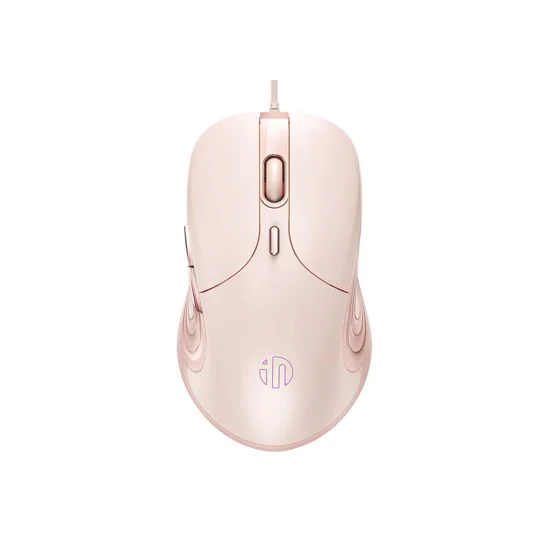



The Inphic B8 mouse is a USB wired office mouse for people who work, study or browse at a desk and want muted clicks. According to the product listing, it suits professionals and students, with muted switches, an optical sensor and six programmable buttons. This page explains what the maker lists, how to set it up in Bangladesh and what the listing does not confirm.
- Overview
- Key features
- Specifications
- How to use and set up
- Compatibility and what is in the box
- Who should buy it in Bangladesh
- Alternatives in our store
- Warranty and support
- Delivery, returns and ordering
- Frequently asked questions
Inphic B8 mouse overview for office and study
The Inphic B8 mouse is listed as a wired office mouse built around low-noise switches. The maker says these let you click without disturbing people nearby, which matters in a Dhaka office, a shared desk or a library reading room where a loud click is noticed quickly. The listing also describes a precision optical sensor, six programmable buttons and a skin-friendly surface.
The listing names four groups of buyers for the Inphic B8 mouse: office professionals, college students, casual gamers and graphic designers. Office professionals are described as needing a reliable, quiet tool for a shared workspace. Students are pointed to the library or a quiet study hall, while casual gamers are offered macros and precision without a flashy look. Graphic designers are named because of the 7200 DPI setting listed for detailed work.
Because the Inphic B8 mouse connects by USB cable, the listing says no battery recharging is required. The interface is described as universal and as working with Windows and macOS. The grip is described as anti-slip and sweat-resistant, which may feel more comfortable on a humid Dhaka afternoon. A mouse that needs no charging also means one less device to manage when power supply is unpredictable, although your computer will still need power.
Key features
Each feature below summarises the Inphic B8 mouse listing, so the wording follows what the maker lists.
Silent Click Technology
The left and right buttons on the Inphic B8 mouse use muted switches. According to the listing, these eliminate distracting noise without losing tactile feedback, so you still feel each click under your finger. The maker presents this as the main reason to choose the mouse for libraries, shared workspaces and late-night projects.
In a shared flat where others are sleeping, or an open office with many desks, muted clicks can mean fewer interruptions. The listing describes the switches in words but gives no decibel figure, so the best way to judge the sound is to try a mouse with similar clicks yourself before you rely on it all day.
High-Precision Tracking
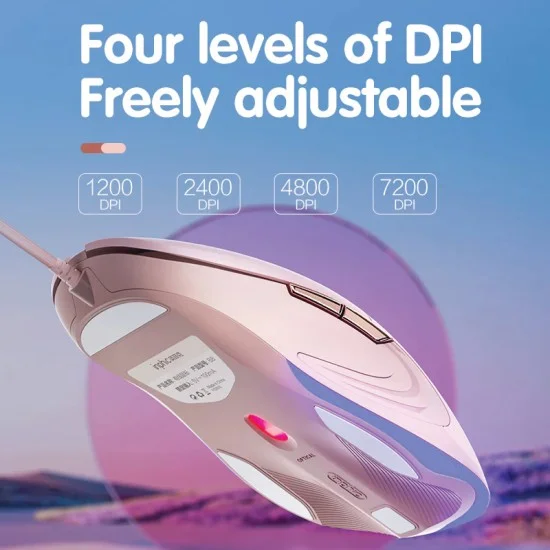
The Inphic B8 mouse uses an advanced optical sensor. The listing says it supports four default DPI levels, 1200, 2400, 4800 and 7200, so you can adjust sensitivity on the fly. It also says the mouse goes up to 8000 DPI via driver, which is the upper figure given for software adjustment.
Lower settings suit detailed editing at a slow pace, while higher settings can help you move across a large screen more quickly. Choose the level that feels natural for your desk and screen size. The listing links the 7200 DPI level to detailed work, so that is the setting to try first if you work on fine detail. Use the higher setting only if the driver route suits you, and keep your everyday setting consistent so your hand learns the speed.
Six Programmable Buttons
The listing describes six programmable buttons, which can be set up through dedicated drivers. The maker says macro support is available for gaming or productivity shortcuts, so one mouse can serve both office tasks and light play.
Many people use extra buttons for copy and paste, or for moving back and forward in a browser. The listing names those uses too. Setting up buttons takes time, so start with two or three shortcuts you repeat every day and keep the layout simple. The listing does not describe the software steps, so follow the maker’s instructions when you install the driver for the Inphic B8 mouse.
Ergonomic Grip
The listing describes a streamlined design with anti-slip grilles on both sides, which the maker says reduce hand fatigue during extended use. The surface uses a vacuum-plated, skin-friendly coating. According to the listing, this feels premium and prevents the sticky feeling of plain plastic.
Grip is personal. A mouse that suits a long hand may feel too large for a small one, so hold a similar mouse before you decide if comfort is your priority. The listing gives a weight of 105g (±5g) and a size of 122 x 70 x 36 mm, which you can measure against the mouse you use now. The Inphic B8 mouse also has an anti-slip, sweat-resistant grip according to the listing, which may help when hands get damp in humid weather.
Plug-and-Play USB Connection
The listing describes plug-and-play simplicity through a universal USB interface, which it says gives immediate compatibility with Windows and macOS. The listing also says the Inphic B8 mouse needs no battery recharging, so it is ready when you sit down.
Being a wired mouse, the listing says you get a 100% stable connection. The cable is approximately 150cm long according to the listing. Check that the cable reaches your computer port comfortably, and avoid stretching it across the desk when you move the mouse. Because there is no battery, there is no charging to plan around, although your computer will still need power.
4-Color Breathing Light
The listing mentions a 4-color breathing light, which it describes as an atmospheric lighting effect. According to the listing, you can toggle it off by holding the DPI button. If you prefer a plain desk, that option is worth knowing about before you buy the Inphic B8 mouse.
The listing does not give more detail about the lighting, so this page does not describe how it looks in every situation. For a shared or library setting, the option to turn the effect off may matter more than the effect itself. The listing presents the lighting as an atmospheric effect rather than a performance feature, so judge the mouse mainly on its clicks, sensor and fit.
Specifications
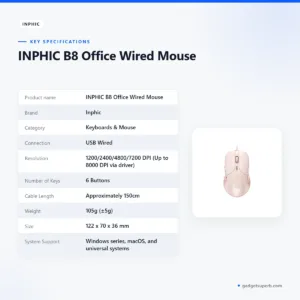
The Inphic B8 mouse specifications are set out below.
| Label | Value |
|---|---|
| Product name | INPHIC B8 Office Wired Mouse |
| Brand | Inphic |
| Category | Keyboards & Mouse |
| Connection | USB Wired |
| Resolution | 1200/2400/4800/7200 DPI (Up to 8000 DPI via driver) |
| Number of Keys | 6 Buttons |
| Cable Length | Approximately 150cm |
| Weight | 105g (±5g) |
| Size | 122 x 70 x 36 mm |
| System Support | Windows series, macOS, and universal systems |
| Warranty | 7 Days |
These are listed specifications for the Inphic B8 mouse from the product listing.
How to use and set up the Inphic B8 mouse
Setting up the mouse is straightforward. Plug the USB cable into a free port on your computer. The listing describes plug-and-play use, so you should be able to start on Windows or macOS without extra hardware. Follow the maker’s instructions for any driver you choose to install, and download drivers only from a source you trust.
If you want the programmable buttons on the Inphic B8 mouse or the higher DPI setting, install the driver the maker provides. The listing says the upper setting of 8000 DPI is reached via driver. Set one shortcut at a time, try it in the programmes you use every day, and add more only when you are comfortable with the first.
Because the mouse needs no charging, you do not have to plan around a flat battery. Your computer still needs power, though. Load-shedding can interrupt supply at inconvenient times, so save your files often, keep a sensible backup plan for longer sessions and plan important work around your own power arrangements.
Leave enough slack in the cable so it stays out of the way of your keyboard and hand. Keep the mouse on a flat surface with room to move, and avoid pulling on the cable when you lift it. Good desk habits make any wired mouse more comfortable over long sessions, and a neat cable route also keeps the desk tidy.
Care is simple. Wipe the shell with a dry cloth, keep food and drink away from the mouse, and store it in a drawer when it is not in use. In a humid Dhaka flat, keep the mouse away from damp air and open windows during the rains. The listing does not give cleaning or storage instructions, so these are general habits rather than maker guidance.
If the mouse does not respond, check that the cable is firmly seated, try another USB port on the computer and restart the computer before you assume a fault. The listing does not include troubleshooting steps, so these are general checks. If the problem continues, message us and we will help you decide the next step.
In the first week, use the mouse for ordinary tasks such as browsing, email and spreadsheets before you change any settings. This gives you a baseline, so a later change to the DPI level or a button is easier to judge.
Compatibility and what is in the box
The listing says the mouse has a universal USB interface and lists support for Windows series, macOS and universal systems. These are the compatibility points given in the listing. Any other operating system is not confirmed, so check with us before you order if you use one.
The listing does not give a full list of contents, so this page does not describe what comes with the mouse. Before you order, make sure you have a free USB port on your computer, or a spare port on a keyboard or hub you already use. Many desks run out of ports quickly, so count them before you buy.
For casual gaming, the listing names precision and macros, so the mouse may suit light play. It is not presented as a dedicated gaming device, and the listing does not compare it with gaming mice. For background on the wider device family, see the Wikipedia article on computer keyboards.
Who should buy the Inphic B8 mouse in Bangladesh
Office professionals in Dhaka, Chattogram or Sylhet who share a room with colleagues may find the Inphic B8 mouse useful. The listing describes a reliable, quiet tool for a shared workspace, and the muted switches are the main reason to consider it. If you spend long hours on spreadsheets, reports and email, the sensor settings and six buttons may help you move faster.
College students who study in a library, hostel room or group study space can use a quiet mouse as a daily companion. The listed weight of 105g (±5g) and cable length of approximately 150cm are worth checking against your bag and desk before you decide.
Co-working desks and shared offices in Dhaka and Chattogram need equipment that stays quiet and simple. The listing names shared workspaces directly. The mouse suits that setting according to its listing, provided the USB port and desk layout work for you.
Freelancers who work from a flat in Mirpur, Uttara or Sylhet often share a desk with family. A wired mouse needs no charging, so there is one less thing to manage during a long working day. The muted switches may also suit a room where someone is sleeping nearby, which matches the late-night projects the listing mentions.
Casual gamers who want macro support without a flashy look are named in the listing. If your main need is fast-paced competitive play, read the features carefully and compare them with a gaming mouse in our range before you choose. The Inphic B8 mouse is presented as a precision office mouse with macros, not as a gaming model.
Graphic designers working on detailed layouts are pointed to 7200 DPI, as the listing states. The Inphic B8 mouse can be a sensible choice for that work, but check your monitor size and desk space, because a mouse that feels right on a large screen may not suit a small laptop tray.
Families who share one home computer for schoolwork, online forms and video calls may find a simple USB mouse easier to manage than a model that needs charging. The listing describes plug-and-play use on Windows and macOS, which keeps setup short for people who prefer few steps.
If you want a mouse that suits a reception desk or a small office front counter, the listing describes office-appropriate aesthetics. The vacuum-plated finish and the option to switch off the breathing light may suit a plain, professional setup.
Delivery and cash on delivery are covered in their own section below.
Alternatives in our store
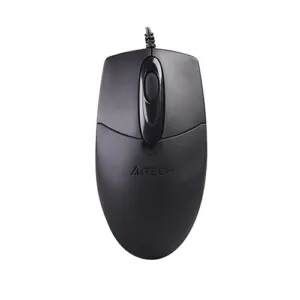
If the Inphic B8 mouse does not suit you, you can look at other items in our range. The A4TECH OP-720 Optical USB Wired Mouse is another mouse in our range. The Havit MS1027 Cool RGB LED Gaming Optical Mouse is another gaming mouse in our range. The Havit MS1034 RGB Backlit Programmable Gaming Mouse is a further gaming mouse in our range. For a full desk setup, see the Fantech P31 Keyboard, Mouse & Mousepad Combo, a combo in our range. You can browse all of them in the Keyboards & Mouse category.
Choose by need: a quiet office mouse, a gaming mouse, or a combo for a full desk setup. Read each product page and the delivery section below before you place an order.
Warranty and support
Warranty: 7 Days seller warranty.
Delivery, returns and ordering
For the Inphic B8 mouse, we deliver all over Bangladesh and you pay cash on delivery.
Delivery usually takes 1–3 days inside Dhaka city and 2–5 days outside Dhaka. If you live outside Dhaka, allow the longer window and call us if you need a date before you order.
You can return it within 7 days of delivery (see our Delivery & Returns policy).
Questions before ordering: call 09638054751, message us on Facebook Messenger or email care@gadgetsuperb.com. Policy page: gadgetsuperb.com/delivery-returns.
When you are ready to order the Inphic B8 mouse, have your delivery address and phone number ready, so any questions about the order can be settled quickly.
Frequently asked questions
Is the Inphic B8 mouse a wired mouse?
Yes. The listing describes it as a USB wired mouse with a cable of approximately 150cm.
Are the clicks on the Inphic B8 mouse muted?
The listing says the left and right buttons use muted switches that reduce click noise while keeping tactile feedback. It gives no decibel figure, so the Inphic B8 mouse is best judged by feel and by listening in person.
What DPI levels does the Inphic B8 mouse offer?
The listing gives four default levels: 1200, 2400, 4800 and 7200 DPI. It also states up to 8000 DPI via driver.
Does the Inphic B8 mouse work with Windows and macOS?
The listing says it has a universal USB interface and lists support for Windows series, macOS and universal systems.
How many buttons does the Inphic B8 mouse have?
The listing gives 6 programmable buttons, which can be set up through dedicated drivers.
Does the Inphic B8 mouse need charging?
No. The listing says no battery recharging is ever required because the mouse is wired.
Can I switch off the breathing light on the Inphic B8 mouse?
According to the listing, the 4-color breathing light can be toggled off by holding the DPI button.
How long is the cable on the Inphic B8 mouse?
The listing gives approximately 150cm. Check that length against your desk layout before you order.
What warranty does the Inphic B8 mouse have?
The listing gives a warranty of 7 Days. Ask us about the warranty before ordering.
Can I return the Inphic B8 mouse if it does not suit me?
Yes, you can return it within 7 days of delivery. See our Delivery & Returns policy for details.
Can I pay cash on delivery for the Inphic B8 mouse?
Yes. We deliver all over Bangladesh and you pay cash on delivery.
What should I do if my Inphic B8 mouse stops working?
The listing does not include troubleshooting steps. Message us on Facebook Messenger, email care@gadgetsuperb.com or call 09638054751.
Related products
-23%
100 in stock

Hoco GM52 Reddy RGB Gaming Wired Mouse
Original price was: ৳ 1,460.৳ 1,120Current price is: ৳ 1,120.-20%
166 in stock

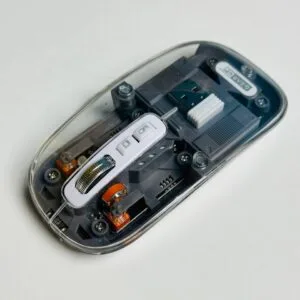
GearUP WM30 Transparent Crystal 2.4G + Bluetooth Magnetic Wireless Mouse- Gray Color
Original price was: ৳ 1,040.৳ 830Current price is: ৳ 830.
-20%
48 in stock


AULA AK105 USB Wired Black Keyboard — Full-Size 104-Key Membrane Office Keyboard
Original price was: ৳ 940.৳ 750Current price is: ৳ 750.-20%
92 in stock
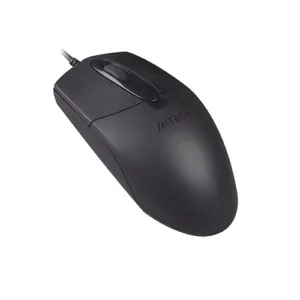
A4TECH OP-720 Optical USB Wired Mouse
Original price was: ৳ 650.৳ 520Current price is: ৳ 520. INPHIC B8 Office Wired Mouse
 Original price was: ৳ 1,300.৳ 1,000Current price is: ৳ 1,000.
50 in stock
Reviews
There are no reviews yet.