No products in the cart.

-26%
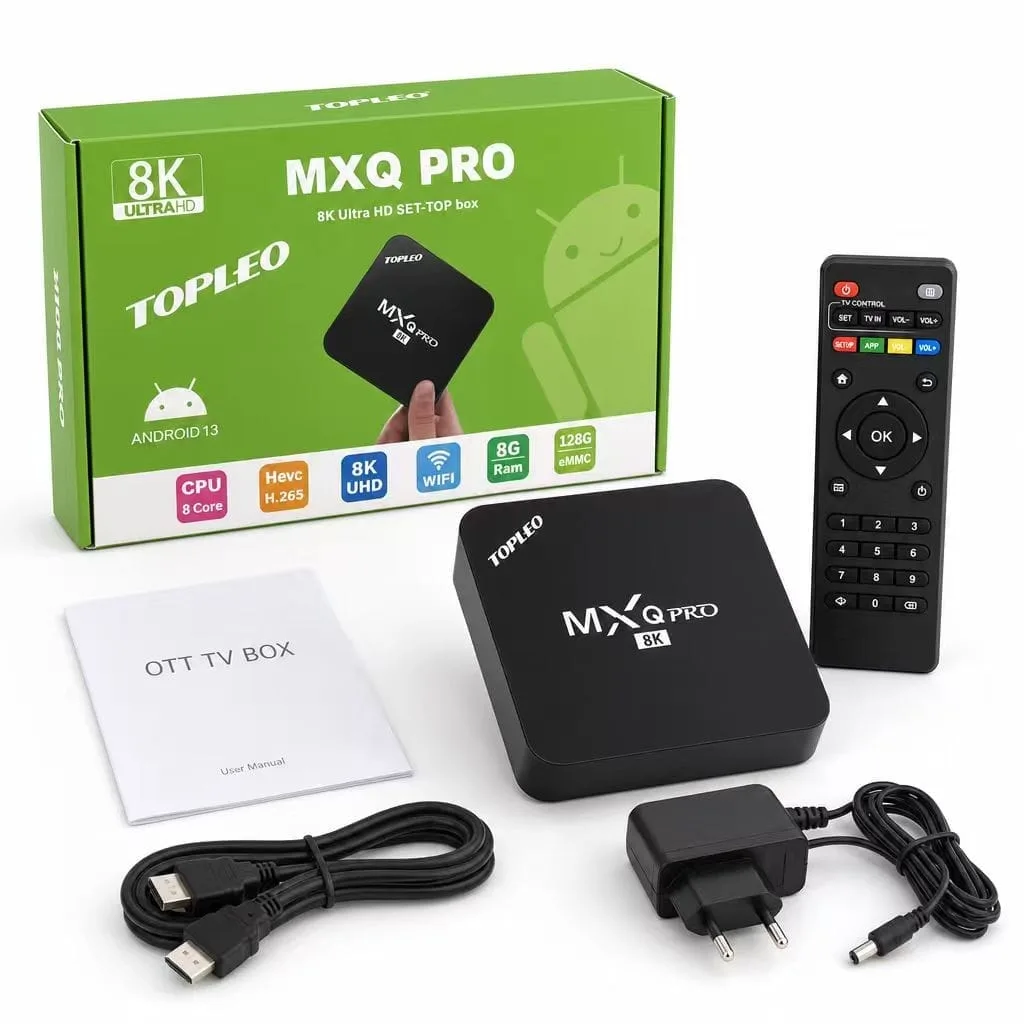


This android tv box, the MXQ Pro 4K Internet TV, is listed as a way to turn an HD television into a smart TV. It suits Bangladeshi households that want Facebook, streaming apps and simple browsing on the big screen without replacing the set. The guide below covers what the listing says, how to set up the box, and what the listing leaves open.
- What this android tv box does
- Key features
- Specifications
- How to use and set up
- Compatibility and what is in the box
- Who should buy it in Bangladesh
- Alternatives in our store
- Warranty and support
- Delivery, returns and ordering
- Frequently asked questions
What this android tv box does
The listing describes this android tv box as a smart device for people who want to use Facebook on an HD TV. It says a keyboard, a mouse and apps can be used with the box, so the same television can serve for entertainment and light computer-style tasks.
According to the listing, Android TV can be built both into TVs and into stand-alone digital media players. Users can reach the Google Play Store to download Android apps and games, including media streaming services. For background on the wider product category, read the Wikipedia article on consumer electronics.
The listing also describes the Android TV interface as divided into three sections: recommendations on top, media apps in the middle and games on the bottom. It says the interface can be navigated with a game controller, a remote control or the Android TV mobile app, and that voice search helps find content quickly. In a Dhaka flat, this android tv box is most useful where the television is already in place and the household wants more apps and search options.
Many buyers compare a TV box with a smart television, a streaming stick or a laptop connected to the screen. The listing does not compare this model with those options, so the choice depends on what you already own. If the television has no apps of its own, a box adds them. If it already has a good app store, check whether you need the extra features at all.
Key features
Android TV platform and apps
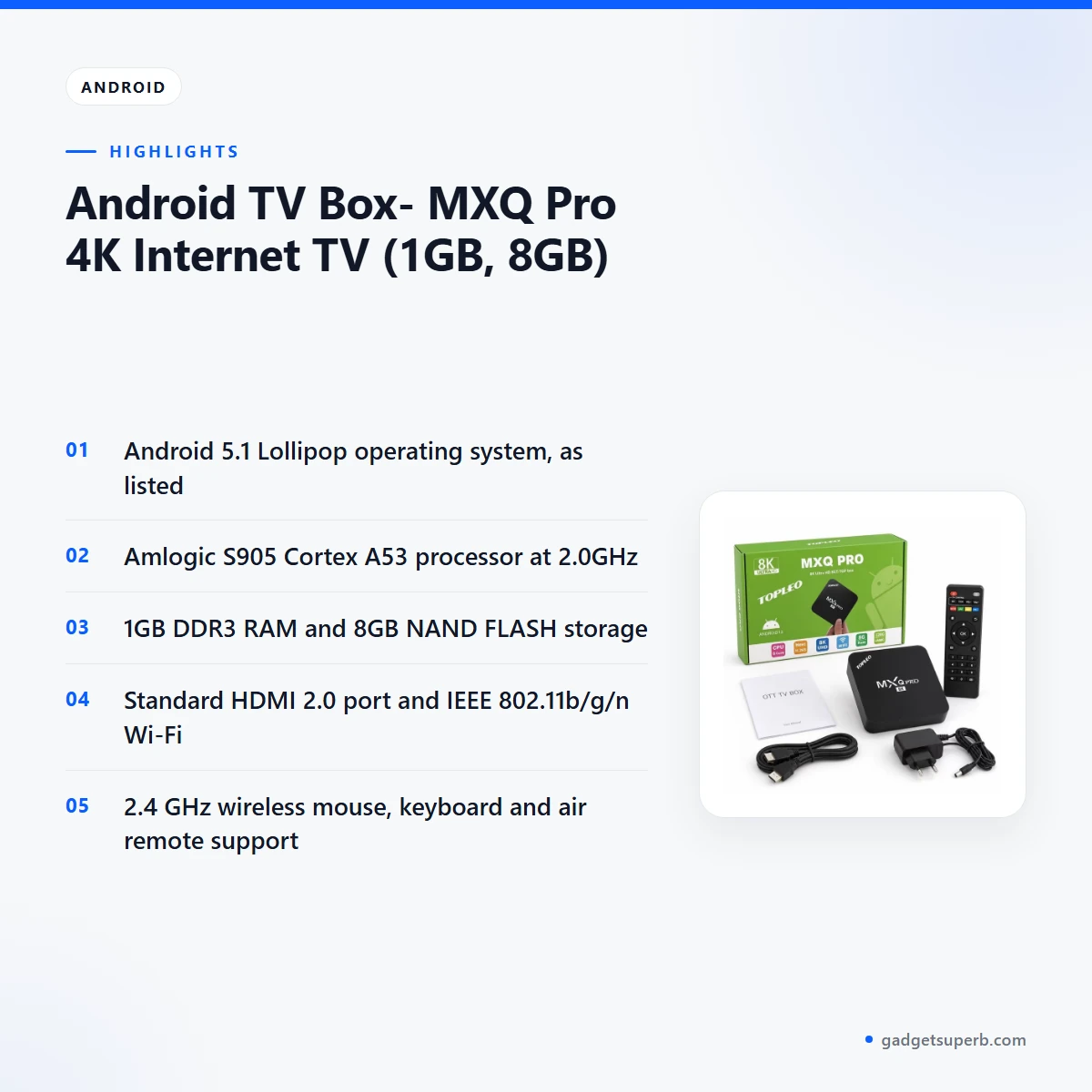
The listing states that this android tv box runs Android 5.1 Lollipop. It gives access to the Google Play Store for Android apps and games, and lists web browsing, 2D and 3D games, office applications and internet video chat as possible uses. Skype, QQ, Facebook, YouTube and Picasa are named as network applications. The pre-installed apps include ES File Explorer, Google Search, Google Maps, Browser, Gallery, Gmail and a video app. Check that the apps you need are available before you order.
Processor, graphics and memory
The listing gives the processor as an Amlogic S905 Cortex A53 at 2.0GHz, paired with a Penta-Core ARM Mali-450 GPU. Memory is listed as 1GB DDR3 RAM, and storage as 8GB NAND FLASH. The listing describes the processor as high-speed, but it does not include benchmark results, so judge this android tv box by the apps and streaming services you plan to use. Keep some storage free for updates and new apps, and remove apps you no longer use.
Video, audio and picture support
According to the listing, the box decodes HD MPEG1, MPEG2, MPEG4, H.265 and 4K-HD video, along with HD AVC, VC-1, RM and RMVB, Xvid, DivX and RealVideo formats. It also gives 4K@60Hz video decoding, 10-bit HEVC AVS+ support and H.264 up to 4K@30Hz.
Container formats named include AVI, MKV, MOV, ISO, WMV, FLV, MPG and TS. Audio formats in the listing include MP3, WMA, AAC, WAV, OGG, AC3, DTS, TrueHD, FLAC and APE, and picture formats include JPEG, BMP, GIF, PNG and TIFF. Hardware 3D graphics acceleration is also listed. If you rely on one file type, check it against this list before you order this android tv box.
Connectivity and ports
The listing gives Wi-Fi connectivity as IEEE 802.11b/g/n and describes the box as supporting a high speed of Wi-Fi for network applications. A 10/100M Ethernet port (RJ45) is listed for a wired connection, and the listing gives a standard HDMI 2.0 port. Other interfaces are 4 USB ports, 1 HDMI, 1 RJ45, 1 SD card slot, 1 AV, 1 DC in and 1 SPDIF. The listing also says PPPOE, DLNA and Miracast are supported. Bluetooth is listed as N/A, so do not expect Bluetooth connectivity from this android tv box.
Remote, keyboard and mouse support
The listing says the box supports 2.4 GHz wireless mouse and keyboard devices, as well as an air remote. It also says the interface can be navigated with a game controller, a remote control or the Android TV mobile app. For anyone who plans to use this android tv box for typing search terms or messages on the television, a keyboard connection is the feature to check first. Voice search is described as a core part of the Android TV platform. Follow the maker’s instructions to pair each device.
Networking, casting and streaming
The listing names several network functions for this box, including VUDU, Miracast, XBMC, AirPlay, Skype chatting, Picasa, YouTube, Facebook and online movies. It describes free internet searching, thousands of Android applications and many kinds of games. If you plan to cast from a phone or laptop, read the maker’s instructions for your device before you rely on casting. Do not assume every service in the list will work the same way on your home network. Streaming quality also depends on your broadband plan and router position.
Specifications
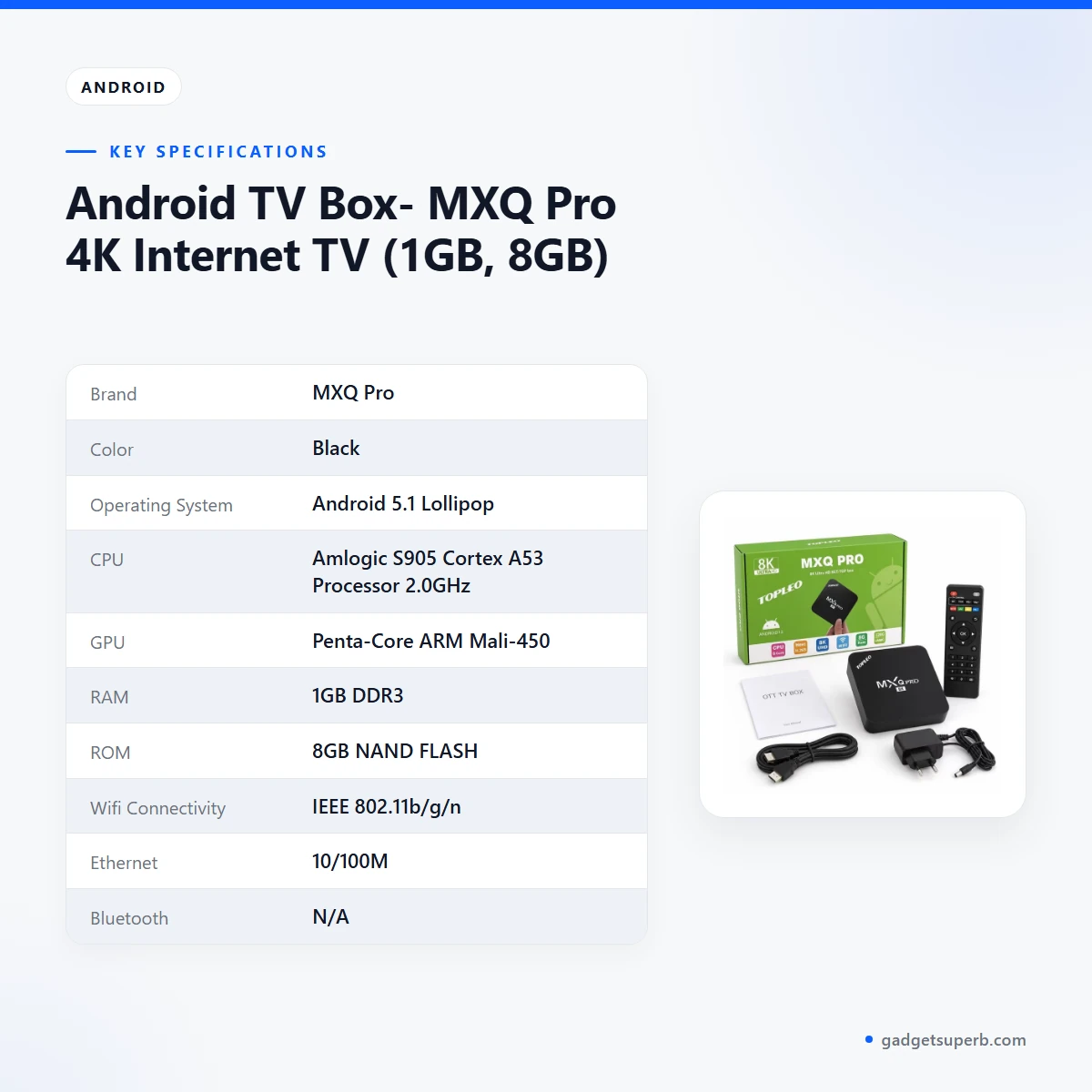
The table below sets out the specifications of this android tv box as they appear in the listing for the MXQ Pro 4K model. Use it to compare the box with your television and router before you order.
| Brand | MXQ Pro |
| Color | Black |
| Operating System | Android 5.1 Lollipop |
| CPU | Amlogic S905 Cortex A53 Processor 2.0GHz |
| GPU | Penta-Core ARM Mali-450 |
| RAM | 1GB DDR3 |
| ROM | 8GB NAND FLASH |
| Wifi Connectivity | IEEE 802.11b/g/n |
| Ethernet | 10/100M |
| Bluetooth | N/A |
| Camera | N/A |
| HDMI Port | Standard HDMI 2.0 |
| Other Interfaces | 4*USB, 1*HDMI, 1*RJ45, 1*SD card slot, 1*AV, 1*DC in, 1*SPDIF |
| Power Supply | DC 5V/2A |
These are listed specifications from the product listing.
How to use and set up
Setting up this android tv box is a short job if you check a few things first. Find a free HDMI input on your television, note its number, and check that the picture settings on the TV match that input. Keep the box in a ventilated spot, away from heavy objects, rather than inside a closed cabinet, because the listing gives no heat or temperature rating.
Next, connect the HDMI cable from the box to the television. The listing gives a standard HDMI 2.0 port, so use a cable that suits your set. Connect the power supply, which the listing rates at DC 5V/2A, and follow the maker’s instructions for the power connection. Do not use a power source that does not match that rating.
Then connect to your network. The box supports IEEE 802.11b/g/n Wi-Fi, and a 10/100M Ethernet port is listed for a wired connection. If your router is far from the television, a cable connection can be a practical choice, although results depend on your home. Broadband speeds vary from flat to flat, so test the connection with the apps you use most.
Pair your remote, keyboard or mouse next, following the maker’s instructions for 2.4 GHz wireless devices. Start the first-time setup as the maker describes, sign in to the Google Play Store if you want to add apps, and install updates when the box offers them. It is common practice to switch electronics off at the wall during thunderstorms, and never to block vents while a device is running.
Cable placement matters more than many buyers expect. Keep the HDMI and power cables away from foot traffic. For load-shedding, a stable power supply helps the box restart cleanly after an interruption. A surge protector or UPS can be worth considering in areas with frequent outages, provided its rating suits the power supply. Once this android tv box is connected, open your main streaming app and check that video plays before you move the box to its permanent place.
After setup, keep the box clean and dry. Wipe the outside with a dry cloth and keep liquids away from it. In the monsoon, humidity is common in many Bangladeshi homes, so leave space around the vents and avoid stacking other electronics on top. These habits are general good practice for any electronics.
Compatibility and what is in the box
The listing confirms a standard HDMI 2.0 port, one RJ45 Ethernet port (10/100M), IEEE 802.11b/g/n Wi-Fi and a DC 5V/2A power input. Check those connections against your television and router before you buy this android tv box. The listing also says the box works with 2.4 GHz wireless mouse, keyboard and air remote devices.
The listing includes the phrase ‘Work in any TV’, but it does not give a list of tested television models. Fit has not been confirmed for every model, so check that your TV has an HDMI input and suitable picture settings.
The listing does not state what is in the box, so this page does not list accessories. Ask us before ordering if you need to know which cables, remote or power supply are included. The listing gives Bluetooth and Camera as N/A, so it does not list either feature for this model.
Who should buy it in Bangladesh
This android tv box suits a household that already has a television with an HDMI input and wants to add apps, browsing and video streaming without replacing the set. A family room with an older HD TV is the typical case, especially where relatives want Facebook, YouTube and online movies on the big screen.
A student or young professional in a Dhaka flat may also find this android tv box useful for web browsing and light office tasks. The listing says that keyboard and mouse support is available and that office applications can run on the box. That makes it handy for checking email or reading documents, though it is not a replacement for a laptop.
Buyers who want voice search and a simple menu may find the Android TV interface helpful. Recommendations appear at the top, media apps sit in the middle and games are at the bottom, according to the listing. Families who share one television often value that layout, because each person can find their own apps quickly.
Parents who want to share one screen across generations can use the box to choose content together. Shared use also means agreeing on which apps are installed and who manages updates. Agree on a simple rule for downloads before the first installation, so the television stays easy to use.
Before you buy, write down the services you use each week. Check that each one has an Android app and that your household can sign in to it. This short list is often a quick way to decide whether the box matches your viewing habits.
Some buyers should look elsewhere. If you need Bluetooth, a built-in camera or a connection beyond the listed ports, check the specifications table before you commit. If you need a specific streaming app, check that it is available for Android 5.1 Lollipop first.
Alternatives in our store
If this android tv box does not match what you need, our range includes other Android TV boxes. Each product page shows its own listing details, so you can compare them side by side.
The Q35 4K/8K Android OTT Streamer Smart TV Box (2GB RAM / 16GB ROM) with Voice Remote & Built-in CCTV Apps Support is another Android TV box in our range. The TX20 Pro 12K Ultra HD Smart Android TV Box is another Android TV box in our range for shoppers who want a different model. The Q5 Android tv box 4k 2GB ram 8GB Storage Voice Remote IPTV compatible is another Android TV box in our range. The TX60 Pro 24K Ultra HD Smart Android TV Box with Voice Control Remote is another Android TV box in our range with its own listing.
Browse every model in the TV Boxes category to compare them side by side.
Warranty and support
Warranty: 7 Days seller warranty.
Delivery, returns and ordering
We deliver all over Bangladesh, and you pay cash on delivery. Delivery usually takes 1–3 days inside Dhaka city and 2–5 days outside Dhaka.
Before you order this android tv box, read the full terms on our Delivery & Returns policy page. You can return it within 7 days of delivery. Keep the packaging and delivery note with the box while you check it, so that a return request is easy to handle.
When the parcel arrives, check the outer packaging and the delivery note, and keep them until you are happy with the box. If something seems wrong, contact us before you start the setup.
Questions before ordering? Call 09638054751, message us on Facebook Messenger or email care@gadgetsuperb.com.
Frequently asked questions
What is this android tv box?
This android tv box is the MXQ Pro 4K Internet TV, which the listing describes as a smart device that can turn an HD TV into a smart TV. The listing presents it as a way to use apps and the internet on a television you already have.
Can this android tv box turn an HD TV into a smart TV?
According to the listing, yes: this android tv box can make an HD TV into a smart TV and gives access to apps and web browsing. Smart features depend on your home network and the apps you install.
Does this android tv box support a keyboard and mouse?
The listing says it supports 2.4 GHz wireless mouse, keyboard and air remote devices. Pair each device by following the maker’s instructions.
Which Android version does this android tv box run?
The listing gives the operating system as Android 5.1 Lollipop. Check that the apps you want are available for that version before you order this android tv box.
How much RAM and storage does this android tv box have?
The listing gives 1GB DDR3 RAM and 8GB NAND FLASH storage. Keep some storage free for updates and new apps.
Does this android tv box have Bluetooth?
The listing gives Bluetooth as N/A, so it does not list Bluetooth for this android tv box. Check the specifications table if you plan to use Bluetooth accessories.
Will this android tv box work with any TV?
The listing includes the phrase ‘Work in any TV’, but fit has not been confirmed for every model. Check that your television has an HDMI input before you order this android tv box.
How long is the warranty on this android tv box?
Warranty: 7 Days seller warranty. Ask us if you have questions before ordering.
How fast is delivery of this android tv box in Bangladesh?
Delivery usually takes 1–3 days inside Dhaka city and 2–5 days outside Dhaka, and you pay cash on delivery. We deliver all over Bangladesh.
Can I return this android tv box?
Yes, you can return it within 7 days of delivery. See our Delivery & Returns policy for the details, and keep the packaging and delivery note while you check the box.
Related products
-25%
65 in stock

TX60 Pro 24K Ultra HD Smart Android TV Box with Voice Control Remote
Original price was: ৳ 3,350.৳ 2,480Current price is: ৳ 2,480.-25%
50 in stock


Q5 Android tv box 4k 2GB ram 8GB Storage Voice Remote IPTV compatible
Original price was: ৳ 3,740.৳ 2,770Current price is: ৳ 2,770.-25%
50 in stock


TX20 Pro 12K Ultra HD Smart Android TV Box
Original price was: ৳ 3,350.৳ 2,480Current price is: ৳ 2,480.-28%
50 in stock


Q35 4K/8K Android OTT Streamer Smart TV Box (2GB RAM / 16GB ROM) with Voice Remote & Built-in CCTV Apps Support
Original price was: ৳ 6,080.৳ 4,370Current price is: ৳ 4,370. Android TV Box- MXQ Pro 4K Int...
Original price was: ৳ 2,800.৳ 2,070Current price is: ৳ 2,070.
50 in stock
Reviews
There are no reviews yet.