No products in the cart.

-25%
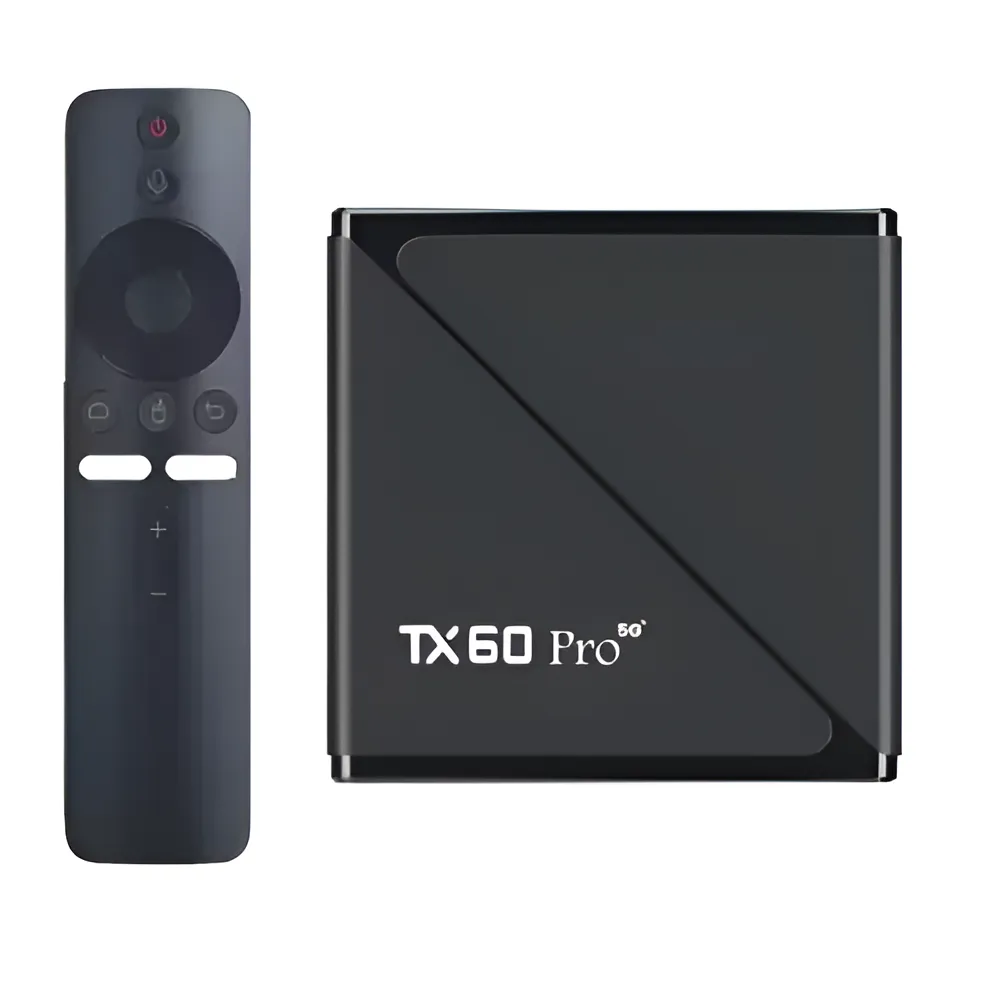
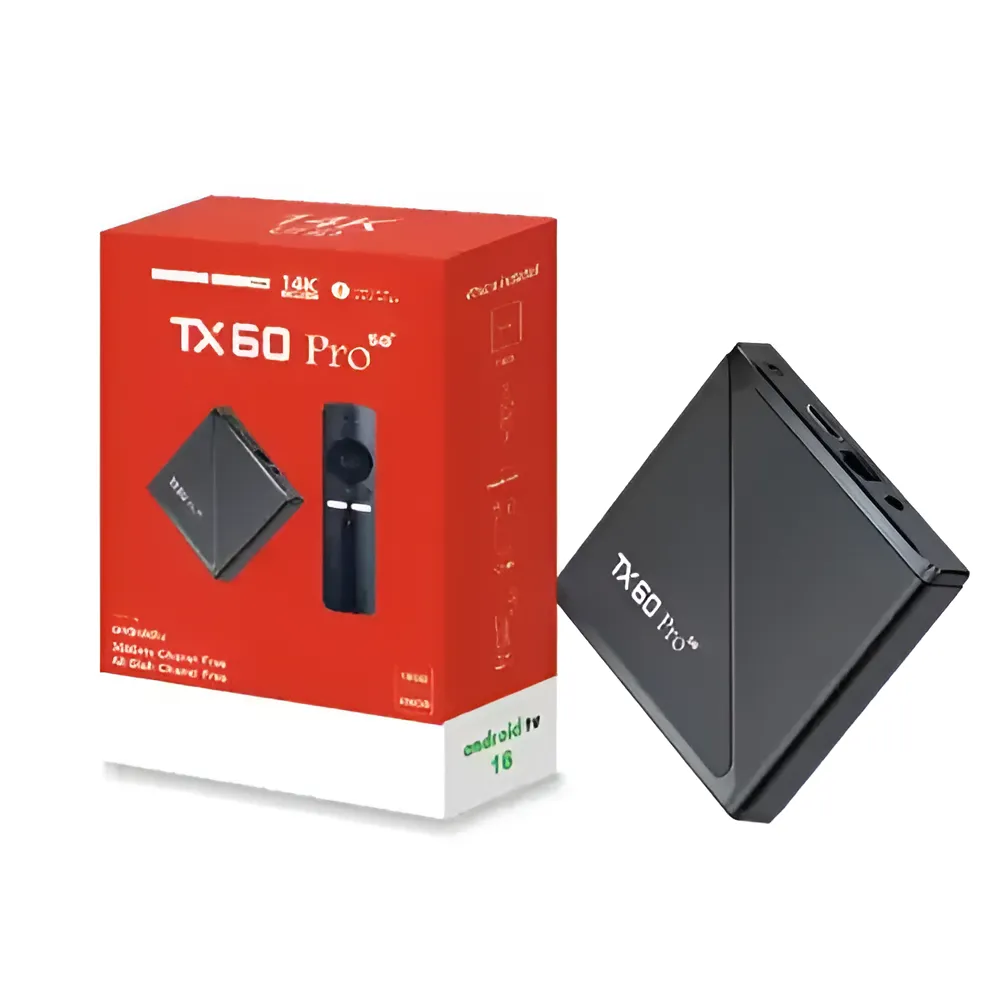



The TX60 Pro TV Box is a smart Android TV box for households in Bangladesh that want home entertainment on a TV, monitor or projector. According to the listing, it pairs 24K Ultra HD visuals with 16GB RAM, 256GB ROM and a voice control remote. It suits buyers who want one box for apps, streaming and media.
- About the TX60 Pro TV Box
- Key features
- Specifications
- How to use and set up
- Compatibility and what is in the box
- Who should buy it in Bangladesh
- Alternatives in our store
- Warranty and support
- Delivery, returns and ordering
- Frequently asked questions
About the TX60 Pro TV Box
The listing presents this box as premium home entertainment, engineered for speed, clarity and versatility. It says the device delivers 24K Ultra HD visuals, smooth multitasking with 16GB RAM and expansive 256GB storage. The model is listed as TX60, and the full product name is TX60 Pro 24K Ultra HD Smart Android TV Box with Voice Control Remote. Shoppers who search for the TX60 without the Pro should compare the full name carefully before they decide.
The listing states that the TX60 Pro TV Box runs Android 16 on an Allwinner H313 processor. It says the box supports thousands of apps, voice control, Dolby sound and dual-band Wi-Fi. The brand is listed as unknown, so the product name and model are the best guide when you compare pages. Keep a note of the model number, so you can match each listing with what you read.
It is listed for that kind of use: a household that wants one device for streaming, apps and media on a TV, monitor or projector. For background on the wider device category, see background on consumer electronics. Power cuts and humid weather are everyday factors in Dhaka, so placement and setup matter as much as the specification sheet. The TX60 Pro TV Box lists HDMI, RJ-45, USB and TF ports along with expandable storage, which covers many of the points a first-time buyer should check.
Key features
The listing highlights several features of this box. Read the headings below as a checklist. Each one follows the listing’s own wording, and each explanation stays close to the maker’s description, so you can judge the box against your viewing habits and your room.
24K Ultra HD with HDR support
The TX60 Pro TV Box listing gives the resolution as 24K Ultra HD with HDR support for lifelike visuals. The maker describes this as next-level clarity and colour precision. For a family watching dramas, sport or films on a large living-room screen, that extra detail is the main reason to look at this model. HDR is listed as a feature, and the listing does not explain how it looks on every display, so compare the box with the screen you already own. The listing does not state which display sizes give the best results. Match the box to the television, monitor or projector in your room, and think about the viewing distance from your sofa.
16GB RAM and 256GB ROM
The TX60 Pro TV Box is listed with 16 GB RAM for smooth multitasking, which the maker says helps when you stream, browse or game. The listing also gives 256 GB ROM for storing apps, media and games. These figures matter most if you install several streaming apps and keep a small library of downloaded films. The listing does not say how much of the 256 GB remains available after the system is installed, so read the setup section before you plan your storage. A sensible habit is to review your installed apps every few months and remove the ones you no longer open.
Allwinner H313 processor and Android 16
The listing names the Allwinner H313 Quad-Core CPU with Mali-G31 GPU in the TX60 Pro TV Box, together with the Android 16 operating system. It describes the CPU as Quad-Core 4X Cortex-A53 @ 1.30 GHz. The maker says Android 16 offers enhanced app compatibility and UI responsiveness. If an app you need is missing, check Google Play Store availability first, since the listing says the box supports apps from that store. Keep your streaming apps updated through the store, and if an app behaves oddly after an update, check whether the other apps on the box behave the same way.
Dual-band Wi-Fi and Bluetooth 5.0
The TX60 Pro TV Box is listed with dual-band Wi-Fi at 2.4GHz / 5GHz and Bluetooth Version 5.0 for easy wireless pairing. The listing describes the connections as fast and stable. It also lists an RJ-45 port, so you can connect by cable if you prefer a wired link. If the router sits far from the television, that port gives a wired option that does not depend on the wireless signal in the room. The listing does not say which devices pair over Bluetooth, so check the device you have in mind. Two bands give you a choice of network, and the stronger one may suit a room closer to the router.
Voice control remote and expandable storage
The TX60 Pro TV Box comes with a voice control-enabled remote, which the maker lists for smart navigation, browsing and searching. Storage is expandable via USB and TF card, so you can add more media later. The listing gives HDMI, RJ-45, USB and TF card slots as the ports. Look at the back of your television first, so you know which connections you have free for the box. Keep the remote where you can reach it, and consider how often you will use voice search compared with the buttons.
Specifications
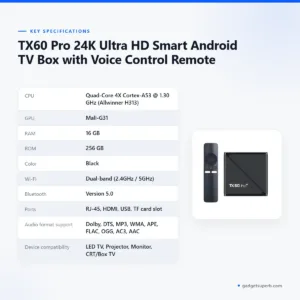
Below is the specification sheet for the TX60 Pro TV Box as the maker lists it, with the CPU, memory, connectivity and compatibility details in one place.
Reading a specification table is easiest row by row. Start with the RAM, ROM and display rows, then check connectivity and ports against your television, and finish with the operating system and app support rows. Compare these rows with the box you are considering, rather than with a different model, and note any row the listing leaves out.
| CPU | Quad-Core 4X Cortex-A53 @ 1.30 GHz (Allwinner H313) |
| GPU | Mali-G31 |
| RAM | 16 GB |
| ROM | 256 GB |
| Color | Black |
| Wi-Fi | Dual-band (2.4GHz / 5GHz) |
| Bluetooth | Version 5.0 |
| Ports | RJ-45, HDMI, USB, TF card slot |
| Audio format support | Dolby, DTS, MP3, WMA, APE, FLAC, OGG, AC3, AAC |
| Device compatibility | LED TV, Projector, Monitor, CRT/Box TV |
| App support | Apps from Google Play Store (YouTube, Netflix, DSTV Stream, Showmax, Toffee, and more) |
| Operating system | Android 16 |
| Display resolution | 24K Ultra HD with HDR |
These are listed specifications from the product listing for the TX60 Pro TV Box, and we have not added figures beyond those given.
How to use and set up
Start by placing the TX60 Pro TV Box near your television, monitor or projector, with space around it for air to move. Humid weather in Dhaka can make ventilation more important, so avoid enclosing it in a tight cabinet. Keep liquids away from the box and dust the vents with a dry cloth when needed. Choose a flat, stable surface where the box will not be knocked when furniture is moved.
Connect the HDMI cable to the box and to your display, then connect the power adapter. Follow the maker’s instructions for first-time start-up and any steps shown on screen. Take your time at this stage, because a rushed setup is harder to undo later. Once the start-up finishes, check that the display is set to the input you used for the TX60 Pro TV Box.
For the network, the listing says the TX60 Pro TV Box supports dual-band Wi-Fi at 2.4GHz and 5GHz. If your router offers both bands, choose the network that gives the stronger signal at the box’s location. If you need a wired link, the RJ-45 port is listed for this box, and a cable avoids most of the signal questions in the room. Note the network name and password before you start, so you are not searching for them mid-setup.
Install the streaming apps you use, such as YouTube or Netflix, through the app store the listing describes as Google Play. Sign in with your own accounts and follow each app’s own steps. The listing says Bluetooth 5.0 is for easy wireless pairing, so check the remote’s pairing steps in the maker’s instructions. Keep your streaming accounts ready, so the TX60 Pro TV Box setup takes less time.
For care, keep the box in a ventilated spot, away from direct sun and from heat sources such as a router stacked on top. In humid months, check the vents now and then and wipe dust from the casing with a dry cloth. Avoid spraying cleaner near the ports, and unplug the box before you clean it. Store the HDMI cable and power adapter in a dry place when the set is not in use.
Storage needs a little planning too. The listing gives 256 GB ROM and says storage can be expanded via USB and TF card. Keep large films on an external USB drive or a TF card rather than filling the internal space, and remove apps you no longer use. The listing does not say how much of the storage is free after setup. These habits help you keep the TX60 Pro TV Box tidy over time.
Power cuts are a practical concern in many parts of Bangladesh. After load-shedding, let the box and router start fully before you expect streaming to work. Protect the equipment from sudden changes in the supply, and ask a qualified electrician about suitable protection for your home. If the TX60 Pro TV Box does not respond after a power cut, check the power adapter and HDMI cable first.
Keep a short written record of your setup: the router name, the app accounts you use, and the date you started using the box. This makes it easier to get help from us if you need it, and it keeps your setup notes in one place.
Compatibility and what is in the box
The listing says the TX60 Pro TV Box is compatible with LED TVs, projectors, monitors and CRT/box TVs. It also lists support for apps from the Google Play Store, including YouTube, Netflix, DSTV Stream, Showmax and Toffee. The listing adds Free Dish Channel support and Dolby Digital and DTS audio format support.
Connection points matter more than most buyers expect. The listing names HDMI, RJ-45, USB and TF card slots, so look at your television’s back panel and note which inputs you have free. Measure the space behind the screen too, because a tight cabinet may make cables harder to route. Check the port type on your display, then match it to one of the listed ports.
Not confirmed by the listing: the exact input layout of your television, whether every app works the same in your area, and the brand name, which is listed as unknown. Check the display side yourself, and message us if you are unsure which connection to use.
The listing names the following package contents for the TX60 Pro TV Box: 1 x TX60 Pro 24K Ultra HD Smart Android TV Box, 1 x Voice Control Remote, 1 x Power Adapter, 1 x HDMI Cable and 1 x User Manual. Check your delivery against that list when it arrives.
The listing does not mention any other accessories. If you need a particular cable or adapter for your display, ask us, and we will tell you what we can confirm from the listing and from our own stock details. Keep the packaging for a few days after delivery, so you can check the contents against the list above.
Who should buy it in Bangladesh
A household in Dhaka with an LED TV that wants smart apps, streaming and voice search may find the TX60 Pro TV Box a practical choice, because the listing names LED TVs as compatible. The listing describes it as suited to both modern smart homes and traditional TV setups.
Students, home workers or families who use a monitor or projector in a shared room should check the listed compatibility first. The listing names monitors and projectors, and the box also has USB and TF slots for extra media files. A single room with one screen is a common setup in many Dhaka homes, and this type of box fits that layout.
Households with an older CRT or box television can consider it, since the listing names CRT/box TVs. Those buyers should look at the cable and port types on their set first, and check the room layout before the TX60 Pro TV Box arrives.
Families who stream from several services on one television may value the listed app support, which names YouTube, Netflix, DSTV Stream, Showmax and Toffee. Make a list of the services you use each week, so you can check them against the listing. A short list also helps you judge whether the TX60 Pro TV Box fits your household.
If you watch sport, news or films on a large screen and want one box for apps, the listed 24K Ultra HD resolution with HDR support may be the main reason to consider the TX60 Pro TV Box. If you only need basic viewing, you may prefer to browse the other TV boxes in our range instead.
A buyer who sets up a box for relatives in another district should note the delivery window, which is 2–5 days outside Dhaka, and plan the setup visit around it. Ask the household which television they use, so the setup can be planned on the same day as delivery.
Someone who keeps a large personal media library may value the listed storage options, which are 256 GB ROM and expandable storage via USB and TF card. The listing does not say how much media the TX60 Pro TV Box will hold in practice.
Buyers who want a wired connection can use the RJ-45 port the listing names. For that choice, the TX60 Pro TV Box lists an RJ-45 port beside its wireless options.
A reader who is new to Android TV boxes may simply want a way to stream films and sport on the living-room screen. For that buyer, the listed Android 16 operating system and app support may matter more than the figures in the table, and the TX60 Pro TV Box can serve as the main screen in the room.
Alternatives in our store
Before you decide on the TX60 Pro TV Box, you may want to browse other options in our range. These are all Android TV boxes: Android TV Box- MXQ Pro 4K Internet TV (1GB, 8GB) is one, Q35 4K/8K Android OTT Streamer Smart TV Box (2GB RAM / 16GB ROM) with Voice Remote & Built-in CCTV Apps Support is another, TX20 Pro 12K Ultra HD Smart Android TV Box is a third, and Q5 Android tv box 4k 2GB ram 8GB Storage Voice Remote IPTV compatible is a fourth. Browse the full TV boxes category to see everything we stock in this group. If one of the others suits your room better, compare its product page with this one before you decide.
Warranty and support
Warranty: 7 Days seller warranty.
Delivery, returns and ordering
We deliver all over Bangladesh and you pay cash on delivery. Delivery usually takes 1–3 days inside Dhaka city and 2–5 days outside Dhaka. Plan for the day you expect the parcel, and keep your phone switched on so the courier can reach you.
You can return the TX60 Pro TV Box within 7 days of delivery (see our Delivery & Returns policy). The full terms are on the Delivery & Returns page. Read the terms before you order, so you know what the policy covers.
Questions before ordering: call 09638054751, message us on Facebook Messenger or email care@gadgetsuperb.com. We are happy to answer questions about the TX60 Pro TV Box before you pay.
Ordering is simple: tell us which model you want, confirm your delivery address, and expect cash on delivery when the parcel arrives.
Frequently asked questions
What is the TX60 Pro TV Box?
The TX60 Pro TV Box is a smart Android TV box that the listing describes for premium home entertainment, with 24K Ultra HD visuals, 16GB RAM, 256GB ROM and a voice control remote.
Does the TX60 Pro TV Box support HDR?
Yes, the listing says 24K Ultra HD resolution with HDR support.
Which Android version does the box run?
The listing gives Android 16 for the TX60 Pro TV Box as the operating system, with an Allwinner H313 processor.
Can the box connect to a projector or monitor?
The listing says it is compatible with LED TVs, projectors, monitors and CRT/box TVs.
Does the box have Bluetooth and dual-band Wi-Fi?
Yes, the listing gives Bluetooth Version 5.0 and dual-band Wi-Fi at 2.4GHz / 5GHz.
Can I expand the TX60 Pro TV Box storage?
Yes, the listing says storage can be expanded via USB and TF card.
Which audio formats does the box support?
The listing names Dolby, DTS, MP3, WMA, APE, FLAC, OGG, AC3 and AAC.
Does the box come with a remote?
The listing states that the package includes a voice control remote.
What warranty does the box have?
Warranty: 7 Days seller warranty.
How long does delivery take?
Delivery usually takes 1–3 days inside Dhaka city and 2–5 days outside Dhaka.
Can I return it?
Yes, you can return it within 7 days of delivery, as set out in our Delivery & Returns policy.
How do I order and pay?
We deliver all over Bangladesh and you pay cash on delivery. Call 09638054751, message us on Facebook Messenger or email care@gadgetsuperb.com with any questions before ordering.
Related products
-25%
50 in stock


Q5 Android tv box 4k 2GB ram 8GB Storage Voice Remote IPTV compatible
Original price was: ৳ 3,740.৳ 2,770Current price is: ৳ 2,770.-25%
50 in stock


TX20 Pro 12K Ultra HD Smart Android TV Box
Original price was: ৳ 3,350.৳ 2,480Current price is: ৳ 2,480.-28%
50 in stock


Q35 4K/8K Android OTT Streamer Smart TV Box (2GB RAM / 16GB ROM) with Voice Remote & Built-in CCTV Apps Support
Original price was: ৳ 6,080.৳ 4,370Current price is: ৳ 4,370.-26%
50 in stock


Android TV Box- MXQ Pro 4K Internet TV (1GB, 8GB)
Original price was: ৳ 2,800.৳ 2,070Current price is: ৳ 2,070. TX60 Pro 24K Ultra HD Smart An...
Original price was: ৳ 3,350.৳ 2,480Current price is: ৳ 2,480.
65 in stock
Reviews
There are no reviews yet.