No products in the cart.

-23%


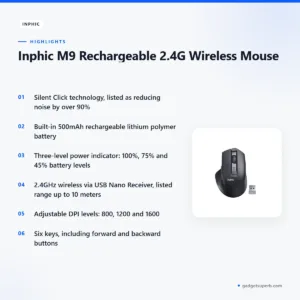
The inphic m9 wireless mouse is a rechargeable 2.4G wireless mouse from Inphic, listed in our Keyboards & Mouse range. According to the listing, it is built for people who spend long hours at a desk, with an ergonomic contour, silent clicks and a built-in 500mAh battery. It suits students, office workers and home office users in Bangladesh who want a quiet mouse without disposable batteries.
- Inphic M9 wireless mouse overview
- Key features
- Specifications
- How to use / set up
- Compatibility and what is in the box
- Who should buy it in Bangladesh
- Alternatives in our store
- Warranty and support
- Delivery, returns and ordering
- Frequently asked questions
Inphic M9 wireless mouse overview
The inphic m9 wireless mouse is Inphic’s rechargeable mouse for daily desk work. According to the listing, its sophisticated ergonomic contour and skin-friendly matte finish are designed to reduce wrist strain and hand fatigue. That focus suits people who sit at a computer for long periods, including students revising for exams and accountants, designers and developers working from home in Dhaka, Chattogram or Sylhet.
Silent clicks are the second point the listing stresses. The maker says the left and right buttons are engineered for silence, which makes the inphic m9 wireless mouse suitable for quiet offices, libraries and home use. In a shared flat or during a late-night study session, a mouse that does not click loudly is easier on everyone nearby. The listing also says the buttons keep a tactile feel, so each press still registers under your finger.
The third point is power. The inphic m9 wireless mouse has a built-in rechargeable 500mAh lithium polymer battery, so you do not need to buy disposable batteries for it. Plug it in to charge, and check the three-level power indicator on top to see how much charge remains. Where load-shedding interrupts supply, charging whenever power is available is a sensible habit.
Many buyers compare a wireless mouse with a wired one before they choose. The inphic m9 wireless mouse connects through a 2.4GHz USB Nano Receiver rather than a cable running to the computer, which suits a tidy desk. Because the listing presents the mouse as a comfort and convenience product, the best test is how it feels over a full working day. If you prefer a cable, a wired option is listed later on this page.
Humid months are worth keeping in mind as well. Store the inphic m9 wireless mouse and its receiver in a dry place when they are not in use, and read the care notes in the setup section below.
Key features
Silent Click technology
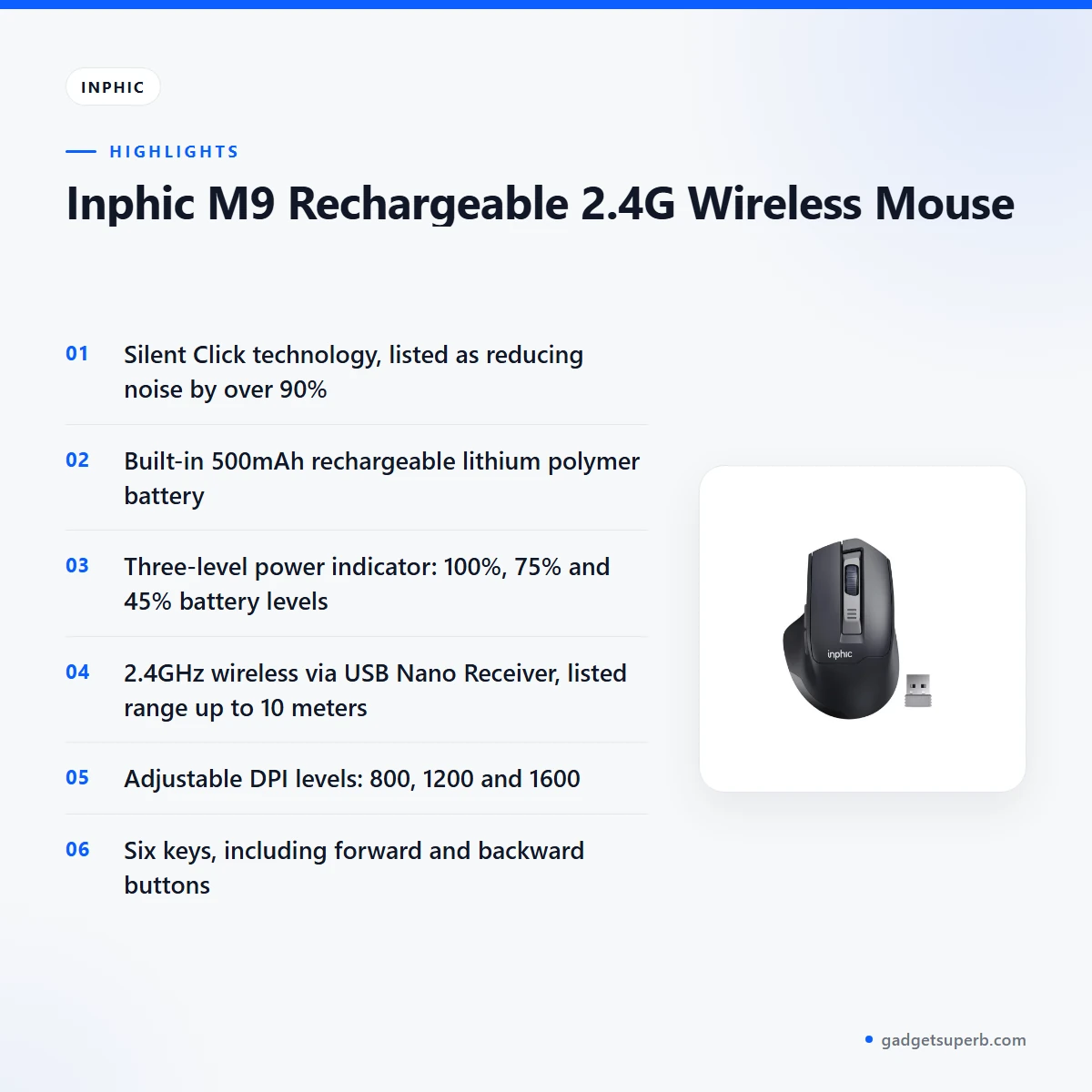
The listing describes Silent Click technology as engineered so the left and right buttons are silent. According to the listing, it reduces noise by over 90% while maintaining a tactile feel, so the buttons still give a clear press. The inphic m9 wireless mouse is listed for quiet offices, libraries and home use, which makes it a sensible choice for a shared room. The 90% figure is the maker’s claim, and the listing does not explain how it was measured. If noise matters to you at work or at home, try the click for yourself before you decide.
Rechargeable lithium battery
The inphic m9 wireless mouse uses a 500mAh rechargeable lithium polymer battery built into the body, according to the listing. The maker says the high-capacity battery allows for weeks of use on a single charge. Treat weeks of use as the maker’s estimate, because real battery life depends on how many hours you use the mouse each day. To charge, plug it in as the listing advises, and charge it fully before first use. The listing also says the mouse enters sleep mode automatically after several minutes of inactivity to preserve battery life. For many buyers, the main gain is that disposable alkaline batteries are no longer part of the routine.
Three-level power indicator
According to the listing, the top of the mouse has clear LED lights that show 100%, 75% and 45% battery levels. The maker presents this as a simple way to know when to recharge, so you are not caught off guard by a low charge. For the inphic m9 wireless mouse, this is a practical reason to choose a rechargeable model, because you can see the battery level without guessing. The listing does not describe how the lights behave between or below those levels, so ask us if you need more detail. In practice, charge the mouse when the lights show a low level and before a long study or work session.
Lag-free 2.4G wireless connection
The listing describes a 2.4G wireless connection with a plug-and-play Nano USB receiver, and calls the connection lag-free. For the inphic m9 wireless mouse, you plug the receiver into a free USB port and the mouse connects, as the listing describes. The maker states a stable connection up to 10 meters away. Real range depends on your room layout, your desk and anything that sits between the mouse and the receiver, so treat 10 meters as the maker’s stated figure rather than a guarantee for your flat. Keep the receiver where it has a clear line to the mouse for the best result.
Adjustable DPI (800/1200/1600)
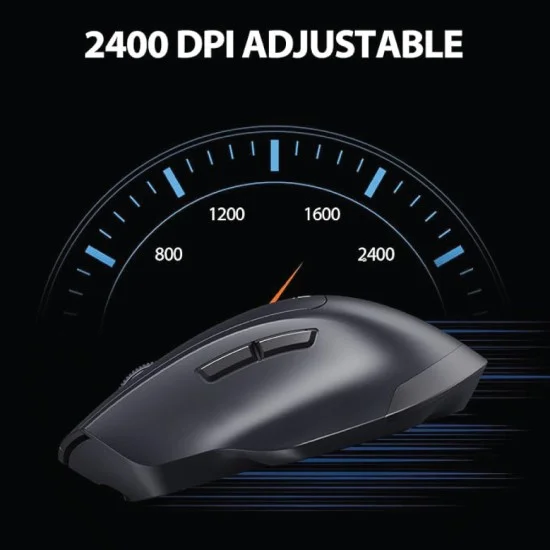
On the inphic m9 wireless mouse, a dedicated DPI button changes cursor sensitivity between 800, 1200 and 1600, according to the listing. Lower settings suit detailed work and precise editing, while higher settings move the pointer faster across a large monitor. Many people in Dhaka share screens between a laptop and an external display, so changing the setting quickly is useful. The listing does not say whether the chosen setting is kept after the mouse goes to sleep. Check the setting at the start of each session and choose the level that suits your workflow or screen size.
Ergonomic contour and thumb rest
The inphic m9 wireless mouse keeps its ergonomic design at the centre of the listing. According to the listing, the sophisticated contour and skin-friendly matte finish are intended to reduce wrist strain and hand fatigue. A side wing supports your thumb and stops it dragging on the desk surface. The mouse has six keys listed as left, right, scroll, DPI, forward and backward. The listing says the forward and backward buttons significantly speed up web browsing and folder navigation. For someone who spends a full working day on a computer, these details are the reason the maker presents the mouse as a comfort upgrade.
Specifications
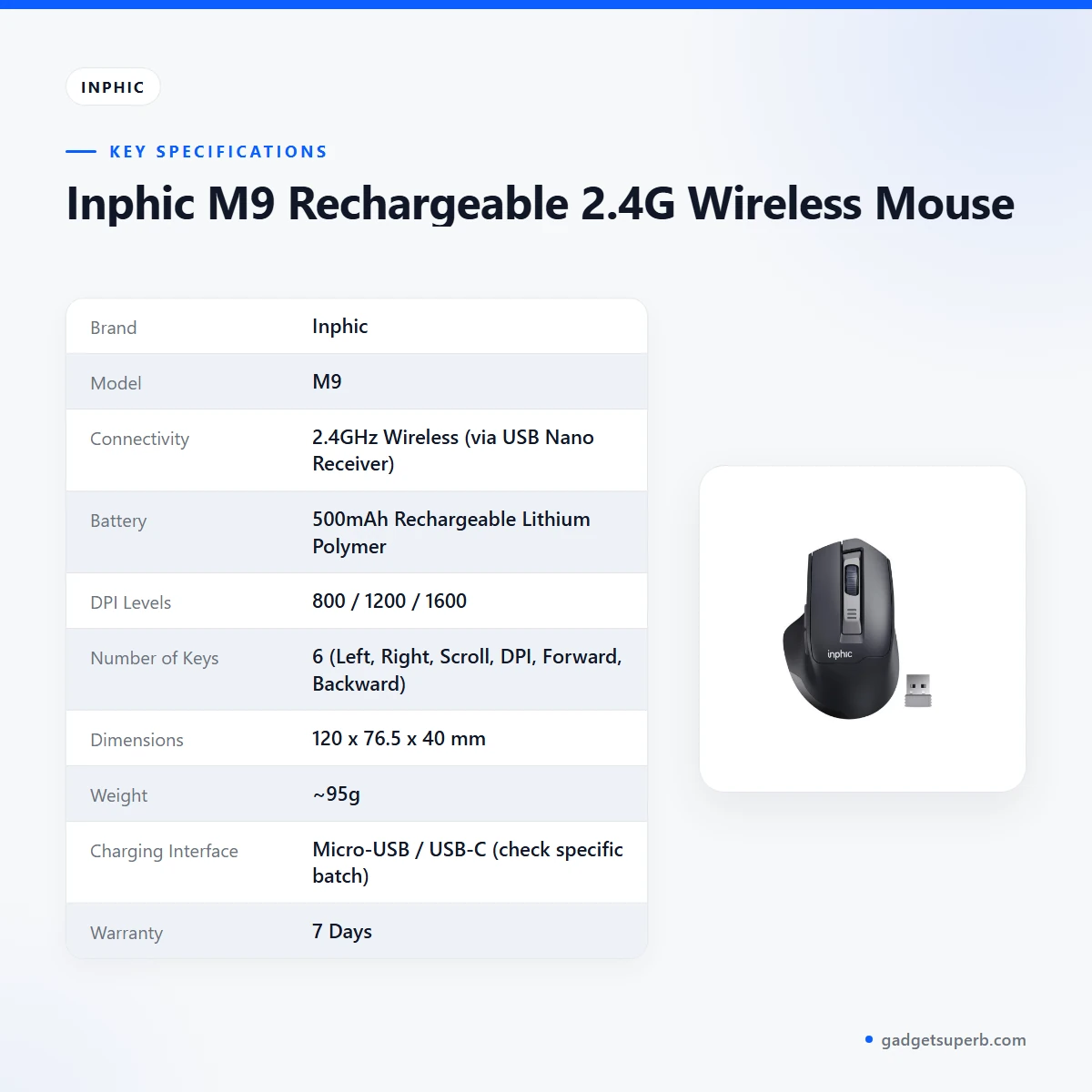
The table below lists the specifications for the inphic m9 wireless mouse as they appear in the product listing.
| Label | Value |
|---|---|
| Brand | Inphic |
| Model | M9 |
| Connectivity | 2.4GHz Wireless (via USB Nano Receiver) |
| Battery | 500mAh Rechargeable Lithium Polymer |
| DPI Levels | 800 / 1200 / 1600 |
| Number of Keys | 6 (Left, Right, Scroll, DPI, Forward, Backward) |
| Dimensions | 120 x 76.5 x 40 mm |
| Weight | ~95g |
| Charging Interface | Micro-USB / USB-C (check specific batch) |
| Warranty | 7 Days |
These are the listed specifications from the product listing.
How to use / set up
Setting up the inphic m9 wireless mouse takes only a few minutes. Follow the maker’s instructions for any step not covered below.
- Charge fully before first use. Plug the mouse in to charge and leave it until charging is complete.
- Check the power lights on top, which show the listed 100%, 75% and 45% battery levels.
- Plug the Nano USB receiver into a free USB port on your computer. The listing describes it as plug-and-play.
- Switch the mouse on as the maker’s instructions describe, then move it to confirm the pointer responds.
- Set your DPI with the dedicated button, choosing 800, 1200 or 1600 to suit your screen.
A simple routine keeps the inphic m9 wireless mouse ready for work. Charge it in the evening when power is steady, and glance at the power lights before you start in the morning. Many people in Dhaka find a fixed charging habit easier to keep than charging only when the mouse runs low.
Care for the inphic m9 wireless mouse by keeping it and the receiver dry, storing them out of direct sun, and wiping the matte surface with a dry cloth. In humid months, a dry drawer or shelf away from a window helps keep the receiver in good condition. These are general care habits rather than maker claims, so follow the maker’s instructions if they differ.
If you will not use the inphic m9 wireless mouse for a while, keep it in a dry place and charge it again before you return to work. That way the power lights show a healthy level when you need the mouse.
If your area has scheduled load-shedding, charge the mouse while the power is on, so it is ready for the next session. A rechargeable mouse only works well if you plan charging around your daily power supply. A short top-up before work or study is often enough for a normal day.
Desk placement matters too. Keep the receiver within easy reach of the mouse and avoid placing it behind a thick monitor or other large object, since the line between them matters for the connection.
If the mouse does not respond after setup, check that the receiver is firmly in a USB port and that the mouse has charge. Then use the contact details in the delivery section below to reach us.
Compatibility and what is in the box
The listing confirms a 2.4GHz wireless connection through a USB Nano Receiver. It lists the charging interface as Micro-USB / USB-C, with a note to check the specific batch. The listing does not state which operating systems the inphic m9 wireless mouse supports, so confirm your system first.
The listing does not set out the full package contents for the inphic m9 wireless mouse. Ask us if you need to know exactly what arrives with it.
For the inphic m9 wireless mouse, check that your computer has a free USB port for the Nano USB receiver. The charging connection on the mouse is separate from the receiver, so one spare port is all the setup needs.
For background on the broader family of input devices, including keyboards and mice, read the Wikipedia article on computer keyboards. That article is general reference material and does not describe this product.
Who should buy it in Bangladesh
Students are a clear fit. A student who needs a quiet mouse for long study sessions in a library or hostel room will find the inphic m9 wireless mouse suited to that routine. The muted clicks and the wireless receiver keep the desk tidy and the room calm, and the rechargeable battery means no spare batteries to carry to the library.
Office professionals who want an ergonomic upgrade from a standard workspace mouse can use the inphic m9 wireless mouse as a daily driver. The contour and thumb rest are the listed reasons for that choice, and the forward and backward buttons help with browser and folder work throughout the day. Many office workers in Dhaka also spend time on video calls, so quiet clicks are useful there too.
Home office setups are another good match. If you want a clean wireless look and the convenience of recharging, the inphic m9 wireless mouse fits that brief. Charging it on a regular evening schedule keeps the battery ready for the next working day, and the quiet clicks suit a bedroom or a shared living room.
Frequent browsers who move between tabs and folders benefit from the side buttons. The listing says the forward and backward keys speed up web browsing and folder navigation. This is useful for research, online shopping comparisons and document work across several windows.
Families sharing a flat can also consider the inphic m9 wireless mouse. A parent working late or a child doing homework can use it without disturbing others, because the listing describes the clicks as silent and the mouse as suited to home use.
Remote workers who switch between a laptop and an external monitor may find the inphic m9 wireless mouse useful, because the DPI button lets you change sensitivity quickly for each screen.
If you are moving from a wired mouse to a wireless one for the first time, the inphic m9 wireless mouse offers a straightforward setup: charge it, plug in the receiver and set your DPI.
The listing does not describe the inphic m9 wireless mouse as a gaming mouse. If you need a dedicated gaming mouse, the alternatives below include gaming models in our range, and they may suit you better.
Alternatives in our store
If the inphic m9 wireless mouse does not match what you need, these options in our store may suit you. Havit MS1034 RGB Backlit Programmable Gaming Mouse is another gaming mouse in our range. Havit MS1027 Cool RGB LED Gaming Optical Mouse is a further gaming mouse in our range.
For a simple wired option, see A4TECH OP-720 Optical USB Wired Mouse, which is a wired mouse in our range. If you want a keyboard, mouse and mousepad set, see Fantech P31 Keyboard, Mouse & Mousepad Combo, which is a combo set in our range. Browse the full Keyboards & Mouse category to compare them all.
Warranty and support
Warranty: 7 Days seller warranty.
Delivery, returns and ordering
Here is how ordering the inphic m9 wireless mouse works with us. We deliver all over Bangladesh, and you pay cash on delivery. Delivery usually takes 1–3 days inside Dhaka city and 2–5 days outside Dhaka.
You can return it within 7 days of delivery; see our Delivery & Returns policy for the full terms. Questions before ordering? Call 09638054751, message us on Facebook Messenger or email care@gadgetsuperb.com.
When you order the inphic m9 wireless mouse, the store policy is cash on delivery across Bangladesh. Give a phone number and a full delivery address so that delivery can be arranged smoothly.
If the inphic m9 wireless mouse does not suit you, the return window is 7 days from delivery. Read the policy page for the conditions that apply before you send anything back.
Use the same channels for questions about the model, the connection or your delivery area: call 09638054751, message us on Facebook Messenger or email care@gadgetsuperb.com.
Frequently asked questions
Is the inphic m9 wireless mouse rechargeable?
Yes. The listing describes a built-in 500mAh rechargeable lithium polymer battery, so you can charge the mouse instead of buying disposable batteries.
Does this mouse have silent clicks?
According to the listing, its left and right buttons use Silent Click technology, which reduces noise by over 90% while keeping a tactile feel. The 90% figure is the maker’s claim.
How far does the inphic m9 wireless mouse connect?
The listing states a stable connection up to 10 meters away through the plug-and-play Nano USB receiver. Real range depends on your room and desk layout.
How do I know when to charge the mouse?
The listing says the LED lights on top show 100%, 75% and 45% battery levels. Charge the mouse when the lights show a low level, before a long session.
Does the inphic m9 wireless mouse have adjustable DPI?
Yes. The listing gives DPI levels of 800, 1200 and 1600, changed with a dedicated button.
What charging port does the mouse use?
The listing gives the charging interface as Micro-USB / USB-C and says to check the specific batch.
How big is the mouse?
The listing gives the dimensions as 120 x 76.5 x 40 mm, with a weight of about 95g.
How many buttons does the mouse have?
The listing gives six keys: left, right, scroll, DPI, forward and backward.
Can I return the inphic m9 wireless mouse?
Yes, you can return it within 7 days of delivery under our Delivery and Returns policy. The full terms are on the policy page linked in the delivery section.
Do you deliver the inphic m9 wireless mouse outside Dhaka?
Yes, we deliver all over Bangladesh and you pay cash on delivery. Delivery usually takes 2–5 days outside Dhaka.
Does the mouse work with my operating system?
The listing does not state which operating systems are supported, so contact us with your system details before relying on it.
What warranty does the inphic m9 wireless mouse have?
Warranty: 7 Days seller warranty.
Related products
-25%
50 in stock
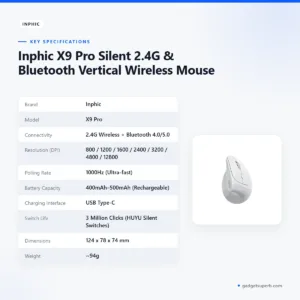

Inphic X9 Pro Silent 2.4G & Bluetooth Vertical Wireless Mouse
Original price was: ৳ 3,350.৳ 2,480Current price is: ৳ 2,480.-23%
50 in stock
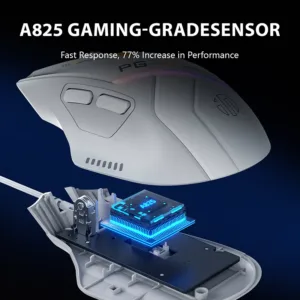

Inphic PG1 Wired and RGB Gaming Mouse
Original price was: ৳ 2,070.৳ 1,590Current price is: ৳ 1,590.-23%
50 in stock


Inphic DR801 Tri-Mode Wireless Mouse
Original price was: ৳ 1,770.৳ 1,360Current price is: ৳ 1,360.-20%
50 in stock


Inphic F1 2.4G Rechargeable Wireless Mouse
Original price was: ৳ 1,120.৳ 890Current price is: ৳ 890.-20%
49 in stock


Inphic M1P Ultra Slim 2.4G Wireless Mouse
Original price was: ৳ 1,040.৳ 830Current price is: ৳ 830.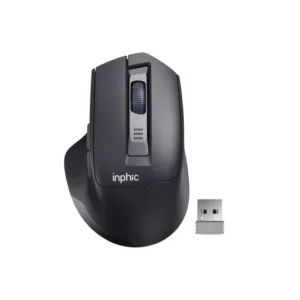 Inphic M9 Rechargeable 2.4G Wi...
 Original price was: ৳ 1,380.৳ 1,060Current price is: ৳ 1,060.
49 in stock
Reviews
There are no reviews yet.