No products in the cart.

-26%
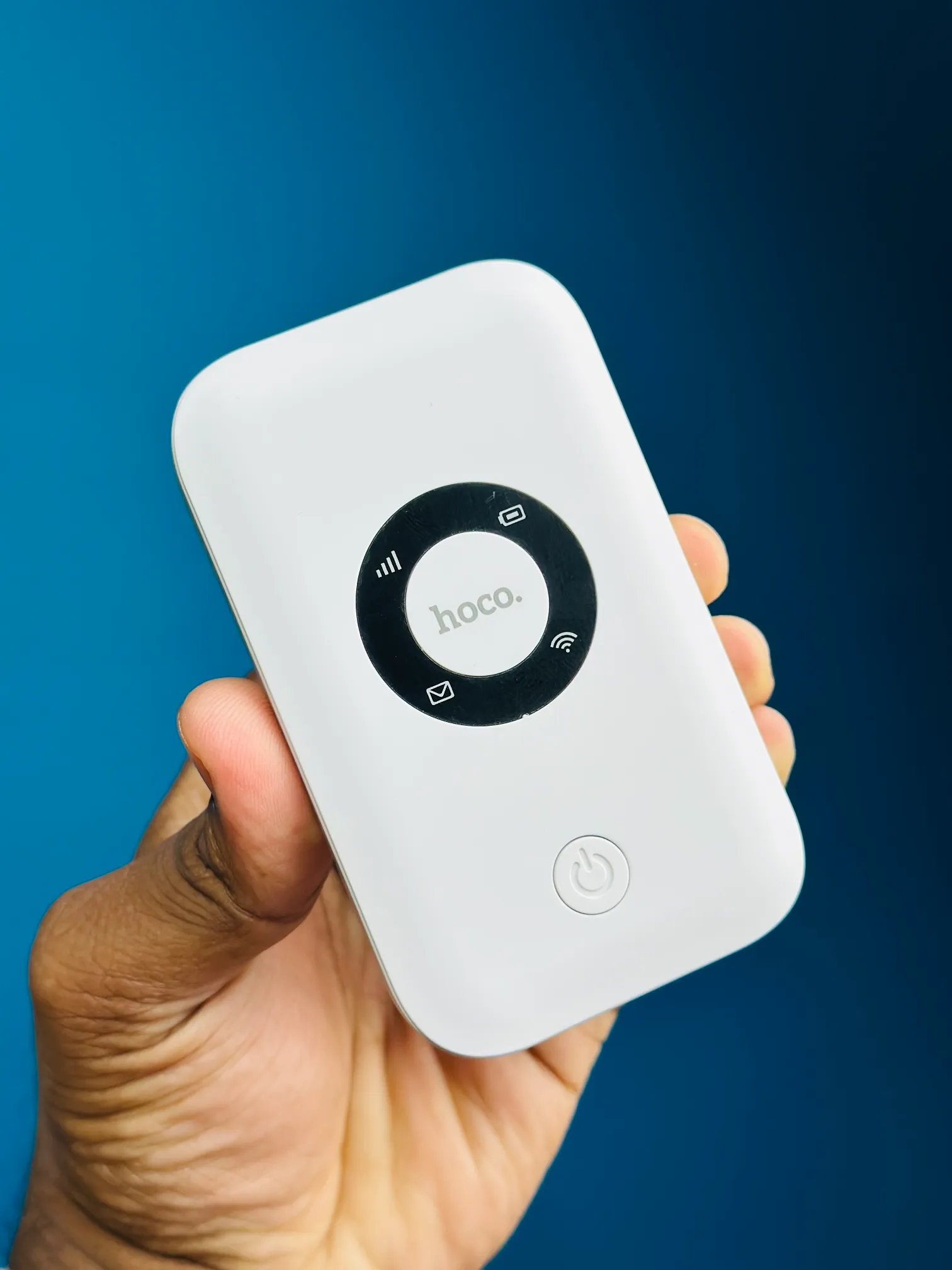
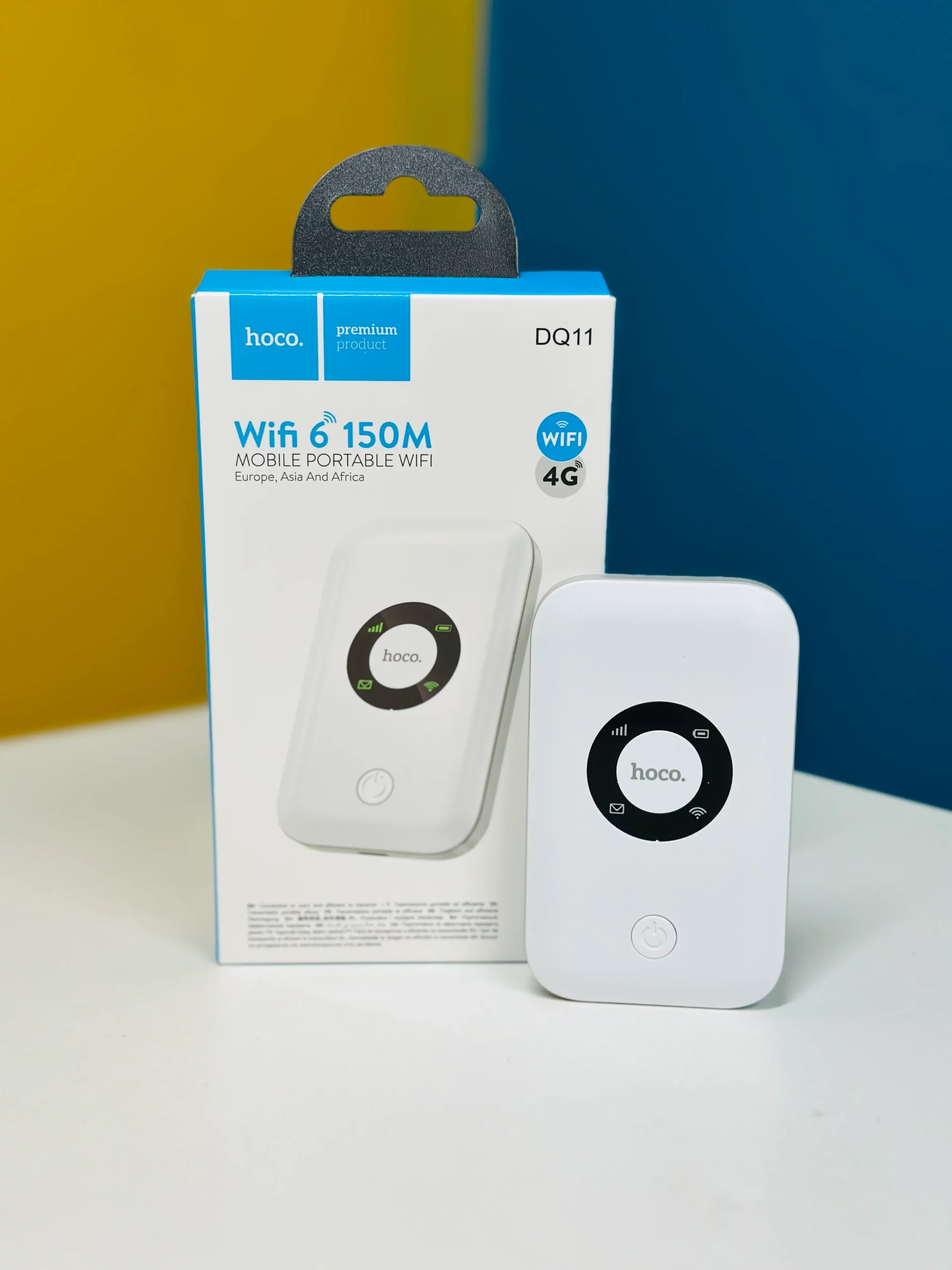
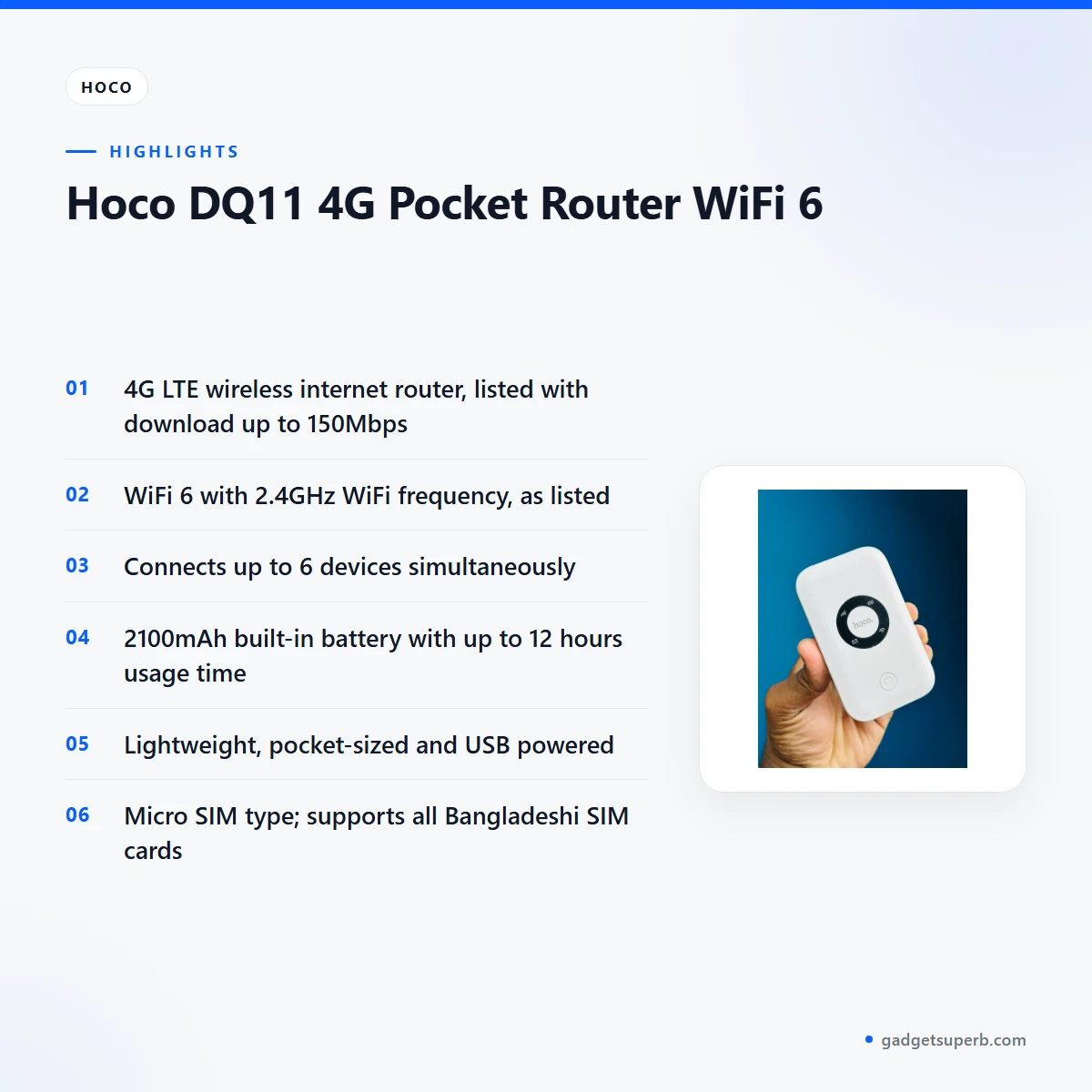
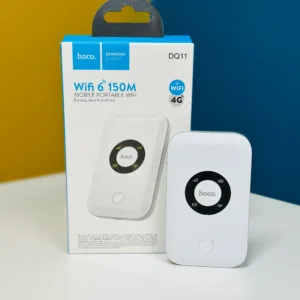
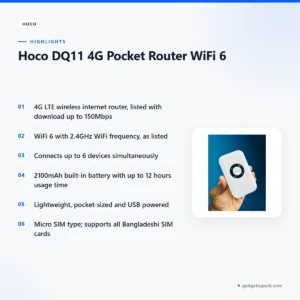
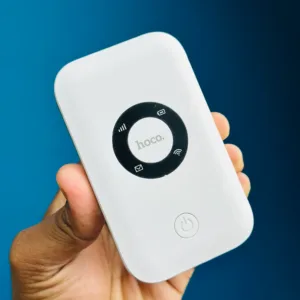
The Hoco DQ11 pocket router is a compact 4G device that gives you a WiFi network from a mobile SIM, built for people who need internet on the go. According to the listing, it supports WiFi 6, reaches 4G LTE speeds up to 150Mbps and lets up to 6 devices connect at once. It suits travellers, remote workers and households that want a portable backup line.
- Hoco DQ11 pocket router overview
- Key features
- Specifications
- How to use / set up
- Compatibility and what is in the box
- Who should buy it in Bangladesh
- Alternatives in our store
- Warranty and support
- Delivery, returns and ordering
- Frequently asked questions
Hoco DQ11 pocket router overview
The Hoco DQ11 pocket router is listed as a 4G LTE wireless internet router with WiFi 6. The listing presents it as a way to get fast and stable internet on the go. Many buyers look at a pocket router when a fixed home line is not available, or when a trip, a site visit or a temporary office needs a connection that moves with them.
The listing also describes the device as compact, lightweight and pocket-sized, with a built-in 2100mAh battery and USB power. In daily Bangladeshi life, a Hoco DQ11 pocket router is judged on those details as much as on its headline speed. A router you carry from Mirpur to Motijheel, or pack for a train journey to Rajshahi, is only useful if it is easy to carry and easy to recharge.
Signal matters as much as the device. The listing does not describe network coverage, so check the strength of your SIM operator in the places where you plan to use the Hoco DQ11 pocket router. You can read the product details on the maker’s website. Treat it as a portable option for travel, remote work or emergency internet, not as a replacement for a fixed-line plan.
Some buyers ask whether a phone hotspot does the same job. The answer depends on your needs. A dedicated device keeps the phone free for calls and messages while other devices share the connection, and the listing says up to 6 devices can connect at once. Decide how many people need the connection before you choose between a Hoco DQ11 pocket router and a phone hotspot.
Key features
4G LTE internet on the go
The listing describes the Hoco DQ11 pocket router as a 4G LTE wireless internet router. Download speeds are listed up to 150Mbps and upload speeds up to 50Mbps. WCDMA speeds are listed as download up to 21.6Mbps and upload up to 5.76Mbps.
These are the maker’s figures, so read them as upper limits rather than guarantees. Actual speed depends on your operator, the signal where you are and how many devices share the connection. For most Bangladeshi buyers, the practical check is whether the SIM network is strong at home, at work and on the routes you travel most.
WiFi 6 for steadier connections
The listing states that the Hoco DQ11 pocket router supports WiFi 6 and describes it as offering faster, more stable connections. The WiFi frequency is listed as 2.4GHz (WiFi 6), so that is the band to plan around. The listing does not mention a 5GHz band, so do not assume one.
If you use the device with a laptop for video calls, a steady connection close to the router is usually the simplest setup to manage. Keep the router within easy reach of the person who uses it most, and avoid hiding it behind thick furniture or inside a closed drawer.
Up to six devices at once
The listing says the Hoco DQ11 pocket router allows up to 6 devices to connect simultaneously. In a typical flat that could mean two phones, a laptop, a tablet and a smart TV or streaming box. Every connected device draws on the same mobile data plan, so the number of devices and the amount of video you stream both affect data use.
The listing does not state how many devices can stream video at the same time, so check your own usage before relying on it. A Hoco DQ11 pocket router is best judged by your real daily use, not by the maximum figure.
2100mAh battery and up to 12 hours
The listing gives a built-in 2100mAh battery with up to 12 hours of usage time and a charging time of approximately 3.5 hours. For a commute or a day out, those are the figures to plan around. They are the maker’s listed figures, so treat them as a guide rather than a guarantee.
Usage time depends on how many devices are connected and how strong the signal is. Charge the Hoco DQ11 pocket router fully before first use, and plan your charging around the times you need the connection most. Some households in Dhaka and other cities also keep a charged device ready for power cuts. The listing does not say how the device performs during load-shedding, so treat that as a planning idea rather than a promise.
Compact, USB powered and easy to carry
The listing describes the Hoco DQ11 pocket router as lightweight and pocket-sized, with a main unit listed at 82g and a USB unit listed at 30g. It is USB powered and described as plug-and-play. The listing gives two sets of dimensions: 98.5 × 59 × 15 mm and 103.8 × 33.2 × 9 mm.
For a device that lives in a bag, the weight and the power source matter more than any single headline figure, because you carry it and recharge it every day. Keep the USB power source with the device when you pack, so charging is never an afterthought.
Built for travel and emergency use
The listing names travel, remote work and emergency internet as typical uses. In Bangladesh, emergency use often means a power cut at home, a day when the fixed line is down, or a family member who needs a connection while away from home.
The Hoco DQ11 pocket router depends on a mobile SIM, so its usefulness depends on the data plan and signal you already have. Keep a charged power source nearby and a spare plan in mind if the connection matters for work.
Specifications
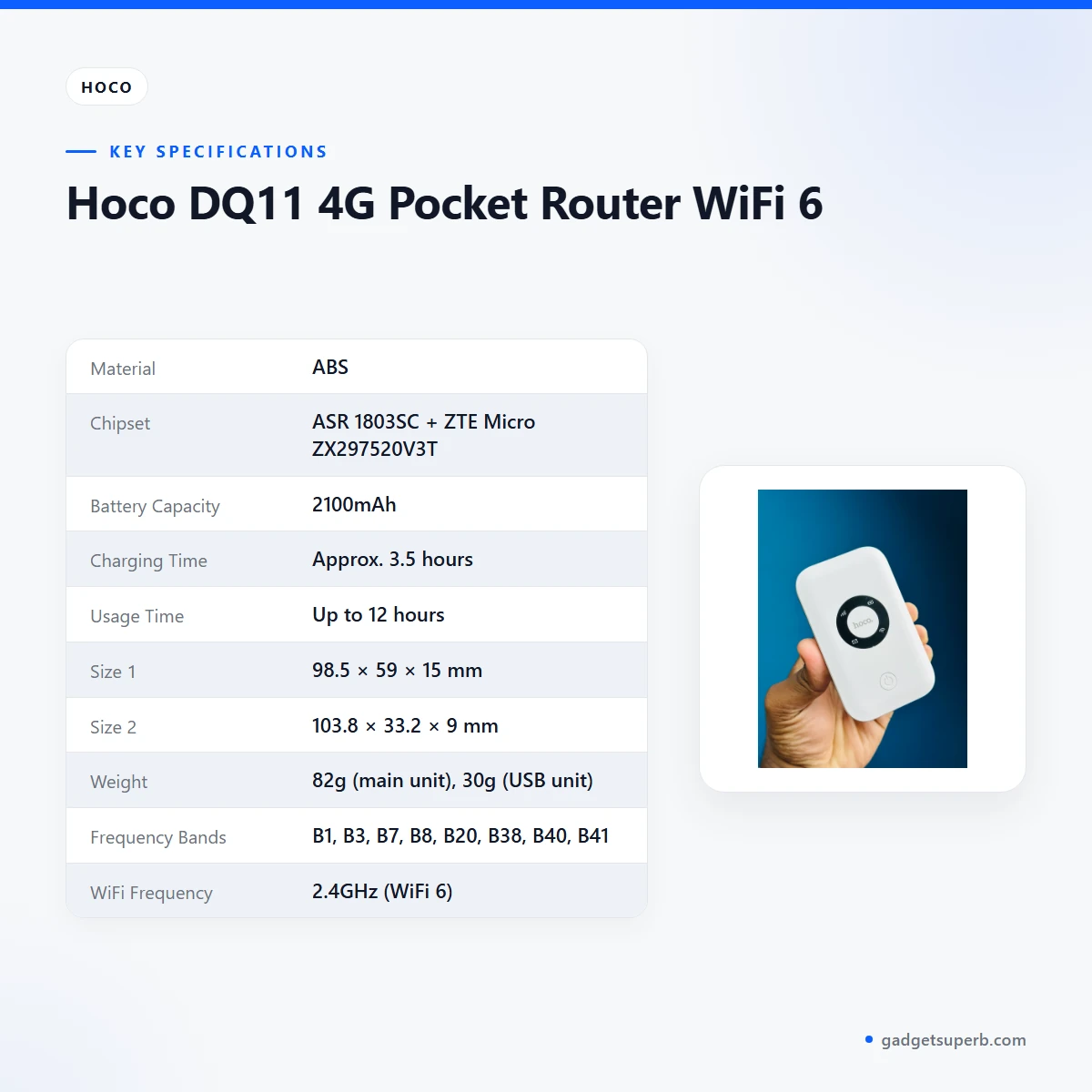
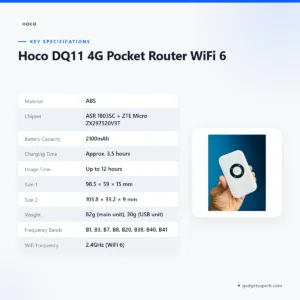
The table below lists the Hoco DQ11 pocket router specifications exactly as the product listing gives them. Read each row before you order, especially the SIM type, frequency bands and WiFi frequency.
| Material | ABS |
|---|---|
| Chipset | ASR 1803SC + ZTE Micro ZX297520V3T |
| Battery Capacity | 2100mAh |
| Charging Time | Approx. 3.5 hours |
| Usage Time | Up to 12 hours |
| Size 1 | 98.5 × 59 × 15 mm |
| Size 2 | 103.8 × 33.2 × 9 mm |
| Weight | 82g (main unit), 30g (USB unit) |
| Frequency Bands | B1, B3, B7, B8, B20, B38, B40, B41 |
| WiFi Frequency | 2.4GHz (WiFi 6) |
| SIM Type | Micro SIM |
| LTE Speed | Download up to 150Mbps; upload up to 50Mbps |
| WCDMA Speed | Download up to 21.6Mbps; upload up to 5.76Mbps |
| Power Supply | USB |
These are listed specifications from the product listing.
How to use / set up
The listing describes the Hoco DQ11 pocket router as USB powered and plug-and-play. It does not give a full setup guide, so follow the maker’s instructions for the first setup. The steps below are general guidance for any mobile router.
First, charge the device fully before first use. The listing gives a charging time of approximately 3.5 hours, so start the charge the evening before a trip rather than on the morning you leave.
Second, check your SIM. The listing gives the SIM type as Micro SIM, so confirm that your card is a Micro SIM before you insert it. Keep spare cards in a dry place until you need them.
Third, power the device from a USB supply and follow the maker’s instructions to switch it on. Then connect your phone or laptop to its WiFi network using the details given in the maker’s instructions.
Fourth, check that your mobile data plan is active with your operator. A router with no active data plan will not share internet, however carefully it is set up.
Fifth, place the Hoco DQ11 pocket router where the signal is strongest, such as near a window, and let it settle before you test the connection.
If the device does not connect, check the SIM, the data balance and the signal in that order. Move closer to a window if the signal is weak, and try again once the device has settled. Restart only if the maker’s instructions recommend it.
Care is simple. Keep the device clean and dry, and store it in a bag when you travel. Avoid leaving it in a hot car or on a dashboard in strong sun. In the humid monsoon months of Dhaka, keep the device and SIM card somewhere dry when they are not in use. These are general habits for any battery device rather than maker instructions.
For storage between trips, recharge the battery every few weeks so it is ready when you need it. This is general battery advice, not a maker instruction. The listing does not give a storage temperature, so keep the device away from extreme heat and damp.
If you plan to use the Hoco DQ11 pocket router during a power cut, charge it before the outage starts and keep your USB power source in an easy place. Pack the device with your SIM card and a note of your data plan details, so you are not searching for them in the dark.
When several devices connect at once, agree on who streams video and when large downloads run. A little planning keeps the connection usable for everyone, and it helps you see whether the Hoco DQ11 pocket router fits your household’s pattern of use.
Compatibility and what is in the box
The listing says the Hoco DQ11 pocket router supports all Bangladeshi SIM cards. It also lists frequency bands B1, B3, B7, B8, B20, B38, B40 and B41, and a SIM type of Micro SIM. These are the details to check before you order.
The listing does not state what is in the box, so this page does not describe any accessories with the device. If you need to know the contents of a Hoco DQ11 pocket router order, ask us before you order.
Device compatibility is limited to what the listing gives. It confirms WiFi 6 and a 2.4GHz WiFi frequency, but it does not name specific phones, laptops or operating systems. Compatibility with those is not confirmed by the listing, so check your device’s network settings before you rely on the router.
If your current SIM is not a Micro SIM, ask us before you order. Check with your mobile operator that your SIM and data plan suit the bands listed above. Confirm your model before you order, so you are buying the device you intend to use.
Who should buy it in Bangladesh
Commuters in Dhaka are a natural fit for many buyers. If your daily travel from Uttara to Gulshan or from Savar to Tejgaon involves long waits, a router can let a laptop or phone share mobile data while you sit in traffic, provided your signal is good on that route. A Hoco DQ11 pocket router suits short, regular use like this.
Remote workers and freelancers with an unreliable home connection are another good match. The device can act as a secondary line for a laptop during short projects. Check the signal first, and remember that the listing supports up to 6 devices at once. A Hoco DQ11 pocket router is not a replacement for a dedicated office line, but it can cover short gaps.
Families travelling for holidays, weddings or Eid often need one connection for several phones and a tablet. A trip to Cox’s Bazar or a visit to relatives in a district town may call for exactly this kind of setup. The device suits that use if your data plan and signal match the trip.
Students in shared flats or hostels can use a pocket router when the shared line is slow or unavailable. A small group can share one data plan with a Hoco DQ11 pocket router, but they should agree in advance on who pays for data and when large downloads happen.
Households that want a backup connection during load-shedding can also consider it. The listing gives a built-in 2100mAh battery and up to 12 hours of listed usage time, so some households keep one charged for emergencies. This is a backup plan, not a promise, because usage time depends on how the device is used.
Site visitors and field teams who need a connection at a client office or a temporary site can use the device for a laptop or tablet. Confirm the signal at that location before the visit, because the listing does not describe coverage in any area.
Parents who want a connection for homework or video calls during a family trip can use the device for a small group of devices, as long as the data plan covers the usage. A Hoco DQ11 pocket router is most useful when the plan and the signal are both planned in advance.
Some buyers should choose something else. If you need a fixed line for a home office with many users, or more than 6 devices online at once, a fixed broadband plan or a different router may fit better. If you need a confirmed list of compatible phones, ask us before you buy.
Alternatives in our store
If the Hoco DQ11 pocket router does not match your plan, you can compare other items in our store. Our Cudy WR1200 AC1200 Dual Band Smart Wi-Fi Router is another WiFi router in our range.
You can also look at the Metal Router Stand – Black, which is a router stand in our range. The Vemo E5783 Plus 4G/5G Portable Pocket WiFi Router – 300Mbps High-Speed Mobile Hotspot with 3000mAh Battery is another pocket WiFi router in our range.
The Ruijie RG-EW1300G 1300M Dual-Band Gigabit WiFi Router is another WiFi router in our range. For the full list, browse the Routers & Pocket WiFi category.
Warranty and support
Warranty: 7 Days seller warranty.
Delivery, returns and ordering
If you have a question about the Hoco DQ11 pocket router before you order, you can reach us easily. We deliver all over Bangladesh and you pay cash on delivery.
Delivery usually takes 1–3 days inside Dhaka city and 2–5 days outside Dhaka. Plan your timing around that window, especially if you need the router for a trip.
You can return it within 7 days of delivery (see our Delivery & Returns policy). Keep your order details to hand if you need to contact us about a return.
Questions before ordering: call 09638054751, message us on Facebook Messenger or email care@gadgetsuperb.com. Have your delivery area and preferred timing ready when you get in touch, so we can answer your question about the Hoco DQ11 pocket router quickly.
For orders outside Dhaka, the 2–5 day window applies. If your trip date is fixed, order early enough to allow for that window, and think about whether a Hoco DQ11 pocket router fits your plans before you place the order.
Frequently asked questions
Is the Hoco DQ11 pocket router a 4G device?
Yes. The listing describes the Hoco DQ11 pocket router as a 4G LTE wireless internet router with WiFi 6.
Does the Hoco DQ11 pocket router work with all Bangladeshi SIM cards?
The listing says it supports all Bangladeshi SIM cards. It also gives the SIM type as Micro SIM, so check your card size before you use the Hoco DQ11 pocket router.
What SIM type does the Hoco DQ11 pocket router use?
The listing gives the SIM type as Micro SIM. Check your card before you insert it into the device.
How many devices can connect to the Hoco DQ11 pocket router?
The listing says up to 6 devices can connect simultaneously. Real use depends on how much data each device uses.
How long does the battery last on the Hoco DQ11 pocket router?
The listing gives up to 12 hours of usage time from a 2100mAh battery, with a charging time of approximately 3.5 hours. Usage time depends on how you use the device.
What speeds does the Hoco DQ11 pocket router list?
The listing gives LTE download speeds up to 150Mbps and upload speeds up to 50Mbps. Real speed depends on your operator and signal.
How is the device powered?
The listing gives the power supply as USB. Charge the device fully before first use and follow the maker’s instructions.
Does the Hoco DQ11 pocket router support WiFi 6?
The listing says it supports WiFi 6 and gives the WiFi frequency as 2.4GHz (WiFi 6).
Does this device come with a warranty?
Warranty: 7 Days seller warranty.
Can I pay cash on delivery?
Yes. We deliver all over Bangladesh and you pay cash on delivery.
How long does delivery take?
Delivery usually takes 1–3 days inside Dhaka city and 2–5 days outside Dhaka.
Can I return it?
You can return it within 7 days of delivery. See our Delivery & Returns policy for details.
Related products
-20%
Out of stock
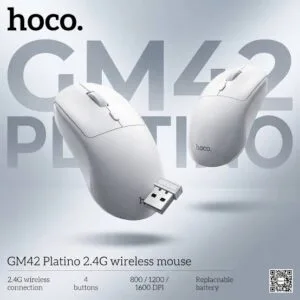
Hoco GM42 Platino 2.4G Wireless Mouse
Original price was: ৳ 740.৳ 590Current price is: ৳ 590.-23%
45 in stock
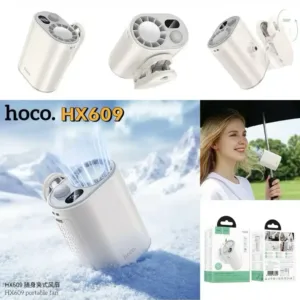
HOCO HX609 Portable Clip On Fan
Original price was: ৳ 2,250.৳ 1,730Current price is: ৳ 1,730.-28%
50 in stock

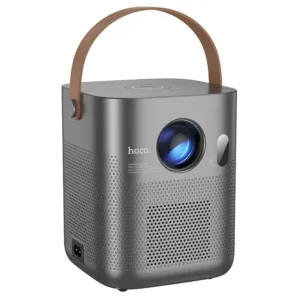
Hoco DT4 Smart Full Autofocus Projector
Original price was: ৳ 21,930.৳ 15,770Current price is: ৳ 15,770.
HOCO E112 Kids Quartz Watch with Smart Anti-Lost Tracker (Find My Network)
Price range: ৳ 1,590 through ৳ 1,650-25%
50 in stock

 Hoco DQ11 4G Pocket Router WiF...
Original price was: ৳ 3,110.৳ 2,300Current price is: ৳ 2,300.
59 in stock
Reviews
There are no reviews yet.