No products in the cart.

-20%
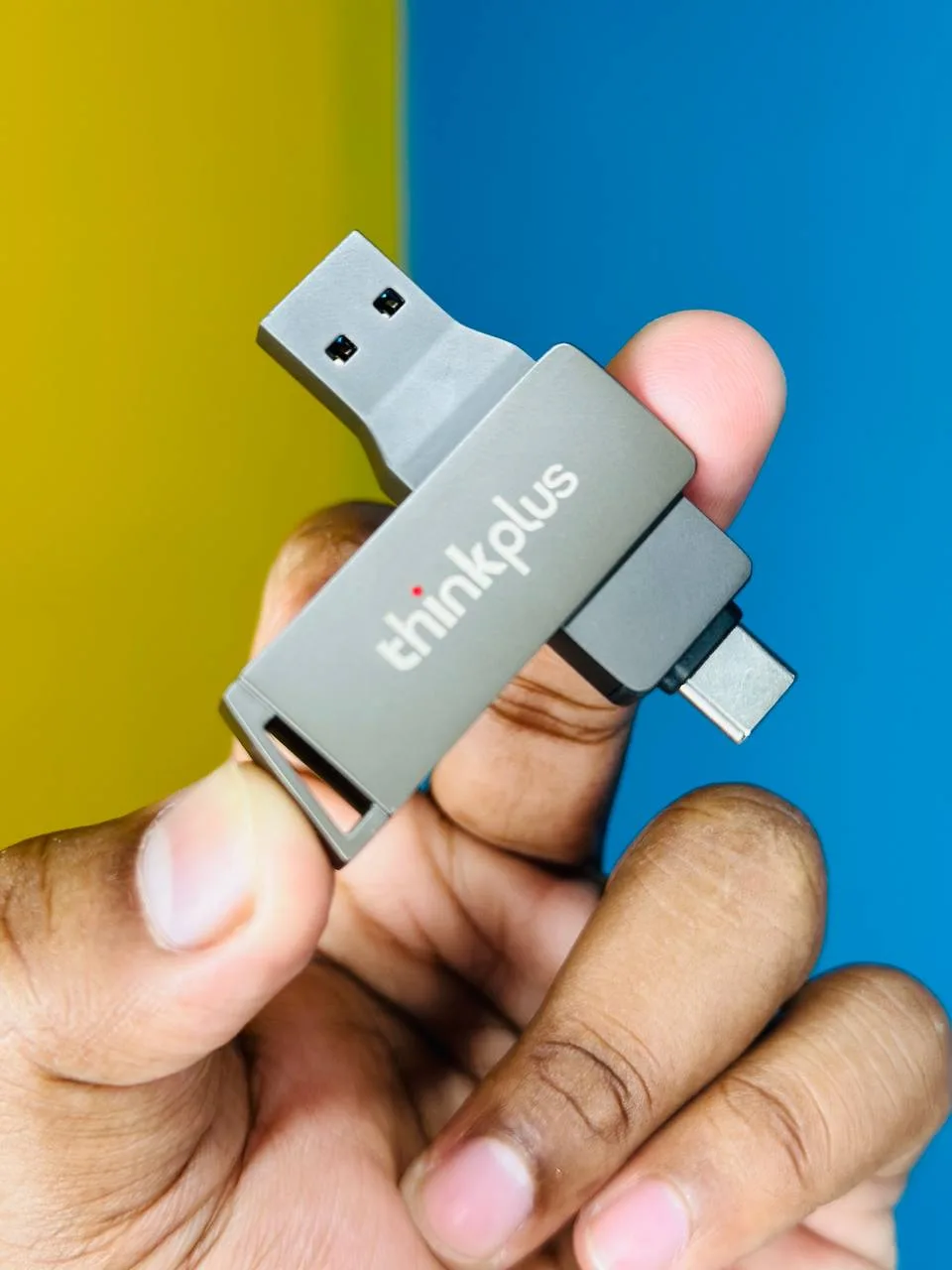
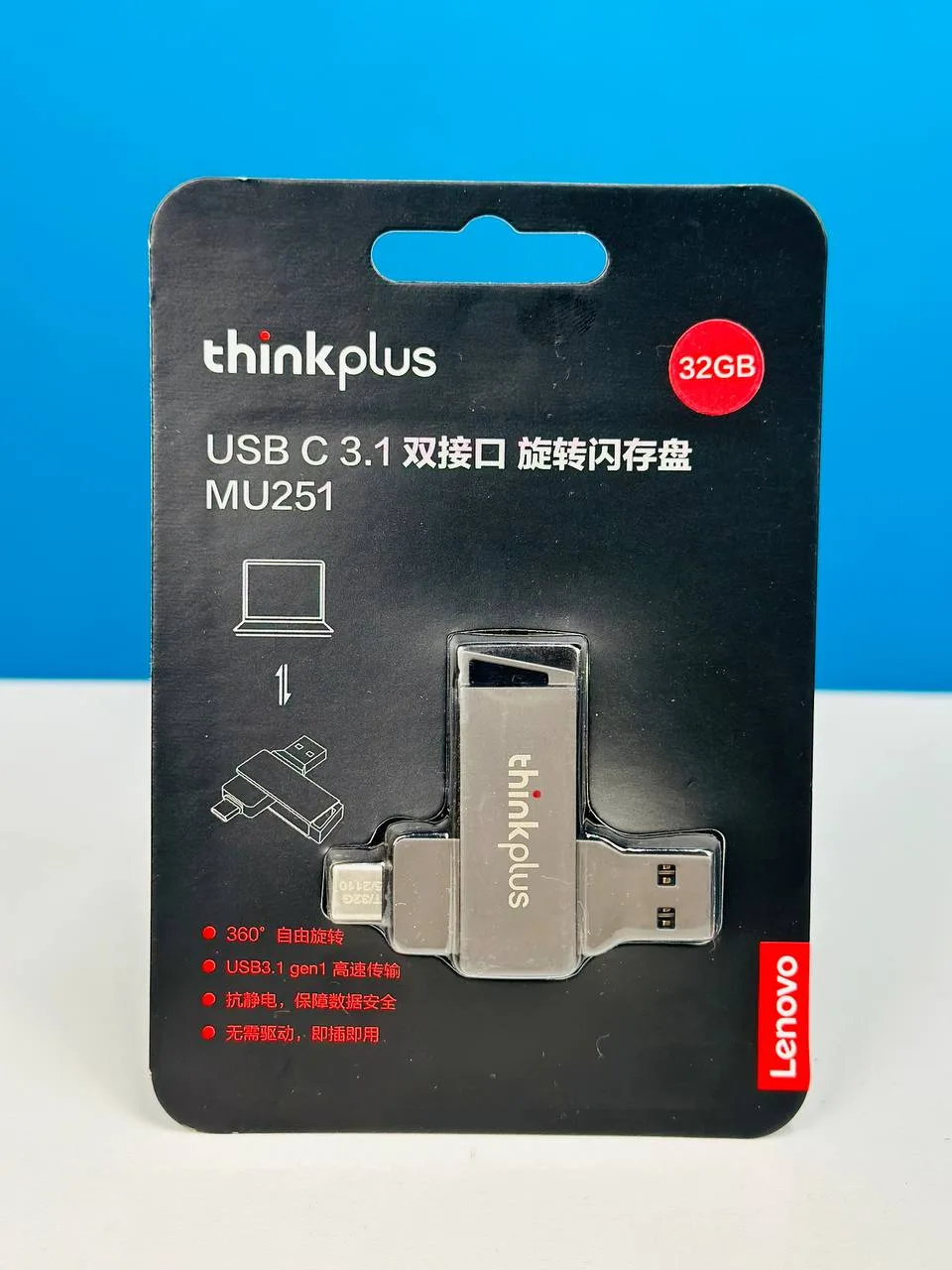



The Lenovo MU251 is a 32GB flash drive with a dual-port design for USB 3.1 and Type-C devices, sold in our Storage category. It is aimed at Bangladeshi buyers who want one drive for a phone, tablet, laptop or desktop computer, and who need a simple way to move files between them. According to the listing, it is plug and play.
- Lenovo MU251 overview
- Key features
- Specifications
- How to use and set up
- Compatibility and what is in the box
- Who should buy it in Bangladesh
- Alternatives in our store
- Warranty and support
- Delivery, returns and ordering
- Frequently asked questions
Lenovo MU251 overview
The Lenovo MU251 is listed under the full name Lenovo thinkplus MU251 USB 3.1 & Type-C Dual-port flash drive, and it is filed under Storage in our range. Its main job is simple: give you 32GB of space that connects through USB 3.1 or Type-C ports. The listing also uses the term U Disk and describes the product as a rotatable flash disk with a zinc alloy shell.
For most buyers, this drive works best as a practical extra drive rather than a main storage solution. It suits moving documents, photos, presentations and school or office files between home, the office and college. The listing describes it as ideal for storing and transferring files between a variety of devices, which fits how many households in Bangladesh share work and study files across phones and computers. Because a flash drive is easy to misplace, many buyers label it or attach it to a key ring.
Before you order the Lenovo MU251, confirm the model name and the 32GB capacity on the product page, because similar-looking flash drives are sold in many shops. Plug and play use is a practical advantage for people who do not want to install drivers or manage software. If you need a different format or another option, the alternatives section below lists other storage in our range.
Think about the job before you choose the drive. If you move a single report between home and a print shop, a small drive may be enough. If you move a large set of work files every week, a flash drive such as the Lenovo MU251 is a poor place to keep the only copy, and an external drive or an online account may suit you better. The listing does not compare this drive with other storage, so use your own file list when you decide.
Key features
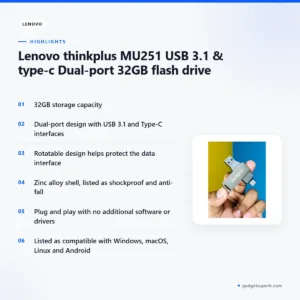
Dual-port design for USB 3.1 and Type-C
The listing says the drive has a dual-port design that supports both USB 3.1 and Type-C interfaces. This matters in Bangladesh because many households own a mix of devices: a laptop with a standard USB port, a newer phone or tablet with a Type-C port, and a desktop that may have both. The listing says the drive is compatible with smartphones, tablets, laptops and desktop computers, so one drive can serve a whole family or office. Before a transfer, check which ports your devices use and choose the matching end of the drive.
Rotatable design that protects the data interface
The listing says the drive has a rotatable design, which helps protect the data interface when the drive is not in use. A flash drive that travels in a bag or pocket is exposed to dust and knocks, so this feature is useful for everyday carrying. The listing does not describe how much protection it gives, so treat it as a practical feature rather than a guarantee. Keep the drive in a dry place when it is not connected, especially in the humid months, and avoid carrying it loose with coins or keys that could scratch the body.
Zinc alloy shell listed as shockproof and anti-fall
According to the listing, the shell is made from zinc alloy and is shockproof, wear-resistant and anti-fall. These are the maker’s listed claims, and the listing gives no details of how they were measured. Read them as a description of the design rather than a promise of how the drive will handle every knock. Store it with its connector protected in a bag, and avoid leaving it under heavy items on a desk or shelf. If you have a question about the shell, message us before you order.
Plug and play with no extra software or drivers
The listing says the Lenovo MU251 is plug and play and does not require any additional software or drivers to be installed. It is listed as compatible with Windows, macOS, Linux and Android, so the same drive can be used across several systems. For many users, that means connecting the drive and starting to copy files without visiting a download page or managing setup files. If your device does not show the drive, follow the maker’s instructions and check that the port is clean and fully connected.
32GB capacity for everyday files
The listing gives the storage capacity as 32GB. The drive suits documents, spreadsheets, presentations and a selection of photos, and it is a better fit for these than for a large video library. Before you buy, estimate how much you need to move at one time. Many people in Bangladesh who face load-shedding keep a flash drive for quick copies of school or office files, and then keep a second copy elsewhere, so that one power cut or one lost drive does not mean losing everything.
Specifications
The table below sets out the Lenovo MU251 specifications as the product listing gives them. Use it to check the capacity, interfaces and supported systems before you decide.
| Specification | Detail |
|---|---|
| Brand | Lenovo |
| Model | MU251 |
| Product name | Lenovo thinkplus MU251 USB 3.1 & Type-C Dual-port flash drive |
| Category | Storage |
| Storage capacity | 32GB |
| Interfaces | USB 3.1 and Type-C, dual-port design |
| Design | Rotatable, to protect the data interface |
| Shell | Zinc alloy |
| Protection listed | Shockproof, wear-resistant and anti-fall |
| Setup | Plug and play, no additional software or drivers |
| Compatible operating systems | Windows, macOS, Linux and Android |
| Compatible devices | Smartphones, tablets, laptops and desktop computers |
| Warranty | 7 Days |
These are listed specifications from the product listing.
How to use and set up
Setting up the Lenovo MU251 is simple, because the listing says it is plug and play and needs no additional software or drivers. Follow the steps below, and the maker’s instructions for any further detail.
Step 1: Choose the port. Pick the USB 3.1 or Type-C end that matches the port on your device.
Step 2: Connect it fully. Push the connector in until it sits firmly, without forcing it, and wait for your device to detect the drive.
Step 3: Copy your files. Use your normal copy or drag-and-drop method. Keep the drive connected until the transfer has finished.
Step 4: Remove it safely. Use your operating system’s safe removal option before you unplug the Lenovo MU251, so that files finish writing.
Good habits in Bangladesh help any flash drive last. Keep it out of hot cars and humid rooms, and avoid leaving it plugged into a device during sudden power changes. Keep a second copy of anything important, because load-shedding can interrupt a copy in progress. The listing does not give care instructions, so these are general suggestions rather than maker guidance.
For storage, keep the Lenovo MU251 in a small pouch or a zipped pencil case, away from keys and coins that could knock it. Label the drive with a short name or a date on a piece of tape, but do not write directly on the shell with a sharp tool.
If you are cleaning the connector, wipe it gently with a dry, soft cloth rather than a wet cloth or a sharp tool. Do not push metal objects into the port, and turn the body so the connector is protected whenever the drive is not in use.
Think about labelling the drive with the project name, the date and whether it holds a copy or the only version. This small habit saves time when several people in a home or office share similar-looking drives.
Before copying a large folder onto the Lenovo MU251, make a list of what you are moving, and check the files after the transfer has finished. Opening a few files at random on the destination device is a simple way to confirm that the copy worked. For sensitive documents, consider keeping the only copy on a device you control and using the drive as a transfer tool rather than a permanent archive.
If your device shows a prompt asking how to handle a new drive, read the prompt before you choose an option. When in doubt, cancel, check the connection and follow the maker’s instructions rather than guessing.
If the drive does not appear on your device, unplug it, check that the port is clean and that the connector is fully seated, and then try another port on your device. If it still does not appear, follow the maker’s instructions or message us for help.
In the humid months common in parts of Bangladesh, store the drive in a dry drawer rather than on a damp windowsill or in a wet bag. This is a general habit and not maker guidance.
Compatibility and what is in the box
According to the listing, the Lenovo MU251 is compatible with Windows, macOS, Linux and Android. It is listed for use with smartphones, tablets, laptops and desktop computers. Compatibility beyond these operating systems and device types is not confirmed by the listing, so ask us before ordering if your setup is unusual.
Choosing the right port. The listing names USB 3.1 and Type-C interfaces. If a device uses a different connector, the listing does not say whether an adapter is needed, so check with us before you order.
The listing does not confirm what is in the box. Do not assume that any accessories are included with every order. Ask us before you order if you need to know the contents, and keep your order confirmation for reference.
For background on the USB-C connector, read the USB-C overview on Wikipedia. That page is general reference material and does not describe this specific product.
Who should buy it in Bangladesh
The Lenovo MU251 suits people who want a simple, driver-free drive for files they move every day. Here are some realistic buyer scenarios to help you decide.
Students: A student who prints assignments at a local shop, or carries notes between a phone and a shared computer in a library, can use the drive for quick transfers. The dual-port design helps when the two devices have different ports. Keep a second copy of final assignments on another device as well.
Office workers: An employee who prepares slides on a laptop and presents from a desktop in a meeting room can copy files across without waiting for an email. For that job, the Lenovo MU251 saves time when the file is too large for an email attachment. Check your office rules on removable media before you use any USB drive for work files.
Families: A household that shares holiday photos from a phone to a family desktop can keep one drive for the job. Label it clearly so it is not mixed up with a work drive, and keep the Lenovo MU251 for family files only.
Mixed-device users: If your laptop has Type-C and your desktop has a standard USB port, the drive is listed as supporting both. Check your own ports against the specifications table before you buy.
Travellers and commuters: Someone who moves between home, a workplace and a training centre in Dhaka may want a drive that is convenient to carry. The rotatable design and the listed shell may suit daily carrying, though you should keep copies of important files elsewhere. A busy commute is a good reason to keep the Lenovo MU251 in a pouch.
Shop owners and small business staff: A small shop owner who moves product photos and invoices between a counter computer and a back-office laptop can keep a simple copy for daily use. Keep the drive for transfers only and keep the main accounts on your main system.
Buyers who need more room: If you work with large video files or a full photo archive, the 32GB capacity may be too small. In that case, look at the alternatives below rather than the Lenovo MU251.
Home workers during load-shedding: Someone who works from home may move work files to a drive when the internet connection is slow or unavailable. Keep the main files in a second place, and use the drive only as a copy.
Gift buyers: For a relative who finds driver installs confusing, the Lenovo MU251 is a simple choice because the listing says no extra software is needed. Show the recipient which end to use and how to remove it safely.
If you are unsure whether the Lenovo MU251 fits your plans, message us with your devices and typical file sizes, and we can point you to a suitable option in our range.
Alternatives in our store
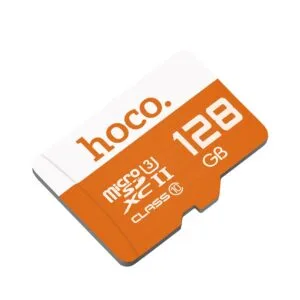
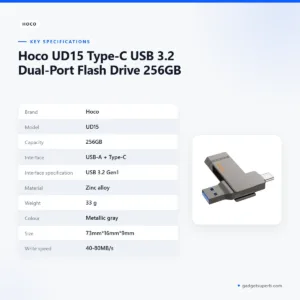
If the drive does not match your plans, browse other storage in our range. Consider HOCO UD15 USB3.2 USB & Type -C flash drive(32GB), another flash drive in our range, or HOCO UD15 USB3.2 USB & Type -C flash drive(64GB), also a flash drive in our range. For another flash drive option, see Hoco UD15 Type-C USB 3.2 Dual-Port Flash Drive 256GB, which is also a flash drive. If you want a memory card instead, see Hoco MicroSD Memory Card 256GB, which is a memory card in our range. You can also browse the full storage category to compare options side by side.
If you are choosing between the Lenovo MU251 and these options, start with the devices you use, then the ports they have, then how much you need to carry at once. Each item has its own product page, so compare the details there rather than relying on memory.
Warranty and support
Warranty: 7 Days seller warranty.
Delivery, returns and ordering
We deliver all over Bangladesh and you pay cash on delivery. Delivery usually takes 1–3 days inside Dhaka city and 2–5 days outside Dhaka. You can return it within 7 days of delivery (see our Delivery & Returns policy).
Questions before ordering: call 09638054751, message us on Facebook Messenger or email care@gadgetsuperb.com. Ordering the Lenovo MU251 is straightforward. Message us with your questions first, check the delivery times for your area, and keep your delivery address and contact number ready for the courier.
Placing an order is a short process. Choose the item from its product page, read the policy page, and send any questions by phone, Messenger or email before you confirm. Cash on delivery means you pay when the parcel reaches you, so keep your payment ready when the courier arrives. When the courier calls, check the name and contact number on your order before you accept the delivery.
If your order is for a gift, tell us the delivery address and the recipient’s contact number so the courier can reach them. Please read the full policy page before you place your order, so you know how returns work from the day of delivery.
Frequently asked questions
Is the Lenovo MU251 a 32GB flash drive?
Yes. The listing gives the storage capacity of the Lenovo MU251 as 32GB.
Does the Lenovo MU251 have both USB 3.1 and Type-C connections?
Yes. According to the listing, the dual-port design of the Lenovo MU251 supports both USB 3.1 and Type-C interfaces.
Does the Lenovo MU251 need drivers or software?
No. The listing says it is plug and play and does not require any additional software or drivers to be installed.
Which operating systems does the Lenovo MU251 support?
The listing says the Lenovo MU251 is compatible with Windows, macOS, Linux and Android.
Is the Lenovo MU251 shockproof?
The listing describes the zinc alloy shell as shockproof, wear-resistant and anti-fall. These are the maker’s listed claims, and the listing gives no test details.
What warranty comes with the Lenovo MU251?
Warranty: 7 Days seller warranty.
Can I pay cash on delivery for the Lenovo MU251?
Yes. We deliver all over Bangladesh and you pay cash on delivery.
How long does delivery of the Lenovo MU251 take?
Delivery of the Lenovo MU251 usually takes 1–3 days inside Dhaka city and 2–5 days outside Dhaka.
Can I return the Lenovo MU251?
Yes. You can return it within 7 days of delivery.
How can I ask a question before ordering the Lenovo MU251?
Call 09638054751, message us on Facebook Messenger or email care@gadgetsuperb.com about the Lenovo MU251.
Does the listing confirm what is in the box with the Lenovo MU251?
No. The listing does not confirm the contents, so ask us before ordering if you need to know.
How should I keep the Lenovo MU251 in humid weather?
Keep it in a dry place away from damp surfaces, as a general habit rather than maker guidance.
Related products
-25%
50 in stock

-23%
47 in stock
Lexar JumpDrive M400 USB 3.0 Pen Drive- 64GB
Original price was: ৳ 1,950.৳ 1,500Current price is: ৳ 1,500.-28%
43 in stock

Hoco UD15 Type-C USB 3.2 Dual-Port Flash Drive 256GB
Original price was: ৳ 7,360.৳ 5,290Current price is: ৳ 5,290.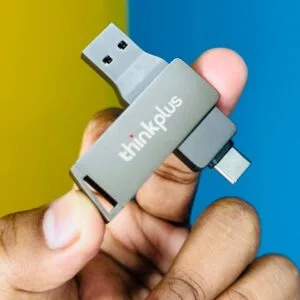 Lenovo thinkplus MU251 USB 3.1...
 Original price was: ৳ 1,190.৳ 950Current price is: ৳ 950.
169 in stock
Reviews
There are no reviews yet.