No products in the cart.







The Lexar V400 is a USB 3.0 pen drive that the listing describes as a worry-free way to transfer files. It suits students, professionals and anyone on the go who needs quick storage for photos, music and video files. This guide covers what the listing says, how to set up the drive and who should buy it in Bangladesh.
- Overview
- Key features
- Specifications
- How to use and set up
- Compatibility and what is in the box
- Who should buy it in Bangladesh
- Alternatives in our store
- Warranty and support
- Delivery, returns and ordering
- Frequently asked questions
Lexar V400 overview: what this pen drive is
According to the listing, the Lexar V400 is a USB 3.0 pen drive built for worry-free file transfer. The listing says USB 3.0 technology enables quick and easy storage with high-performance speeds, which the maker presents as a way to save you time. For a reader in Bangladesh, that matters when you move folders of photos, lesson files or video between a computer and another device.
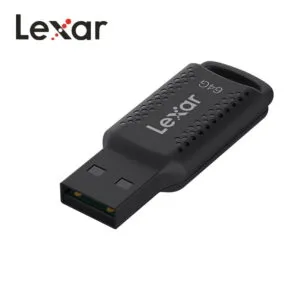
The listing describes a compact and stylish design with a key chain loop, so the Lexar V400 can be attached to key rings, backpacks or bags. Many people in Dhaka carry a phone, a laptop and a bag every day, so a small drive that stays attached to the bag can be a practical way to carry a second copy of work files. The listing also says the drive stores a large number of photos, music and video files.
The listing names the drive as suited to professionals, students and anyone on the go, and that description is the maker’s. Before you choose, think about what you need the Lexar V400 for, how much you will store and which computers you will use it with. Those three answers will help you decide whether this model fits your routine. For product background, see the maker’s website.
Key features
USB 3.0 interface and high-performance speeds
The listing states that the Lexar V400 is a USB 3.0 pen drive and that USB 3.0 technology enables quick and easy storage with high-performance speeds. It does not give a transfer rate, so this page does not quote one. The interface is the main reason the maker presents the drive as a time-saver when you copy large folders.
Before you buy the Lexar V400, check that your computer has a USB 3.0 port so the drive can use the interface the listing describes. If your port is a different type, ask us before you order rather than assume the speed you read about elsewhere.
Quick copying matters most when a folder holds many photos or a long video. The listing links the interface to saving time, so the benefit is most noticeable when your folders are large.
Capacity options: 128GB and 64GB listed
The listing gives the capacity of the Lexar V400 as 128GB, and its attribute list also shows a 64GB storage option. Both entries appear in the listing, so choose the size that matches your files rather than the first one you see. Photos, music and video files add up quickly, and extra room lets you keep copies of projects without deleting older work.
For a student with lecture recordings, or a professional with client folders, the size you pick matters more than the brand name. Think about your current folders and how fast they grow, then choose the Lexar V400 capacity that gives you a comfortable margin. Check the size with us before you order.
Lexar DataShield and 256-bit AES encryption
The listing says the Lexar V400 is equipped with Lexar DataShield software, which provides 256-bit AES encryption. According to the listing, that protection helps safeguard essential files from corruption, loss and deletion. Encryption is a listed feature, so read the maker’s instructions for how to set it up.
Keep a separate backup of anything you cannot afford to lose, and do not treat any single drive as your only copy. Once you protect files, keep your access details somewhere safe. Storing the Lexar V400 alongside a second copy of important work is a sensible habit.
Plug-and-play use on PC and Mac
According to the listing, the Lexar V400 is compatible with PC and Mac systems. Its plug-and-play functionality is described as allowing hassle-free usage, without complex installations or additional software. A household that moves files between a Windows laptop and a Mac can use the drive on both computers, as listed.
You can also carry the Lexar V400 from home to an office or classroom and use it on whichever PC or Mac you find there. Use with any other system is not covered on this page, so check with us first if you plan to use another device.
Compact design with a key chain loop
The listing describes a compact and stylish design with a convenient key chain loop. The loop lets you attach the Lexar V400 to key rings, backpacks or bags, so it stays with you rather than in a drawer. The listing gives the dimensions as 18.4mm x 46.65mm x 8.0mm (0.72” x 1.84” x 0.31”) and the weight as 3.6g.
Those figures help you plan where the Lexar V400 will sit in a bag or on a key ring. Keep it in a pocket or pouch while commuting, so it does not get lost in a crowded bus or rickshaw. A small drive is easy to misplace, so a fixed spot in your bag is a useful habit.
Specifications
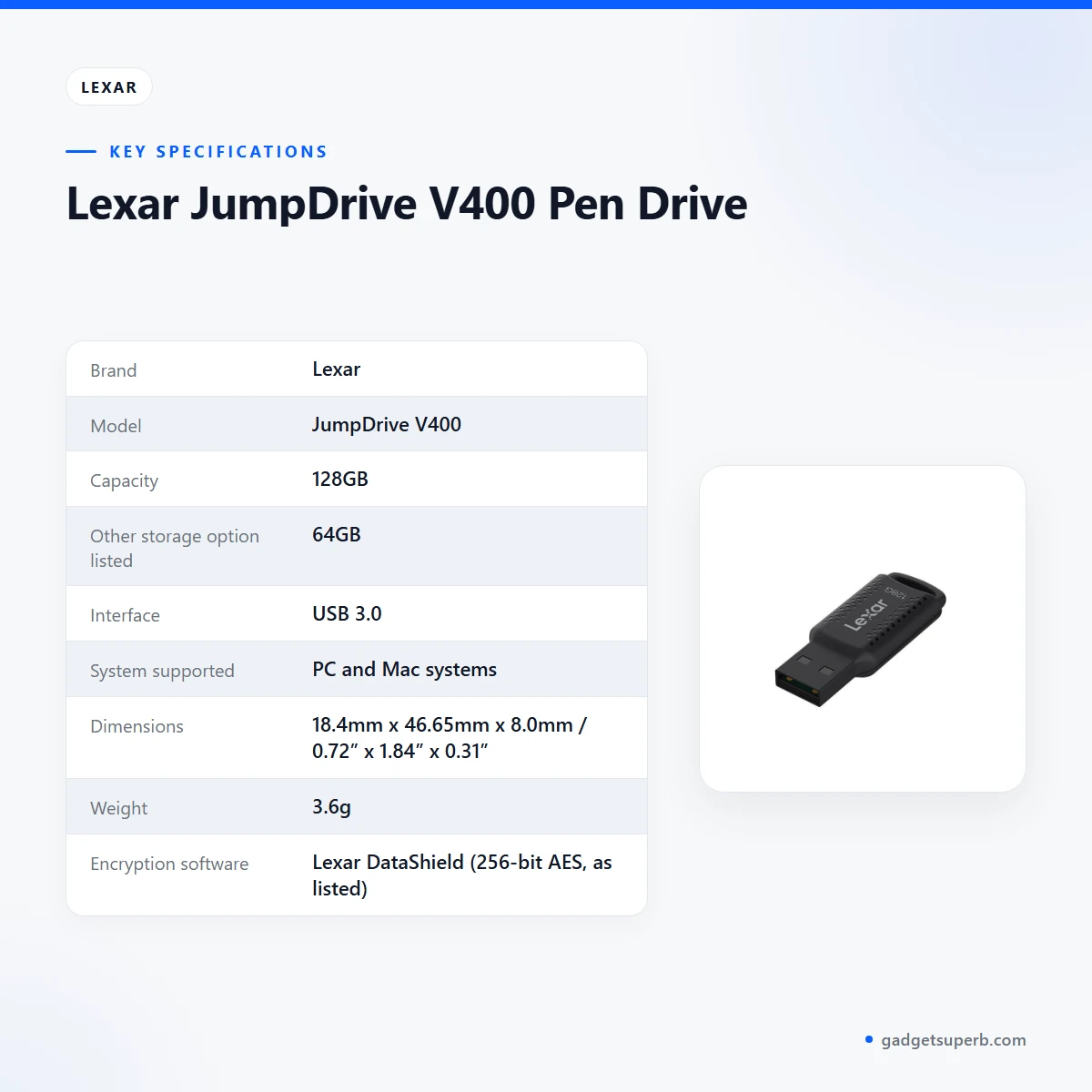
The Lexar V400 is listed with the following details, as shown in the table.
| Brand | Lexar |
|---|---|
| Model | JumpDrive V400 |
| Capacity | 128GB |
| Other storage option listed | 64GB |
| Interface | USB 3.0 |
| System supported | PC and Mac systems |
| Dimensions | 18.4mm x 46.65mm x 8.0mm / 0.72” x 1.84” x 0.31” |
| Weight | 3.6g |
| Encryption software | Lexar DataShield (256-bit AES, as listed) |
These are listed specifications for the Lexar V400 from the product listing.
Read the table alongside the delivery and warranty sections below, and use these details to decide which capacity suits your files.
How to use and set up
Start by checking that your computer has a USB 3.0 port, since the listing gives the interface as USB 3.0. Plug the Lexar V400 into that port and wait for your system to show the drive. The listing describes plug-and-play use, so basic copying should not need extra installation. Once the drive appears in your file manager, you can copy files to and from it.
Before a long copy, close other large transfers on the same computer. Many households share one machine among several people, so agree on a folder for shared files and a separate folder for personal work. If a transfer feels slow, confirm that the drive is in a USB 3.0 port, because the listing gives the interface as USB 3.0.
Before the first big copy, create a simple folder structure: one folder for each year, project or subject. Clear names make files easier to find later and reduce the chance of copying duplicates by mistake.
Follow the maker’s instructions for any setup involving Lexar DataShield software. Those steps are not set out on this page, so read the maker’s guidance before you protect any files. Keep your access details somewhere safe.
Eject the drive through your operating system before you unplug it, and avoid pulling it out during a copy. Keep it dry and away from direct heat. Humidity is common in Bangladesh during the rainy season, so store the drive in a dry pouch or drawer when it is not in use. These are general habits rather than instructions from the maker.
Power cuts can interrupt a copy. Where load-shedding is common, avoid starting a large transfer just before a planned or expected outage. Keep a second copy of important files on another device, so an interruption does not leave you with a single damaged file.
When you carry the Lexar V400 on your commute, keep it in an inner pocket or a small pouch so it is less likely to be lost or knocked. Before you plug it in at a new location, check the computer’s USB port and ask the owner whether it is fine to connect external drives.
Label each drive with its contents, and review the files every few months so you can delete what you no longer need. Get into the habit of using the Lexar V400 for working copies rather than the only copy of a file, so that a lost drive does not cost you your work.
Compatibility and what is in the box
According to the listing, the Lexar V400 is compatible with PC and Mac systems. The listing does not confirm compatibility with any other system, so ask us before you order if you plan to use the Lexar V400 with another device.
This page does not name minimum system versions. Operating system versions change over time, so check your computer’s settings if the drive does not appear. If you are unsure whether your computer has a USB 3.0 port, look for the port label or check your computer’s documentation.
Confirm the model and size before you order. The listing names the model as JumpDrive V400 and shows two storage options, so check that the product page you are viewing matches the Lexar V400 you want.
The listing does not say what comes in the box, so this page does not describe any package contents. Use the contact details in the delivery section below if you need to know before you order.
Who should buy it in Bangladesh
Students who carry assignments, presentations and lecture recordings between a campus computer and home can use the Lexar V400 as a simple transfer tool. The key chain loop keeps it attached to a bag, and the listed 128GB capacity gives room for large files.
Students preparing for exams may carry the same notes between a hostel room and a home computer. A drive on a key chain loop stays with your keys, which reduces the chance of leaving it on a desk.
Teachers who copy lesson plans between a school computer and a home laptop may find plug-and-play use helpful. Classroom use is not described in the listing, so treat this as a practical suggestion rather than a listed feature.
Professionals who move client files between an office PC and a laptop will find the Lexar V400 practical. According to the listing, plug-and-play use removes the need for extra software on the machines you use. Keep a copy of any client file on your office system as well.
Families who share photos or music between a Windows laptop and a Mac can use the Lexar V400 as listed for both systems. A freelance designer, for example, can carry image folders between a Windows desktop and a Mac on one small drive.
Parents who manage school photos and music for the whole family can keep one folder for each child on the drive, then copy them to a home computer when needed. This is a simple habit rather than a feature of the drive.
Someone who takes many photos on a phone and wants a second copy on a laptop can use the Lexar V400 for those transfers. The listing describes storage for a large number of photos, so this is a fit with the listed use.
Small business owners who need a simple way to hand files across a counter may find the drive useful, though business use is not described in the listing. A shop owner might keep product photos or invoice files on it for a quick hand-over, which is an example rather than a listed use.
Commuters who travel between home and work in Dhaka may prefer a drive that attaches to a bag, because the key chain loop keeps it in place. On a busy journey, a drive on a key ring is easier to keep track of than one left loose in a pocket.
You may want a different product if you need a specific transfer speed, a system other than PC and Mac, or a capacity the listing does not show. In those cases, ask us before you order and compare the alternatives below.
Alternatives in our store
If the Lexar V400 does not suit your needs, compare other storage in our range. HOCO UD15 USB3.2 USB & Type -C flash drive(32GB) is another USB flash drive in our range, and HOCO UD15 USB3.2 USB & Type -C flash drive(64GB) is a second USB flash drive from the same range. For another USB option, see Hoco UD15 Type-C USB 3.2 Dual-Port Flash Drive 256GB, and for a memory card, see Hoco MicroSD Memory Card 256GB. Browse the full range in our Storage category.
Each of these pages lists its own details, so read the product name and category before you compare. Ask us if you are not sure which option fits your use.
Warranty and support
Warranty: 7 Days seller warranty.
Delivery, returns and ordering
We deliver all over Bangladesh, and you pay cash on delivery when you order the Lexar V400. Delivery usually takes 1–3 days inside Dhaka city and 2–5 days outside Dhaka.
You can return it within 7 days of delivery (see our Delivery & Returns policy) for the full terms before you place your order.
Questions before ordering: call 09638054751, message us on Facebook Messenger or email care@gadgetsuperb.com.
Before you place an order, check the product name, the storage size and your full delivery address. A clear address and a reachable phone number help the courier find you and reduce the chance of a delayed delivery.
Have the payment ready when the courier arrives, since orders are paid in cash on delivery. If you are buying the Lexar V400 as a gift, tell us the recipient’s delivery address before you place your order.
Delivery times are the usual timings in our policy and can vary with the courier and local conditions. Plan your order around those times if you need the Lexar V400 for a class or a deadline.
Frequently asked questions
Is the Lexar V400 a USB 3.0 pen drive?
Yes, the listing describes it as a USB 3.0 pen drive and gives the interface as USB 3.0.
Which capacities does the Lexar V400 come in?
The listing shows 128GB as the capacity and also lists a 64GB option, so check the size you need with us before you order.
Does it work with Mac?
Yes, the listing says the Lexar V400 is compatible with PC and Mac systems.
Do I need to install software to use it?
No, the listing describes plug-and-play use that removes the need for complex installations or additional software.
Does the Lexar V400 include encryption?
Yes, according to the listing it comes with Lexar DataShield software that provides 256-bit AES encryption.
Can I attach it to my keys or bag?
Yes, the listing describes a convenient key chain loop for key rings, backpacks or bags.
How heavy and how big is it?
The listing gives a weight of 3.6g and dimensions of 18.4mm x 46.65mm x 8.0mm.
What is the warranty on the Lexar V400?
Warranty: 7 Days seller warranty.
How long does delivery take?
Delivery usually takes 1–3 days inside Dhaka city and 2–5 days outside Dhaka.
Can I return it?
Yes, you can return it within 7 days of delivery, as set out in our delivery and returns policy.
How can I ask questions before ordering the Lexar V400?
Call 09638054751, message us on Facebook Messenger or email care@gadgetsuperb.com.
Does the Lexar V400 need a USB 3.0 port?
The listing gives the interface as USB 3.0, so a USB 3.0 port matches the listed interface.
Can I use the Lexar V400 on a Windows laptop?
The listing says the Lexar V400 is compatible with PC systems, so it is listed for that use.
Related products
-20%
50 in stock
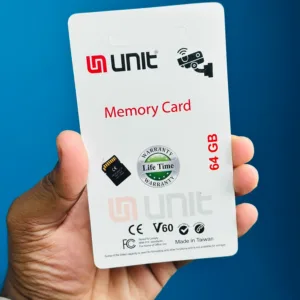
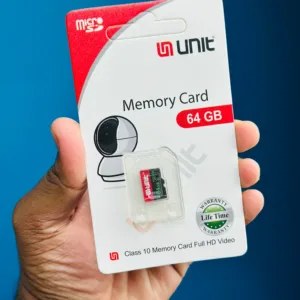
UNIT 64GB Memory Card Class 10 Memory Card Full HD Video
Original price was: ৳ 1,120.৳ 890Current price is: ৳ 890.-23%
48 in stock
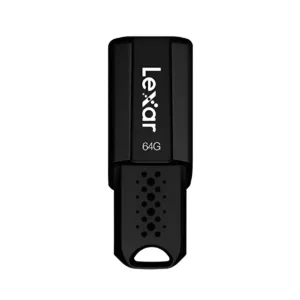

Lexar JumpDrive S80 USB 3.1 Pen Drive – 64GB
Original price was: ৳ 1,950.৳ 1,500Current price is: ৳ 1,500.-28%
43 in stock
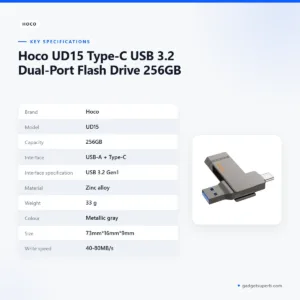

Hoco UD15 Type-C USB 3.2 Dual-Port Flash Drive 256GB
Original price was: ৳ 7,360.৳ 5,290Current price is: ৳ 5,290.-23%
48 in stock
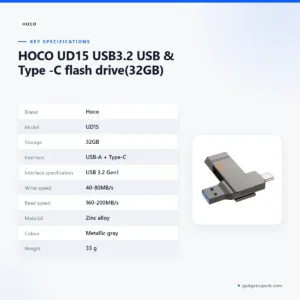

HOCO UD15 USB3.2 USB & Type -C flash drive(32GB)
Original price was: ৳ 1,580.৳ 1,210Current price is: ৳ 1,210.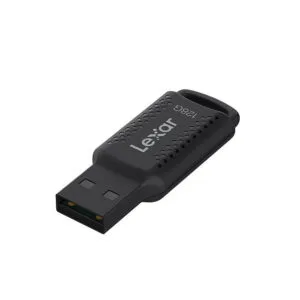 Lexar JumpDrive V400 Pen Drive
 Price range: ৳ 1,530 through ৳ 2,530
Reviews
There are no reviews yet.