No products in the cart.

-27%
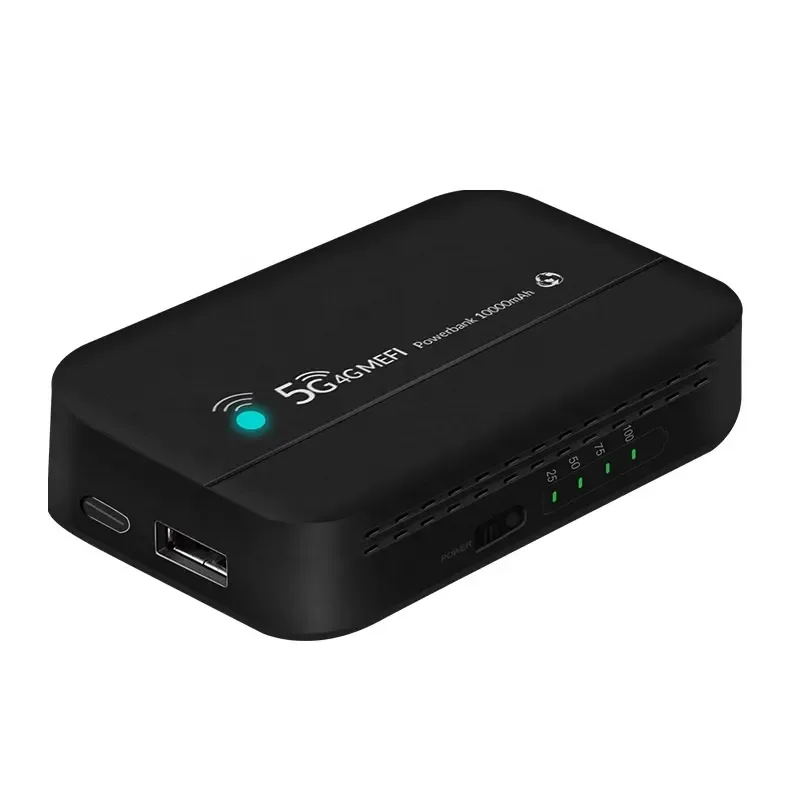
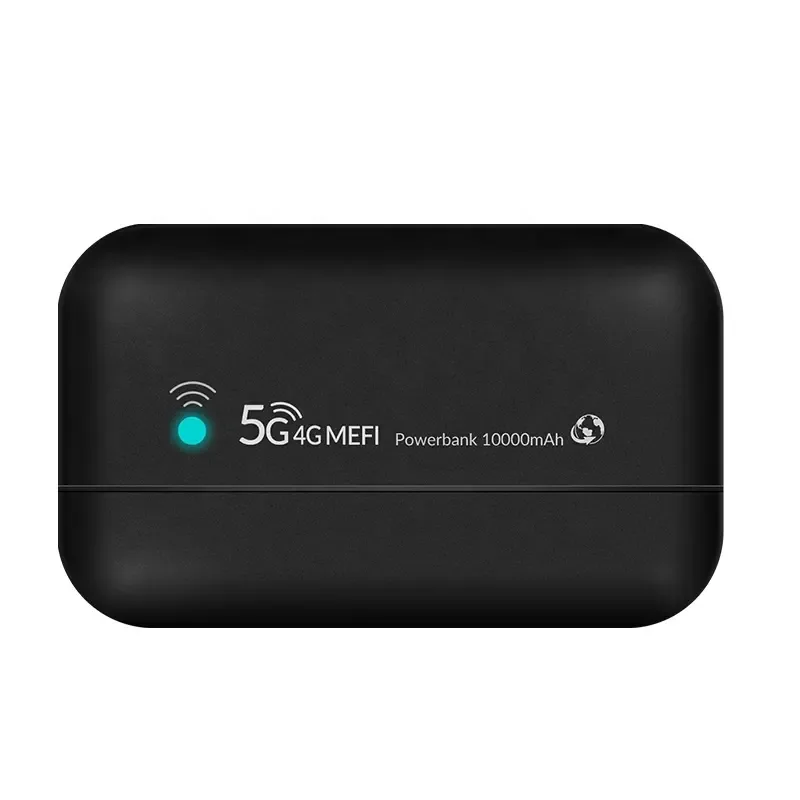
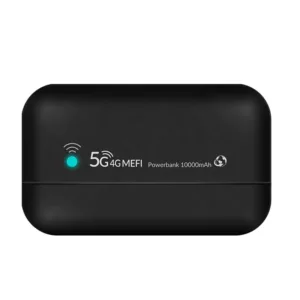
The PW100 pocket Wi-Fi router is a portable 4G LTE router that also works as a power bank, listed with a 10000mAh battery and peak download speeds up to 300Mbps. It suits mobile professionals, travellers and field users in Bangladesh who need a shared internet connection away from a fixed line.
- Overview
- Key features
- Specifications
- How to use and set up
- Compatibility and what is in the box
- Who should buy it in Bangladesh
- Alternatives in our store
- Warranty and support
- Delivery, returns and ordering
- Frequently asked questions
pw100 pocket wi-fi router overview
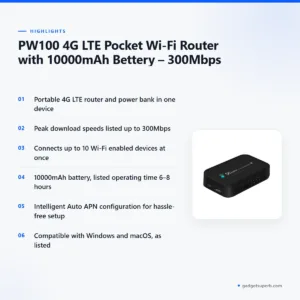
The PW100 pocket Wi-Fi router is sold in our Routers & Pocket WiFi category. The product listing gives its full name as PW100 4G LTE Pocket Wi-Fi Router with 10000mAh Bettery – 300Mbps. We have corrected the spelling of the battery word in this description. According to the listing, the device combines a portable 4G LTE router and a high-capacity power bank in one unit, so one item can cover both jobs when you are away from a power socket.
The maker lists the PW100 pocket Wi-Fi router for mobile professionals, travellers and field users. In Bangladesh that often means someone who moves between home, an office and client sites, or someone who needs an internet connection on a bus, at a rural site or in a hotel room where a fixed broadband line is not available. A pocket unit gives a laptop, phone or tablet a Wi-Fi network from a mobile SIM, so you do not have to wait for a cable to be installed at each new place.
The phrase pocket Wi-Fi describes a small, battery-powered router that shares a mobile data connection. It does a different job from a fixed router that sits on a broadband line in a home or office. If you are not sure which type you need, the comparison section below sets out the choice in plain terms. For general background on what a wireless router does, read a general guide to wireless routers before you decide.
Bangladesh has its own practical conditions. Power supply can vary by area, humidity is high for much of the year, and many people travel long distances on public transport. A unit that carries its own battery and a mobile connection can make sense in those conditions, provided you check the coverage where you plan to use it. The listing does not describe how the device copes with heat or humidity, so keep it dry and out of direct sun as a general habit.
Key features
Combined 4G LTE router and power bank
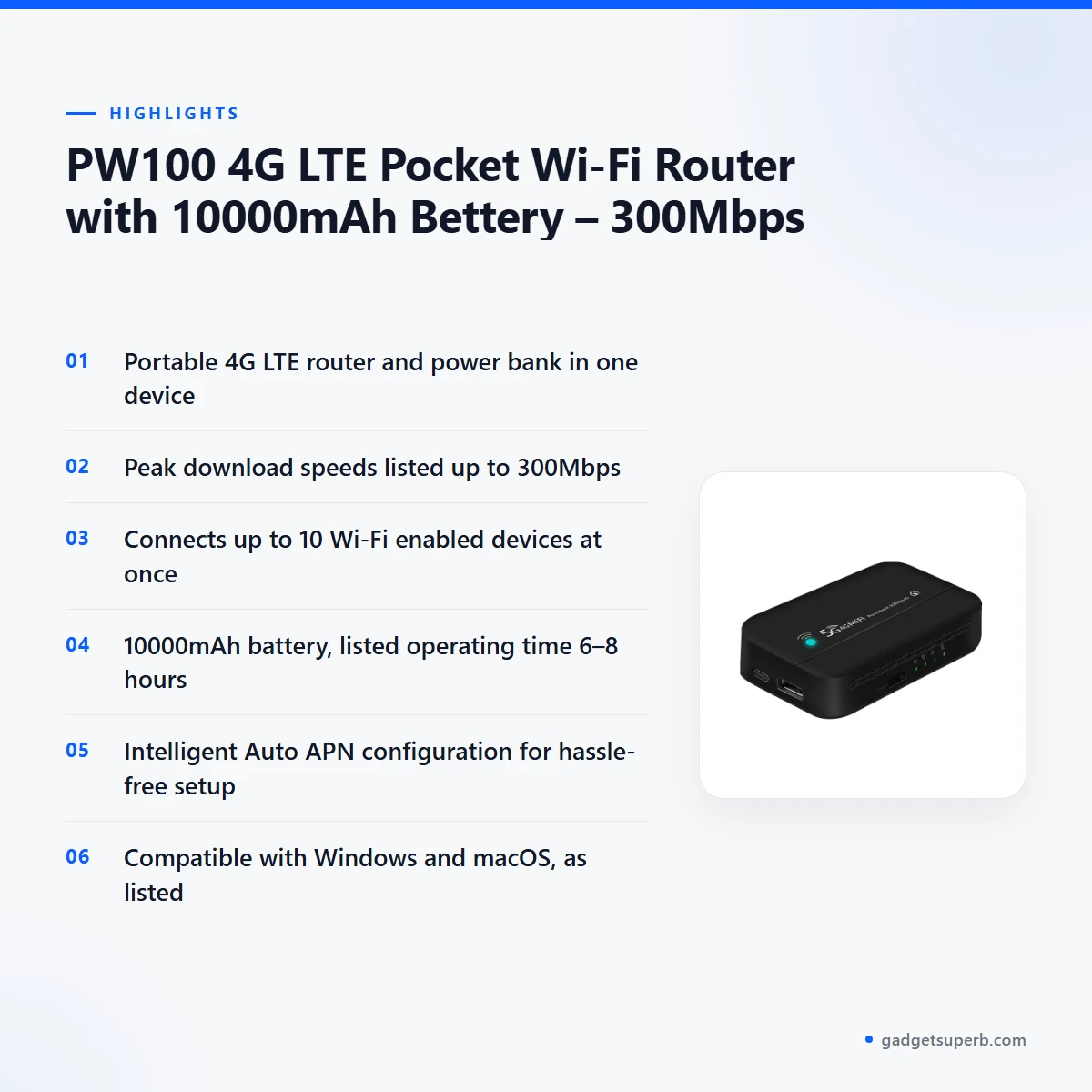
According to the listing, the PW100 pocket Wi-Fi router combines a portable 4G LTE router and a high-capacity power bank in one device. The listed battery capacity is 10000mAh, and the listing gives USB input and output at 5V/2.4A. For people in Bangladesh who face planned or unplanned power cuts, the unit can serve as both a router and a power bank, which is useful when the mains supply is interrupted. The listing gives an operating time of 6–8 hours in active 4G mode, but it does not say how the power bank output performs under load. Treat the operating time as the maker lists it, and plan your charging around that figure.
4G LTE with peak download speeds up to 300Mbps
The listing says the device supports LTE peak download speeds up to 300Mbps, and network mode is listed as 4G LTE. For the PW100 pocket Wi-Fi router, a peak figure is a ceiling rather than a promise. Real speed depends on the mobile network, the signal strength where you are, and how many devices share the connection at the time. Because the listing does not name any mobile operator, check which operator has the best signal in your area before you buy a data pack. This is especially worth doing if you travel between districts, since coverage can change quickly.
Up to 10 Wi-Fi enabled devices
The listing states that the PW100 pocket Wi-Fi router connects up to 10 Wi-Fi enabled devices simultaneously. In a family flat or a small office in Bangladesh, that can cover a laptop, a couple of phones, a tablet and a smart TV or streaming box, provided each device is Wi-Fi enabled. More devices sharing one connection usually means each device gets a smaller share of the available speed. For that reason, video calls and large downloads work best when only one or two devices are doing them at the same time. Keep the router close to the people using it, which is a general habit that helps any wireless device.
Intelligent Auto APN configuration
The listing describes intelligent Auto APN configuration for hassle-free setup. The APN, or access point name, is the setting your mobile network uses to connect your device to mobile data. According to the listing, the PW100 pocket Wi-Fi router is designed to handle this step for you, so you do not need to enter settings by hand in the usual case. The listing does not name the networks it supports. If the connection does not start, follow the maker’s instructions and contact your mobile operator for network details. Automatic setup does not remove every network issue, so keep your SIM details to hand.
SMS, USSD, LED indicators and operating systems
The listing says the device supports SMS and USSD functions for added convenience. It also lists LED indicators for connection status and power level. The listing states that the product is compatible with Windows and macOS operating systems. The PW100 pocket Wi-Fi router is listed for mobile professionals, travellers and field users, and these features are aimed at people who need a quick, portable connection. Because the listing does not explain how to use SMS or USSD on this unit, follow the maker’s instructions for those functions.
Specifications
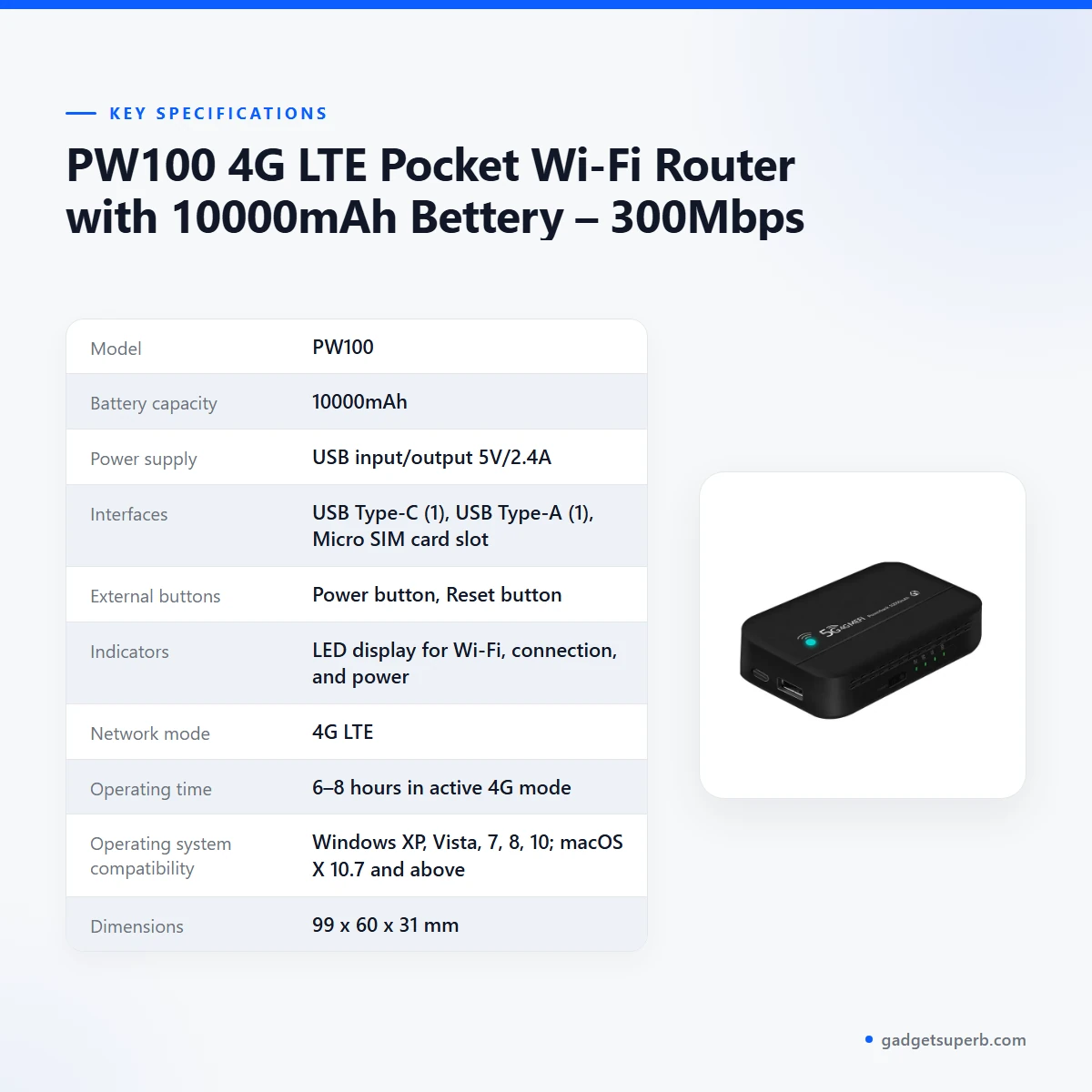
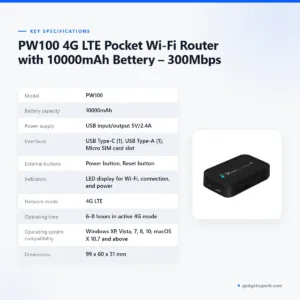
The table below lists the specifications for the PW100 pocket Wi-Fi router exactly as they appear in our product listing, so you can check each figure before you buy.
| Model | PW100 |
|---|---|
| Battery capacity | 10000mAh |
| Power supply | USB input/output 5V/2.4A |
| Interfaces | USB Type-C (1), USB Type-A (1), Micro SIM card slot |
| External buttons | Power button, Reset button |
| Indicators | LED display for Wi-Fi, connection, and power |
| Network mode | 4G LTE |
| Operating time | 6–8 hours in active 4G mode |
| Operating system compatibility | Windows XP, Vista, 7, 8, 10; macOS X 10.7 and above |
| Dimensions | 99 x 60 x 31 mm |
| Peak download speed | Up to 300Mbps (listed) |
| Simultaneous Wi-Fi connections | Up to 10 Wi-Fi enabled devices |
| Warranty | 7 Days |
These are listed specifications from the product listing.
How to use and set up
Setting up the PW100 pocket Wi-Fi router should be simple, but the listing does not give a full step-by-step guide, so start with the maker’s instructions that come with your device. Have your mobile SIM and a suitable charging cable ready before you begin. Keep the unit on a flat, dry surface during setup, away from direct sun.
Charge fully before first use. Before you switch on the PW100 pocket Wi-Fi router for the first time, give the 10000mAh battery a full charge, which is a sensible starting point. Once the unit is charged, insert your Micro SIM card into the slot, switch the device on and wait for the indicators to show that it is ready. The listed interfaces are USB Type-C and USB Type-A, plus the Micro SIM card slot.
Connect your devices one at a time and check the connection status on the LED display listed in the specifications. If the mobile data does not connect, check that the SIM is seated, that your mobile balance is sufficient and that the APN settings are correct for your operator, then follow the maker’s instructions. If the PW100 pocket Wi-Fi router still does not connect, contact us using the details in the delivery section below.
Before a trip, charge the unit fully, check that your mobile plan has data, and note the operating time in the specifications. Pack the router in a bag or case so it is protected from knocks, and avoid leaving it in a hot car. Keep it away from heavy heat and humidity, which is common in Bangladesh during the monsoon, and store it somewhere dry when you are not using it for long periods.
For care and storage, recharge the battery regularly if you do not use the device for a long time, and keep the buttons clean and free from dust. The PW100 pocket Wi-Fi router lists a Reset button, but the listing does not describe what that button does beyond its name, so read the maker’s instructions before you press it.
Compatibility and what is in the box
The listing says the PW100 pocket Wi-Fi router is compatible with Windows and macOS. The named versions are Windows XP, Vista, 7, 8 and 10, and macOS X 10.7 and above. These are the only operating systems named in the listing, so this page does not confirm others.
The listing does not state what the package contains, so this page does not say what is in the box. If you need to know which accessories come with the PW100 pocket Wi-Fi router, contact us using the details in the delivery section below. The listing also does not confirm compatibility with phones, tablets or other operating systems, and it does not name the mobile operators that work with the Micro SIM slot.
What is not confirmed: the listing does not give a list of supported phones or tablets, the network bands supported, or the operators that work with the device. If any of these points matter for your purchase, ask us before you order so that you do not rely on assumptions about the PW100 pocket Wi-Fi router.
To check your computer, open its system information or settings screen and note the version of Windows or macOS. Then compare that version with the list above. This simple check takes a few minutes and avoids confusion after delivery.
Who should buy it in Bangladesh
A daily commuter in Dhaka who spends long periods on buses or in traffic may find the PW100 pocket Wi-Fi router a useful fit. The listing describes two functions that match this routine: a mobile connection and a power bank. You could keep a laptop or phone connected on a train or bus without relying on a café, although the listing does not name the networks or coverage you will receive.
Field staff, surveyors, site engineers and sales teams who work away from the office can share one mobile data connection with a small group. Up to 10 Wi-Fi enabled devices is the listed limit, so a small team can use one unit. Larger groups may need a different setup, and the listing does not say how the device performs when the maximum number of devices is connected. Teams who choose the PW100 pocket Wi-Fi router should check their own use cases before relying on it.
Travellers who move between towns, hotels and guest houses may find a router that carries its own battery and uses a mobile SIM helpful. Check mobile coverage in each place you plan to visit, because the listing does not give coverage information. The PW100 pocket Wi-Fi router is therefore best suited to people who have checked their route first.
Households in areas with unreliable power may find the battery function useful during short outages. The listed operating time is 6–8 hours in active 4G mode, and the listing does not say how long the device runs in other modes or how long a full charge lasts in daily use. The PW100 pocket Wi-Fi router can also serve as a power bank for a phone, which some households will value.
Students and people sharing a flat may find a pocket unit helpful where a fixed line is not installed or where a separate plan is more practical. Keep in mind that the connection is shared among the listed devices, so agree on fair use between flatmates before you start.
The PW100 pocket Wi-Fi router is not described in the listing as a replacement for fixed broadband. If you need a stable connection for a home office with several users, a fixed broadband plan may suit you better. Check the specification table against your plan, and read the alternatives below if you want to compare.
Alternatives in our store
If the PW100 pocket Wi-Fi router is not the right fit, you may want to look at other networking items in our range. The Cudy WR1200 AC1200 Dual Band Smart Wi-Fi Router is another router in our range. The Metal Router Stand – Black is a stand listed in our store. The Vemo E5783 Plus 4G/5G Portable Pocket WiFi Router – 300Mbps High-Speed Mobile Hotspot with 3000mAh Battery is another pocket Wi-Fi router in our range. The Ruijie RG-EW1300G 1300M Dual-Band Gigabit WiFi Router is another router in our range. For a wider choice, browse the Routers & Pocket WiFi category.
Many readers ask whether they can connect a pocket Wi-Fi to a router. In general, a pocket unit provides its own Wi-Fi network from a mobile SIM, while a standard router is usually connected to a broadband line. Whether the PW100 pocket Wi-Fi router can work alongside another router depends on your setup, and the listing does not describe this, so we do not confirm it here.
When you choose between the two, start with the connection you have. If you will use the PW100 pocket Wi-Fi router where there is no fixed line, the portable design may be the more practical option. If you have a fixed line at home, a standard router may be the simpler choice for that setup.
Warranty and support
Warranty: 7 Days seller warranty.
Delivery, returns and ordering
We deliver all over Bangladesh, and you pay cash on delivery for your order of the PW100 pocket Wi-Fi router. Delivery usually takes 1–3 days inside Dhaka city and 2–5 days outside Dhaka.
You can return it within 7 days of delivery. Full details are in our Delivery and Returns policy, which is on the Delivery and Returns policy page.
Questions before ordering: call 09638054751, message us on Facebook Messenger or email care@gadgetsuperb.com.
When you contact us about the PW100 pocket Wi-Fi router, mention the model PW100 and the product name so that we can answer your question quickly. Keep your delivery address and a working mobile number ready so that the courier can reach you.
Frequently asked questions
What is the PW100 pocket Wi-Fi router?
It is a portable 4G LTE router that, according to the listing, also works as a power bank. The listing says it combines both functions in one device with a 10000mAh battery. The maker lists it for mobile professionals, travellers and field users.
How many devices can connect to the PW100 pocket Wi-Fi router?
According to the listing, up to 10 Wi-Fi enabled devices can connect at the same time. Speed is shared between devices, so heavy use by several people may feel slower on each device.
What peak download speed does the PW100 pocket Wi-Fi router list?
The listing says LTE peak download speeds up to 300Mbps. Real speeds depend on your mobile network, the signal where you are and how many devices are connected.
Does the PW100 pocket Wi-Fi router work with Windows and macOS?
The listing says it is compatible with Windows and macOS, naming Windows XP, Vista, 7, 8 and 10 and macOS X 10.7 and above. Other operating systems are not named in the listing.
What battery capacity does the PW100 pocket Wi-Fi router have?
The listing gives a battery capacity of 10000mAh for the PW100 pocket Wi-Fi router and an operating time of 6–8 hours in active 4G mode. The listing does not say how long a full charge lasts in daily use.
Does the PW100 pocket Wi-Fi router need manual APN setup?
The listing describes intelligent Auto APN configuration for hassle-free setup. If the connection does not start, follow the maker’s instructions and check with your mobile operator.
Can I use the PW100 pocket Wi-Fi router as a power bank?
According to the listing, the device combines a portable 4G LTE router and a high-capacity power bank. It lists USB Type-C and USB Type-A interfaces, and the power supply is listed as USB input and output at 5V/2.4A.
What is the warranty on the PW100 pocket Wi-Fi router?
Warranty: 7 Days seller warranty.
Can I return the PW100 pocket Wi-Fi router if it does not suit me?
You can return it within 7 days of delivery, as set out in our Delivery and Returns policy. To start, call 09638054751 or email care@gadgetsuperb.com.
Where can I ask questions before I order the PW100 pocket Wi-Fi router?
Call 09638054751, message us on Facebook Messenger or email care@gadgetsuperb.com. We are glad to answer questions about the listing.
Related products
-27%
190 in stock
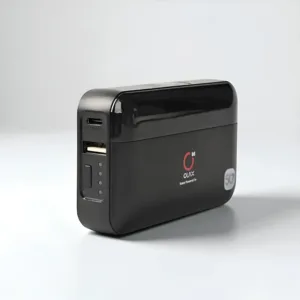
OLAX M100 WiFi 6 10000mah 5G Pocket Router
Original price was: ৳ 4,610.৳ 3,360Current price is: ৳ 3,360.-27%
50 in stock
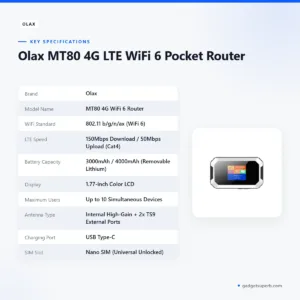

Olax MT80 4G LTE WiFi 6 Pocket Router
Original price was: ৳ 4,200.৳ 3,060Current price is: ৳ 3,060.-27%
30 in stock
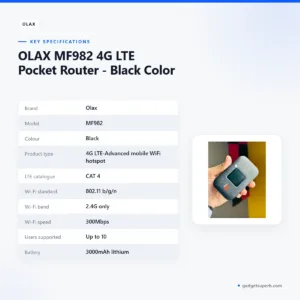

OLAX MF982 4G LTE Pocket Router – Black Color
Original price was: ৳ 4,200.৳ 3,060Current price is: ৳ 3,060.-23%
100 in stock
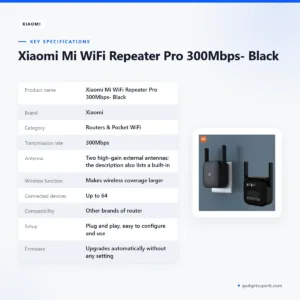

Xiaomi Mi WiFi Repeater Pro 300Mbps- Black
Original price was: ৳ 2,060.৳ 1,580Current price is: ৳ 1,580.-28%
46 in stock
OLAX MT30 150Mbps Portable Pocket Router 4000mah Battery
Original price was: ৳ 5,690.৳ 4,090Current price is: ৳ 4,090. PW100 4G LTE Pocket Wi-Fi Rout...
Original price was: ৳ 5,440.৳ 3,970Current price is: ৳ 3,970.
22 in stock
Reviews
There are no reviews yet.