No products in the cart.

-27%
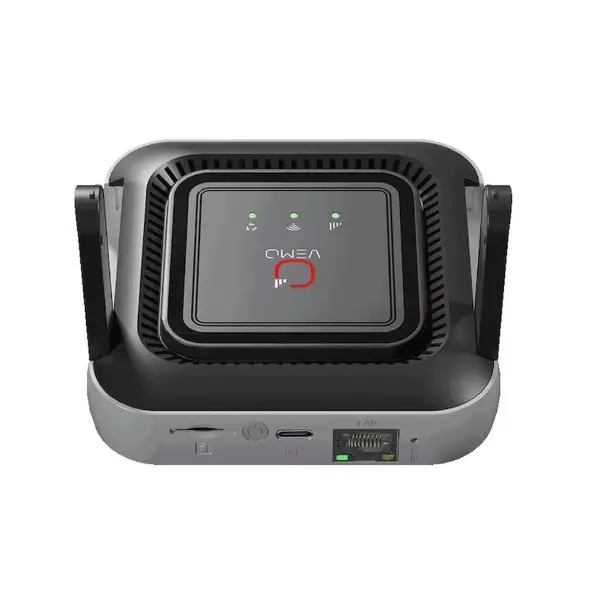

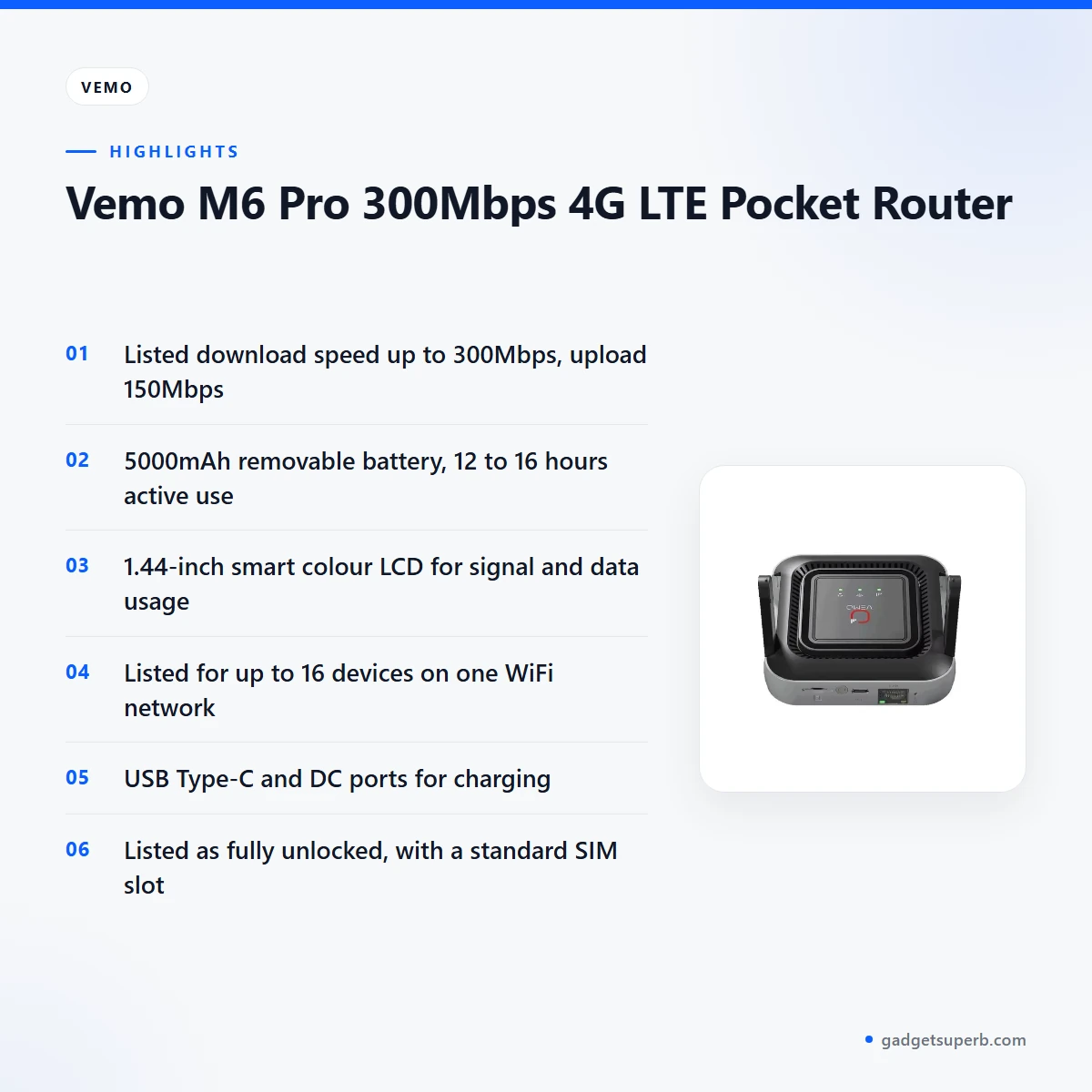


The Vemo M6 Pro router is a 4G LTE pocket router that the maker lists at up to 300Mbps download. It suits people who need a portable connection for mobile work, travel or sharing one data plan with a small group. This page covers what the listing says, how to set the device up and who it suits in Bangladesh.
- Overview
- Key features
- Specifications
- How to use / set up
- Compatibility and what is in the box
- Who should buy it in Bangladesh
- Alternatives in our store
- Warranty and support
- Delivery, returns and ordering
- Frequently asked questions
What is the Vemo M6 Pro router?
The Vemo M6 Pro router is a portable 4G LTE device that takes a standard SIM card and shares mobile data as a WiFi network for your phones and other devices. The listing describes it as a pocket router engineered for the professional on the move. In practice, that means one device you can carry in a bag and switch on wherever a mobile signal is available, which is one reason people look at pocket models in the first place.
The listing gives the maker’s headline figures for the M6 Pro: a maximum speed of 300Mbps download and 150Mbps upload, a 5000mAh removable battery and a 1.44-inch colour screen. These are useful starting points, but a mobile connection depends on your operator, the signal where you are sitting or standing, and how many devices are online at once. Read the listed numbers as the maker’s figures rather than results you should expect in every location, and check them against your own day before you rely on them.
In Bangladesh, a pocket router can be a practical option when a home or office broadband line is unreliable, when you work from several sites in Dhaka or when you travel outside the city. Load-shedding can also make a fixed line unpredictable at home. If you are new to the subject, the Wikipedia overview of wireless routers explains the basics of how these devices work. A mobile connection still needs a charged battery and a working network, so the Vemo M6 Pro router works well as a planned tool rather than a replacement for a fixed line.
Before you buy the Vemo M6 Pro router, decide what you need the connection for. If you need a pocket connection for a few hours of work, the listed battery and sharing figures give you a starting point. If you need a connection that stays in one place, a WiFi router from our networking range may be a better match. Write down how many devices you expect to connect, how much data your typical day uses and where you will use the device. Those three answers will tell you more than any single headline figure.
Key features
The features of the Vemo M6 Pro router below follow the order in which the product listing presents them. Each section adds notes on how the feature fits everyday use in Bangladesh, and where the listing leaves a detail open.
High-speed 4G LTE
The listing says the Vemo M6 Pro router supports download speeds up to 300Mbps, which the maker links to seamless HD streaming and fast file transfers. The listed upload figure is 150Mbps, so uploads are listed at a lower rate than downloads. For a video call or a large file sent from a remote site, check the upload figure against your own needs.
Real speeds depend on your operator’s coverage and your location, so treat the listed numbers as maximums rather than promises. Test the connection at the spot where you will actually work, at the times of day you will use it most.
5000mAh battery and runtime
The Vemo M6 Pro router carries a 5000mAh battery that the listing describes as removable lithium-ion. The maker lists 12 to 16 hours of active working time and over 70 hours of standby time from it.
According to the listing, this is why you can work a full 12+ hour shift without needing a separate power bank. Actual runtime depends on how many devices you connect, how much data you move and how strong the signal is, so test the battery against your own routine during the first week of use. If you plan to run the router from its battery during long outages, compare the active-use figure with the hours you expect to need.
Smart Color LCD display
The Vemo M6 Pro router has a 1.44-inch smart colour LCD. According to the listing, the screen shows real-time signal strength, battery percentage, data usage and connected users. The maker says this helps you see how much of your plan you have used, and it describes the screen as removing data anxiety.
The listing does not go into menu layouts, so check how each reading appears once the device is in your hands. Keeping an eye on the signal and data readings is a practical way to avoid surprises at the end of a billing period.
Up to 16 devices
The listing says the Vemo M6 Pro router can share WiFi with up to 16 devices at the same time without performance degradation. The specification table gives the user count as 15 to 16. For a small office, a family or a group of friends sharing one plan, that range is the number that matters.
Every device draws on the same mobile data plan, though, so several people streaming at once can use up the allowance faster than you expect. Agree on fair use with the people you share with, and watch the data usage reading on the screen. The listing does not describe how bandwidth is divided between devices.
Charging options
The Vemo M6 Pro router has a modern USB Type-C port and a DC port for flexible power management. The listing names a USB Type-C port and a DC port for charging. It does not list the cables or adaptors supplied, so check what you already own before you travel.
Keeping the battery topped up before a long day is a sensible habit for any portable device, and it is worth doing before you leave home.
Global network support
The listing says the Vemo M6 Pro router is fully unlocked for all major network providers, with wide band support for FDD-LTE, TDD-LTE and WCDMA. It describes the SIM slot as standard and universal unlocked. The maker presents the unlocked bands as the reason you can swap in local SIM cards anywhere in the world to avoid roaming fees.
Whether every Bangladeshi operator matches the band list is not confirmed by the listing, so compare the frequency bands in the specification table with your operator’s details before you rely on them.
Specifications
The Vemo M6 Pro router specifications below are taken directly from the product listing, so you can compare them with your needs before you read the rest of this page.
| Brand | Vemo |
| Model Name | M6 Pro (M6-E) |
| Maximum Speed | 300Mbps Download / 150Mbps Upload |
| WiFi Standard | 802.11 b/g/n (2.4GHz) |
| Battery Capacity | 5000mAh (Removable Lithium-ion) |
| Active Working Time | 12–16 Hours |
| Display | 1.44-inch Smart Color LCD |
| Max Supported Devices | 15 to 16 Users |
| Charging Interface | USB Type-C / DC Port |
| SIM Slot | Standard SIM (Universal Unlocked) |
| Frequency Bands | 4G FDD-LTE (B1/B3/B5/B7/B8/B20/B28), TDD-LTE (B38/B39/B40/B41) |
| Weight | ~145g |
These are listed specifications from the product listing.
How to use / set up
Setting up the Vemo M6 Pro router is straightforward when you follow the maker’s instructions and the steps below. Start by charging the battery fully before first use, so the first session is not cut short.
Preparation comes first. The listing says to remove the back cover and insert an activated SIM card. Activate the SIM with your operator before you start, because the listing asks for an activated card. Keep the cover off only while you insert the card, and refit it before you switch on. Handle the SIM card gently and keep it with you rather than leaving it loose while you carry the device.
For startup, the listing says to long-press the power button and that the colour screen will illuminate with the Vemo logo. Once the signal bars appear, the listing says you can view the WiFi SSID and password directly on the screen or inside the cover. Use those details to join the network from your device, in the same way you would join any WiFi network. Write the details down somewhere safe once you have them.
To connect, find the network on your device, enter the password and monitor your real-time speed on the router’s display. Allow the connection a short moment to settle before you start a large download or a video call. If the speed looks low, check the signal reading on the screen before you change any other setting.
If several people will share the connection, give each person the password in writing or on a shared note rather than repeating the setup each time. Ask everyone to disconnect when they finish, because every connected device draws on the same data plan. The listing does not describe any additional sharing controls, so agree on sharing habits as a group before the day starts.
Before you travel, carry your SIM card in a safe place and check that the battery holds charge over a short test session at home. For care, keep the M6 Pro out of hot cars and keep the battery charged if you store it for a long period. Dust and heat are common concerns for portable electronics in Bangladesh’s climate, so keep the device in a bag or case when you move it between sites.
When you set up the Vemo M6 Pro router for a new project, write the network name and the password on the first page of your work notebook. That way, a colleague or a family member can join without taking the device apart. Review the data usage reading each morning for the first week, so you learn how quickly your typical day uses the plan.
Compatibility and what is in the box
The listing confirms a standard SIM slot, a WiFi standard of 802.11 b/g/n on 2.4GHz, and USB Type-C and DC charging ports for the M6 Pro. It does not list 5GHz WiFi, so the 5GHz band is not part of the information given. If your work depends on 5GHz, plan around that gap before you order.
Check the WiFi specifications of any phone, tablet or laptop you plan to use before you rely on the connection, because the listing gives only the Vemo M6 Pro router’s standard. A device that does not support the listed standard may not join the network as expected. Test one of your devices at home before a trip, so you know what to expect in the field.
The listing does not say what is in the box, so the package contents are not confirmed. Ask us for the full list before you order, so you know what to expect when the parcel arrives. Do not assume that a cable or adaptor you own for another device will fit the charging ports listed for the Vemo M6 Pro router.
On networks, the listing describes the M6 Pro as fully unlocked for all major network providers, and it lists the supported frequency bands in the specifications table. The band list is the reference point for any network you plan to use. A SIM from an operator outside the listed bands may not connect, so check that before you order and before you travel.
Choosing a pocket router also means thinking about everyday routines. If you move between sites, a device you can carry in a bag may suit you better than a router that stays on a desk. If you spend most of the day in one room, a WiFi router from our networking range may be easier to place. Think about where the signal is strongest in your home or office, and test that spot before you commit to a plan. Whatever you choose, keep the device in a dry place away from direct sun.
Who should buy it in Bangladesh
The Vemo M6 Pro router suits a few clear buyer types, and it is less suited to others. Read the scenarios below and match them against how you actually use mobile data at home, at work and on the road.
Remote workers and field staff are the first group. If you work from a site office, a client location or a project site where fixed broadband is patchy, the M6 Pro gives you a portable connection. The listed battery of 12 to 16 hours is the main reason to consider it for a full working shift, because it reduces the need to carry a separate power bank.
Small teams are the second group. A small team working from one location can share a single data plan through the Vemo M6 Pro router, rather than each person relying on a separate connection. The listing gives up to 16 devices, so the device has room for a group, but the practical limit is your data allowance. Agree on who manages the plan before the team starts using it.
Families who share one plan at home or away are the third group. The listing describes the device as suitable for small teams or large families. A parent can keep phones and other devices on one connection while travelling, with the screen showing data use. For families, the Vemo M6 Pro router works well when the household agrees how much data each person can use, and when someone checks the reading from time to time.
Travellers who want to change SIM cards form the fourth group. The unlocked bands on the Vemo M6 Pro router are the feature to look at if you plan to use local SIM cards in different places. The listing presents this as a way to avoid roaming fees, but it does not describe your own roaming costs, so check those with your own operator.
Shop owners, event staff and small offices form the fifth group. A counter, a stall or a temporary desk that needs one shared connection can use the M6 Pro as a single point of access. The listing does not describe business licensing or commercial use terms, so check those with your operator before you rely on the device for a business.
If load-shedding or power cuts are common where you live, compare the listed battery hours with how long you need the device to run on battery. The listing gives battery times but does not describe power-cut use specifically, so treat the figures as a starting point rather than a fixed promise.
The Vemo M6 Pro router may not suit you if you need 5GHz WiFi, a permanent home connection or a device used only in one room. In those cases, a WiFi router from our networking range may be a better match, as described in the next section.
Alternatives in our store
If the M6 Pro is not the right fit, look at another pocket WiFi router in our range: the Vemo E5783 Plus 4G/5G Portable Pocket WiFi Router – 300Mbps High-Speed Mobile Hotspot with 3000mAh Battery.
For a WiFi router from our networking range rather than a pocket model, see the Cudy WR1200 AC1200 Dual Band Smart Wi-Fi Router and the Ruijie RG-EW1300G 1300M Dual-Band Gigabit WiFi Router, both in our networking range.
If you need a stand for a router of any kind, the Metal Router Stand – Black is listed in our range as a router accessory.
You can browse every option in the Routers & Pocket WiFi category, where the Vemo M6 Pro router is listed.
Warranty and support
Warranty: 7 Days seller warranty.
Delivery, returns and ordering
We deliver all over Bangladesh and you pay cash on delivery. When you order the Vemo M6 Pro router, make sure someone can receive the parcel at the address you give, so the delivery does not stall at the door.
Delivery usually takes 1–3 days inside Dhaka city and 2–5 days outside Dhaka. Plan your first use of the Vemo M6 Pro router around that window, especially if you need it for a fixed project date or a trip that starts on a set day.
You can return it within 7 days of delivery (see our Delivery & Returns policy). Read the policy page for the full terms before you place your order.
Questions before ordering: call 09638054751, message us on Facebook Messenger or email care@gadgetsuperb.com. We are happy to answer questions about the listed specifications and the delivery options.
Frequently asked questions
What is the Vemo M6 Pro router?
The Vemo M6 Pro router is a 4G LTE pocket router that the maker lists at up to 300Mbps download. It shares mobile data as a WiFi network for your devices.
Does the Vemo M6 Pro router support 5GHz WiFi?
The listing gives the WiFi standard as 802.11 b/g/n (2.4GHz) and does not mention 5GHz. Check your devices against that standard before you order.
How long does the Vemo M6 Pro router battery last?
The listing gives 12 to 16 hours of active use and over 70 hours of standby from the 5000mAh battery. Real runtime depends on how many devices you connect and how much data you use.
How many devices can connect to the Vemo M6 Pro router?
The listing says up to 16 devices can share the WiFi at the same time, and the specification gives 15 to 16 users. Every connected device uses the same data plan.
Which SIM card does the Vemo M6 Pro router take?
The listing gives a standard SIM slot described as universal unlocked. Insert an activated SIM card before you switch the router on.
Can I use the Vemo M6 Pro router on any network in Bangladesh?
The listing says the router is fully unlocked for all major network providers, but it does not name Bangladeshi operators. Ask your operator about band support before ordering.
Can I charge the Vemo M6 Pro router while I use it?
The listing names a USB Type-C port and a DC port for charging. It does not say whether the router can run while it charges.
How much does the Vemo M6 Pro router weigh?
The listing gives a weight of about 145g.
Does the Vemo M6 Pro router have a warranty?
Warranty: 7 Days seller warranty.
Can I return the Vemo M6 Pro router?
Yes. You can return it within 7 days of delivery under our Delivery & Returns policy.
How can I ask questions before ordering?
Call 09638054751, message us on Facebook Messenger or email care@gadgetsuperb.com. Our team can answer questions about the Vemo M6 Pro router before you place an order.
Related products
-27%
50 in stock
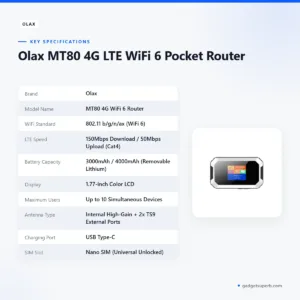

Olax MT80 4G LTE WiFi 6 Pocket Router
Original price was: ৳ 4,200.৳ 3,060Current price is: ৳ 3,060.-23%
60 in stock
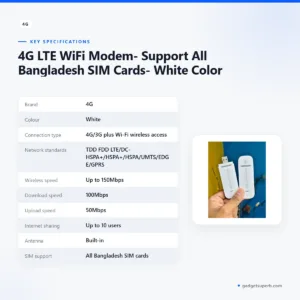

4G LTE WiFi Modem- Support All Bangladesh SIM Cards- White Color
Original price was: ৳ 1,370.৳ 1,050Current price is: ৳ 1,050.-27%
30 in stock
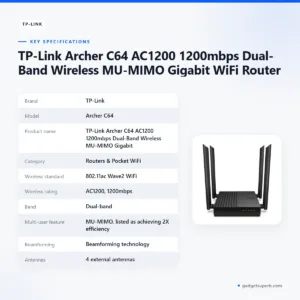

TP-Link Archer C64 AC1200 1200mbps Dual-Band Wireless MU-MIMO Gigabit WiFi Router
Original price was: ৳ 4,530.৳ 3,300Current price is: ৳ 3,300.-28%
126 in stock

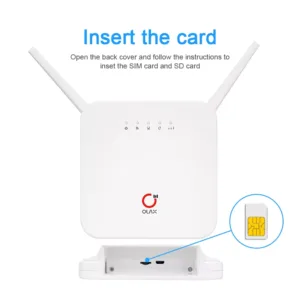
OLAX AX6 Pro 4G LTE Rechargeable WiFi Router
Original price was: ৳ 6,080.৳ 4,370Current price is: ৳ 4,370.-27%
22 in stock
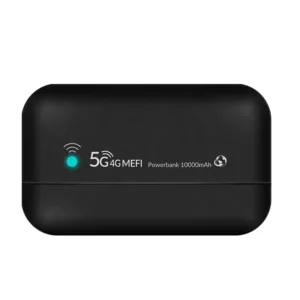
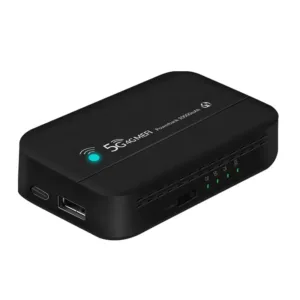
PW100 4G LTE Pocket Wi-Fi Router with 10000mAh Bettery – 300Mbps
Original price was: ৳ 5,440.৳ 3,970Current price is: ৳ 3,970. Vemo M6 Pro 300Mbps 4G LTE Poc...
 Original price was: ৳ 5,420.৳ 3,950Current price is: ৳ 3,950.
48 in stock
Reviews
There are no reviews yet.