No products in the cart.

-23%
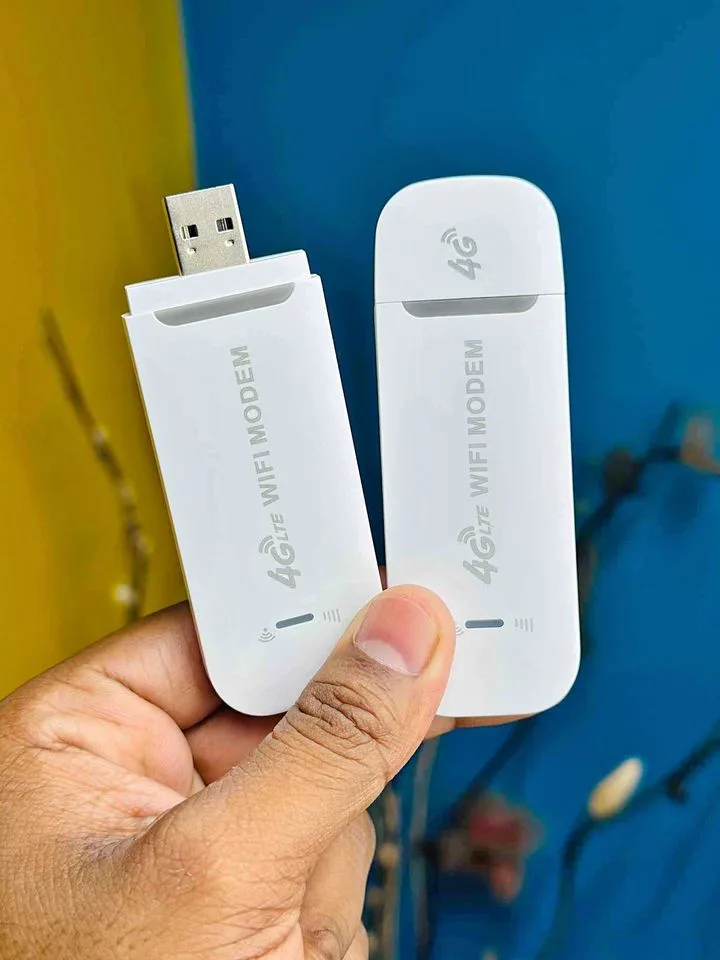
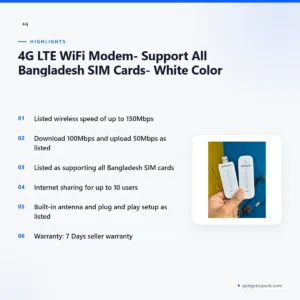
A 4G LTE WiFi modem is a device that takes a mobile data connection and shares it as a Wi-Fi hotspot for your phones, laptops and tablets. This 4G LTE WiFi modem from the brand 4G is listed as supporting all Bangladesh SIM cards, so it suits households, students and small teams who want a shared connection at home or on the move.
- Overview
- Key features
- Specifications
- How to use / set up
- Compatibility and what is in the box
- Who should buy it in Bangladesh
- Alternatives in our store
- Warranty and support
- Delivery, returns and ordering
- Frequently asked questions
Overview of the 4G LTE WiFi modem
The 4G LTE WiFi modem in this listing carries the brand name 4G and sits in the Routers & Pocket WiFi category of our store. According to the listing, it is a 4G wireless USB LTE modem with a Wi-Fi hotspot, offering a high-speed wireless connection up to 150Mbps. The listing names the product as a 4G LTE WiFi modem, and this page uses the same name so you can find it easily.
Speed figures in the listing deserve a careful reading. It states a download speed of 100Mbps and an upload speed of 50Mbps, alongside the wireless figure of up to 150Mbps. Those are the maker’s figures. Real results depend on your SIM plan, the mobile signal where you are and how many devices share the connection, so treat them as a guide rather than a promise. For general background on how these devices work, see the Wikipedia article on wireless routers.
For a Bangladeshi buyer, the practical question is whether a 4G LTE WiFi modem fits your daily use. Buyers often look at one when fixed broadband is slow, unavailable in a rented room or unreliable during a busy month. Others use one as a second route online alongside a fixed line. The listing supports all Bangladesh SIM cards, so the choice of mobile operator and data plan stays with you.
Humidity is part of life in most Bangladeshi homes, especially during the monsoon. Keep the modem in a dry, ventilated place, away from direct sun and out of reach of children and pets. Simple care like this helps any electronic device last longer, and it is a sensible habit for a device you use every day.
Key features
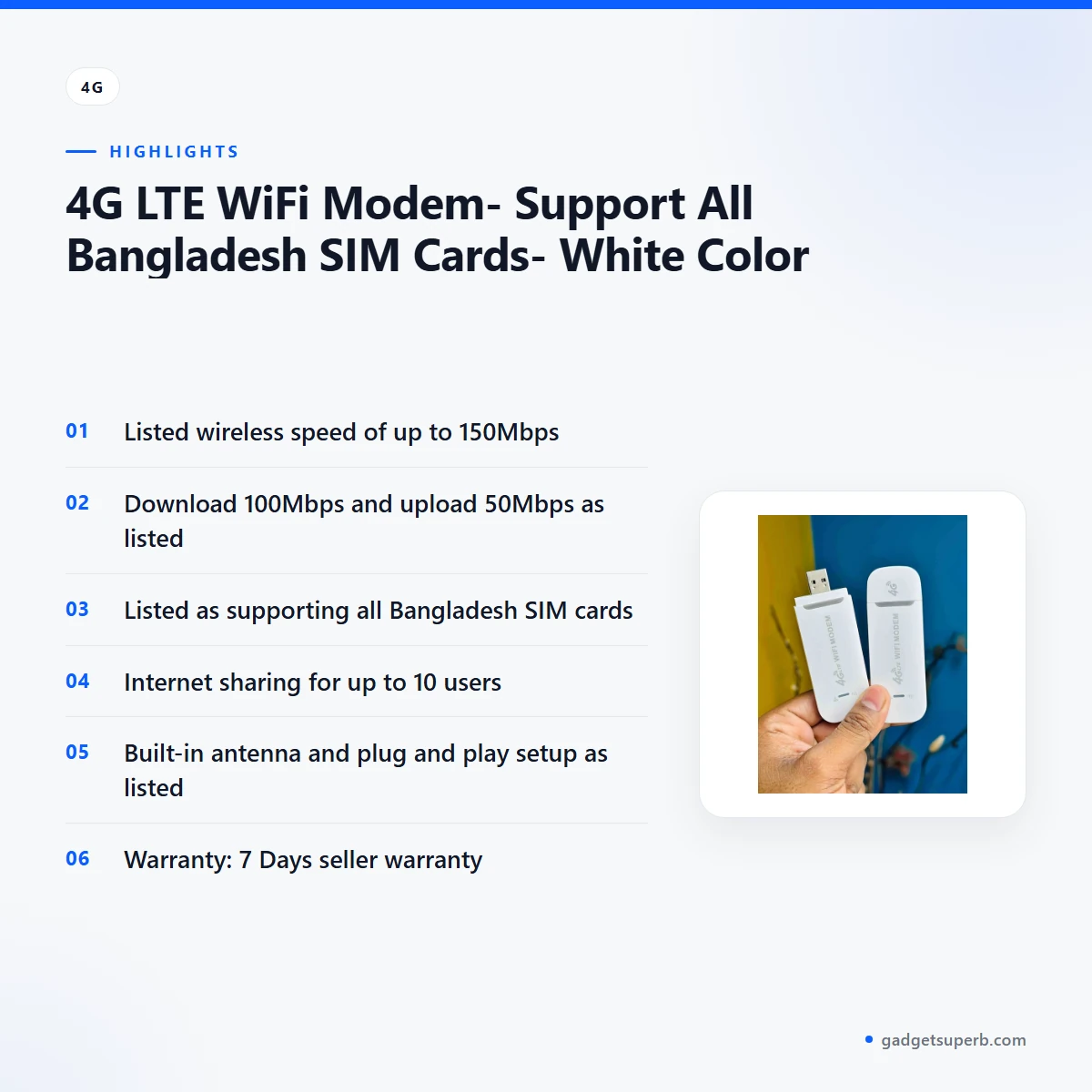
Wireless speed of up to 150Mbps
The listing describes a high-speed wireless connection up to 150Mbps. That is the figure the maker lists for the wireless link, and it sits alongside separate download and upload figures of 100Mbps and 50Mbps. For a 4G LTE WiFi modem used by one or two people for browsing, messaging and video calls, the headline figure matters less than the mobile signal where you live. Check coverage with your mobile operator before you order, and test the connection in the room where you plan to use it. Your experience will depend on the signal, the data plan and how many devices are active.
Support for all Bangladesh SIM cards
According to the listing, this 4G LTE WiFi modem supports all Bangladesh SIM cards. That wording gives you room to use the operator you already trust, rather than being tied to one network. The listing also names TDD FDD LTE, DC-HSPA+, HSPA+, HSPA, UMTS, EDGE and GPRS among the supported standards, so keep your SIM’s plan details handy. Pick a data plan that suits how many devices will share the connection, and remember that the 4G LTE WiFi modem shares whatever data you buy. A plan with a generous monthly allowance is usually easier to live with than one that runs out by mid-month.
Wi-Fi hotspot for up to 10 users
The listing says the modem offers internet sharing for up to 10 users, with 4G/3G and Wi-Fi wireless access. In a Dhaka flat, that can mean a laptop for work, a phone for messages and a tablet for lessons, all sharing one connection. The modem is listed as a Wi-Fi hotspot, so connected devices reach the internet through the same mobile data. Heavy streaming by several users at once will use data quickly, so agree on sensible limits with the people who share it. Your 4G LTE WiFi modem is only as useful as the data plan behind it, so review the plan before the first busy week.
Plug in a power bank or use a PC or laptop
The listing says the device can work on a PC, a laptop or a power bank, and that you can plug a power bank in and get Wi-Fi. That gives you a second way to power the modem when a wall socket is not nearby, and it may help during load-shedding if a fixed router goes quiet. The listing does not give power bank capacity or output, so the choice of power bank is yours. Charge the power bank fully before first use, and keep a charged spare if the connection matters to your work. Check your power bank’s own documentation for its limits.
Built-in antenna and listed operating systems
The listing names a built-in antenna. It lists compatibility with Windows XP (SP2), Vista, Windows 7 in 32 and 64 bit versions, Windows 8 and 10, Mac OS X 10.4 or later, and Linux. For a 4G LTE WiFi modem, placement often matters more than any setting. Try a few spots in your home or office, such as near a window, and keep the modem clear of large metal objects that may block the signal. The listing does not say how far the signal reaches, so test before you rely on it for important work.
Designed for phones, notebooks and tablets
The listing describes the device as perfect for smartphones, notebooks and tablets. In practice, a 4G LTE WiFi modem is most useful when several of those devices need a connection at once, such as during a family dinner or an evening study session. Check that each device connects and opens a web page before you rely on the modem for schoolwork or online meetings. The listing does not set out limits on device types beyond the operating systems named above, so ask us if your device is unusual.
Specifications
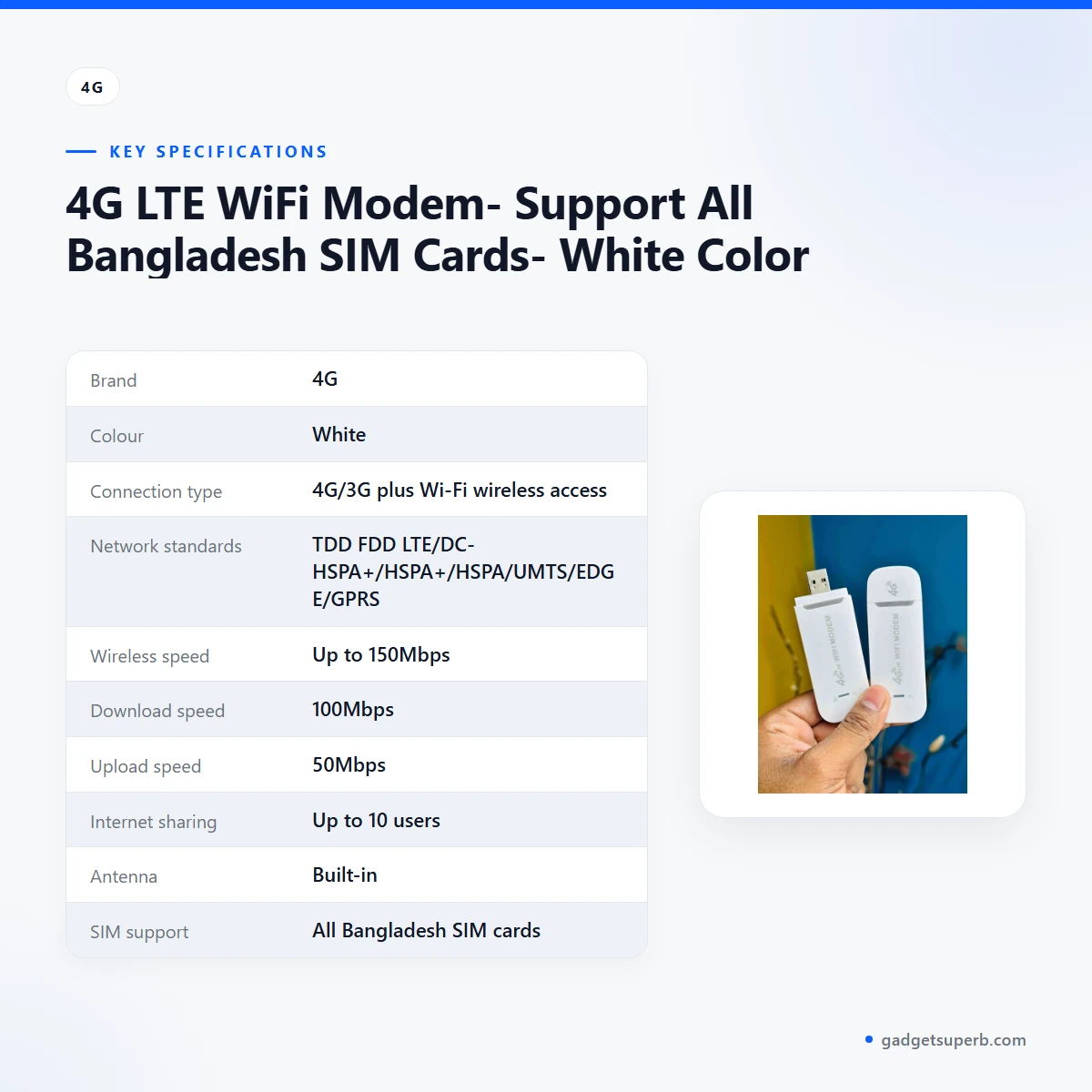
The specifications for this 4G LTE WiFi modem are set out below, using only the facts in the product listing.
| Label | Value |
|---|---|
| Brand | 4G |
| Colour | White |
| Connection type | 4G/3G plus Wi-Fi wireless access |
| Network standards | TDD FDD LTE/DC-HSPA+/HSPA+/HSPA/UMTS/EDGE/GPRS |
| Wireless speed | Up to 150Mbps |
| Download speed | 100Mbps |
| Upload speed | 50Mbps |
| Internet sharing | Up to 10 users |
| Antenna | Built-in |
| SIM support | All Bangladesh SIM cards |
| Operating systems | Windows XP (SP2)/Vista/Windows 7 (32/64 bits), Windows 8/10, Mac OS X 10.4 or later, Linux |
| Power and use | Can work on PC/laptop/power bank |
| Installation | Auto drive installation, plug and play |
| Warranty | 7 Days |
These are listed specifications from the product listing, and we have not added figures the listing does not state. If a row matters for your plans, ask us before you buy this 4G LTE WiFi modem.
How to use / set up
Before you set up your 4G LTE WiFi modem, read through the steps below. They are general, because the listing does not give a detailed sequence, so follow the maker’s instructions for the exact order of each action.
- Charge the device fully before first use, following the maker’s instructions.
- Check that your SIM card has an active data plan with your mobile operator.
- Insert the SIM card as the maker’s instructions describe.
- Connect the 4G LTE WiFi modem to a PC, a laptop or a power bank, as the maker’s instructions describe.
- Connect one device to the Wi-Fi hotspot and open a web page to confirm the link.
- Add further devices one at a time, up to the 10 users the listing names.
Setup is simpler when you start with a known working SIM. Pick a spot near a window, away from thick walls, and keep the modem away from water and direct heat. Once the first device connects, leave the modem in place for a few minutes and check that the connection stays steady.
Load-shedding can interrupt the connection, so plan your use for times when power is available or a power bank is charged. The listing says the device can work on a power bank, which may help, but the listing does not state how long a power bank will last.
Any question about settings for this 4G LTE WiFi modem should go to the maker’s instructions or to our team before you change anything.
The listing does not describe the device’s settings screens, so this page does not cover them. If the first connection fails with this 4G LTE WiFi modem, check the SIM, the data plan and the signal where you are, then try again in a different spot. If the problem remains, contact us and we will help as far as our information allows.
Compatibility and what is in the box
This 4G LTE WiFi modem is listed as compatible with all Bangladesh SIM cards and with Windows XP (SP2), Vista, Windows 7 (32 and 64 bits), Windows 8 and 10, Mac OS X 10.4 or later, and Linux. The listing also confirms that the device can work with a PC, a laptop or a power bank.
The listing does not confirm what is in the box, so this page does not list accessories. If you need a specific cable, charger or other item with your 4G LTE WiFi modem, ask us before you order.
The listing does not confirm the mobile phone models that will connect, the exact operating system versions beyond those named, or the mobile network coverage in your district. Treat those as open questions, and check them with your operator and with us.
Because the listing names support for all Bangladesh SIM cards, the main choices left to you are the mobile operator and the data plan.
Who should buy it in Bangladesh
This 4G LTE WiFi modem suits buyers who want a shared mobile data connection without depending on a fixed line at home. Think of a family in a Dhaka flat who uses a mobile SIM for most browsing, or a small shop that needs a backup connection for messages, maps and orders.
Students in a hostel or shared flat may find the device useful for online classes, provided their data plan covers video calls and uploads. Keep in mind that the listed upload speed is 50Mbps, so large uploads will take longer than downloads.
Remote workers who move between sites may find a 4G LTE WiFi modem handy, since the listing names internet sharing for up to 10 users. A small team can share one connection on site, but they should agree who uses the data for what.
Households in areas with unreliable fixed broadband can use a 4G LTE WiFi modem as a second route online. Buyers who need a stable, always-on connection for a business should compare options carefully, because mobile signal can vary within the same building.
Who may not need it: if you already have a reliable fixed broadband plan at home and no shared mobile use, a conventional router from our range may suit you better. Browse the alternatives section below to compare.
Older relatives or first-time users may need some help with setup, so plan a session with a family member who is comfortable with phones and laptops. Take your time with the steps in the setup section and do not rush the first connection.
Alternatives in our store
If this 4G LTE WiFi modem is not the right fit, browse these related items in our range. Each one is named below with its category only, so open the product page to read its full details.
Another router in our range is the Cudy WR1200 AC1200 Dual Band Smart Wi-Fi Router, which sits in our Routers & Pocket WiFi category.
For a pocket device, see the Vemo E5783 Plus 4G/5G Portable Pocket WiFi Router – 300Mbps High-Speed Mobile Hotspot with 3000mAh Battery, which is another pocket WiFi device in our range.
A further router option is the Ruijie RG-EW1300G 1300M Dual-Band Gigabit WiFi Router, also in our routers range.
For placement, the Metal Router Stand – Black is a router accessory in our range.
You can see every option in the Routers & Pocket WiFi category. Compare names and categories, then choose the item that matches your use and your plans. Choosing between a pocket device and a router comes down to where the connection is needed: a pocket device for moving around, or a router for one fixed spot at home.
Warranty and support
Warranty: 7 Days seller warranty.
Delivery, returns and ordering
We deliver all over Bangladesh and you pay cash on delivery. Delivery usually takes 1–3 days inside Dhaka city and 2–5 days outside Dhaka.
You can return it within 7 days of delivery (see our Delivery & Returns policy). Read the policy page before you place your order for this 4G LTE WiFi modem.
Questions before ordering: call 09638054751, message us on Facebook Messenger or email care@gadgetsuperb.com.
When you order this 4G LTE WiFi modem, keep your phone reachable on delivery day so the courier can confirm the address. Keep your order details handy in case you need to get in touch about a return.
Frequently asked questions
What is a 4G LTE WiFi modem?
A 4G LTE WiFi modem is a device that takes a mobile data connection and shares it over Wi-Fi. According to the listing, this one is a 4G wireless USB LTE modem with a Wi-Fi hotspot.
Does this 4G LTE WiFi modem work with all Bangladesh SIM cards?
According to the listing, it supports all Bangladesh SIM cards. Check your data plan and the signal at your address with your mobile operator before you rely on it.
How fast is this 4G LTE WiFi modem?
The listing gives a wireless connection of up to 150Mbps, a download speed of 100Mbps and an upload speed of 50Mbps. Real speeds depend on your plan, the signal and how many devices are active.
How many devices can connect to this 4G LTE WiFi modem?
According to the listing, the modem supports internet sharing for up to 10 users. Every connected device draws on the same mobile data allowance.
Can I use the 4G LTE WiFi modem with a power bank?
Yes, the listing says it can work on a PC, a laptop or a power bank, and that you can plug in a power bank and get Wi-Fi. Charge the power bank fully before first use.
Which operating systems does the 4G LTE WiFi modem support?
The listing names Windows XP (SP2), Vista, Windows 7 (32 and 64 bits), Windows 8 and 10, Mac OS X 10.4 or later, and Linux. Other systems are not confirmed by the listing.
How do I set up a 4G LTE WiFi modem?
Setup for a 4G LTE WiFi modem starts with a full charge, an active SIM data plan and the maker’s instructions. The setup section of this page lists the general order of steps.
Is there a warranty on this product?
The listed warranty is 7 Days seller warranty. Ask us about the details before you order.
Can I return the 4G LTE WiFi modem if it does not suit me?
Yes, you can return it within 7 days of delivery, according to our Delivery & Returns policy. Read the policy page before you order.
Will the 4G LTE WiFi modem be delivered outside Dhaka?
Yes, we deliver all over Bangladesh, and delivery usually takes 2–5 days outside Dhaka. You pay cash on delivery.
Related products
-23%
66 in stock

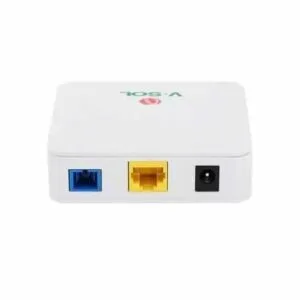
Vsol V2801SG XPON (G/Epon) Single Port ONU
Original price was: ৳ 1,930.৳ 1,480Current price is: ৳ 1,480.-28%
61 in stock
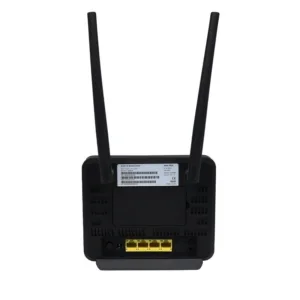

Olax MC60 300Mbps WIFI Speed 4G Router
Original price was: ৳ 7,210.৳ 5,180Current price is: ৳ 5,180.-27%
23 in stock

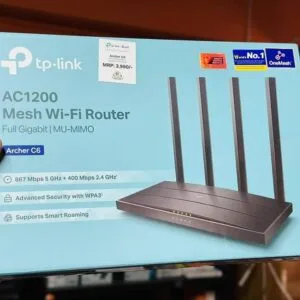
TP-Link Archer C6 Gigabit Dual-Band Wi-Fi Router
Original price was: ৳ 5,390.৳ 3,930Current price is: ৳ 3,930.-26%
44 in stock

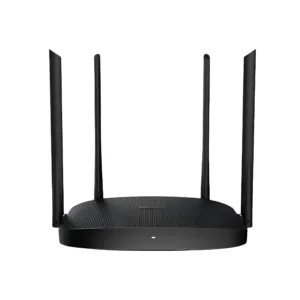
Hikvision DS-3WR12C AC1200 1200Mbps Dual Band WiFi Router
Original price was: ৳ 2,960.৳ 2,190Current price is: ৳ 2,190.-27%
50 in stock

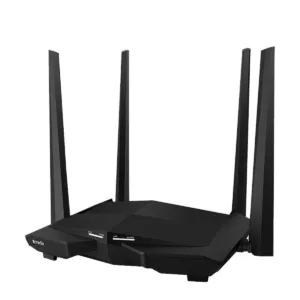
Tenda AC10 AC1200 1200Mbps Dual Band 4 Antenna Gigabit WiFi Router
Original price was: ৳ 4,500.৳ 3,280Current price is: ৳ 3,280. 4G LTE WiFi Modem- Support All...
Original price was: ৳ 1,370.৳ 1,050Current price is: ৳ 1,050.
60 in stock
Reviews
There are no reviews yet.