No products in the cart.

-23%

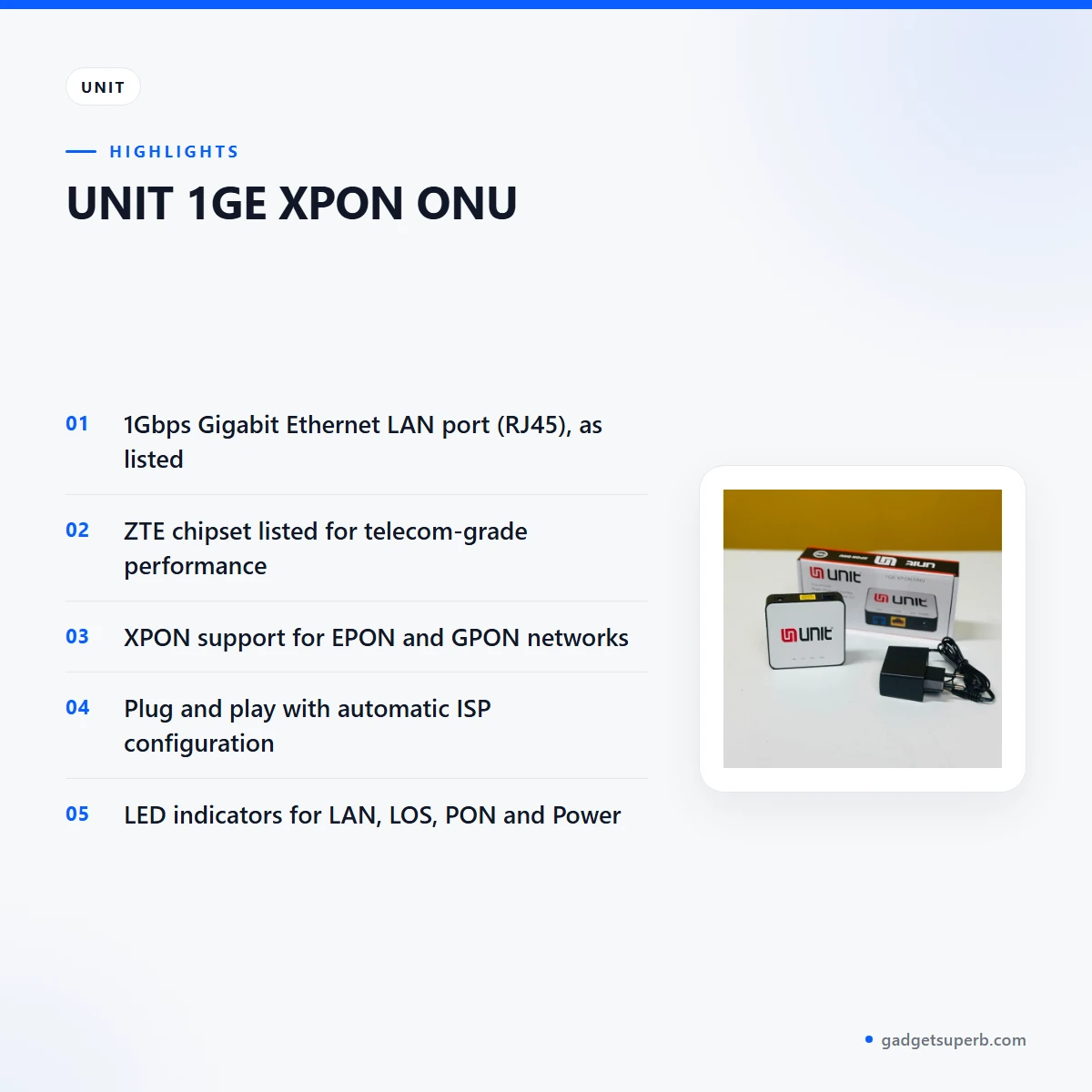

The UNIT 1GE XPON ONU is a fibre network device for Bangladeshi homes and small offices that want a wired Gigabit connection from their fibre line. According to the listing, it has one 1Gbps Gigabit Ethernet LAN port, a ZTE chipset and XPON support for both EPON and GPON networks.
- What the device does
- Key features
- Specifications
- Setup and care guide
- Compatibility and box contents
- Who should buy it
- Alternatives in our store
- Warranty and support
- Delivery, returns and ordering
- Frequently asked questions
What the UNIT 1GE XPON ONU does
The UNIT 1GE XPON ONU sits between your fibre line and the equipment you use every day. The listing describes a 1Gbps Gigabit Ethernet LAN port for high-speed internet access, and the specifications show a single RJ45 port for your home router, desktop PC or network switch. Think of the UNIT 1GE XPON ONU as the point where the fibre connection becomes a wired connection in your room or office.
The maker lists a ZTE chipset and says it ensures telecom-grade performance and stability. In Bangladesh a fibre connection often carries online classes, video calls, streaming, cloud backups and shared office work, so a steady link matters as much as headline speed.
According to the listing, the UNIT 1GE XPON ONU offers low latency that is ideal for gaming, streaming and office productivity. The listing gives no latency figures, so read that as the maker’s description. For a plain explanation of how this kind of device differs from a home router, see what a wireless router does.
For a household, the practical points are simple setup and status lights. The listing describes plug and play installation with automatic ISP configuration, and it names LED indicators for LAN, LOS, PON and Power status. Together these help you check the LAN link, the optical side and the power supply without guessing.
Think of the UNIT 1GE XPON ONU as a bridge rather than a complete home network. The fibre line feeds the device, the device hands the connection to one Gigabit LAN port, and whatever sits behind that port decides how many devices share it comfortably. A buyer with one desktop may be satisfied with a direct link. A family with phones, laptops, a smart TV and a router will usually want an extra device behind the UNIT 1GE XPON ONU.
Bangladeshi buyers often compare this kind of device with a wireless router or a pocket WiFi unit, so it helps to be clear about the job. The job of the UNIT 1GE XPON ONU is a wired handover from the fibre line to your equipment. Wireless coverage and mobile data are separate purchases. Read the compatibility section before you order, because the network type decides whether this device fits your line.
Key features
The listing presents several features for the UNIT 1GE XPON ONU. Each part below repeats the maker’s wording where it matters, and where the listing is silent we say so rather than fill the gap.
1Gbps Gigabit Ethernet LAN port
The listing describes a 1Gbps Gigabit Ethernet LAN port for high-speed internet access on the UNIT 1GE XPON ONU. The specifications show a single RJ45 port, which is the link between the device and whatever you connect to it, such as a home router, a desktop computer or a network switch. Because one LAN port is listed, a household with several wired devices will need a switch or a router with more ports behind the UNIT 1GE XPON ONU. Check the cable path before you switch anything on, and keep each connector clean so that the plug seats firmly.
XPON support for EPON and GPON networks
The UNIT 1GE XPON ONU is listed as XPON compatible, with support for both EPON and GPON networks, and the listing names EPON and GPON OLTs under network compatibility. That is the detail to check first, because the UNIT 1GE XPON ONU only helps when it matches the network on the other end of your fibre line. Many buyers do not know which type their provider runs, so ask before you order. This page keeps to the listing’s own wording on the two network types and does not state which type any particular provider uses.
ZTE chipset and telecom-grade stability
The maker lists a ZTE chipset and says it ensures telecom-grade performance and stability. The listing gives no figures for performance or long-term reliability, so treat the chipset as a stated feature rather than a measured one. For a buyer in Dhaka, where a connection may carry long working days and evening entertainment, a stable base is the main point to weigh. Judge the UNIT 1GE XPON ONU on its stated features and on whether it matches your provider’s network.
Plug and play with automatic ISP configuration
The listing describes plug and play installation with automatic ISP configuration on the UNIT 1GE XPON ONU. According to the listing, the device auto-configures with your ISP’s EPON or GPON system once it is connected and powered, so you do not need to enter provider settings by hand. This suits families and small offices without a network technician on site. Your provider still has to activate your line, so keep their support details close during installation. If the connection takes a while to appear, follow the maker’s instructions and check the status lights before changing equipment behind the unit.
LED indicators for LAN, LOS, PON and Power
On the UNIT 1GE XPON ONU, the listing names four LED indicators: LAN, LOS, PON and Power status. Together they cover the LAN connection, the optical link, the PON status and the power supply. The listing does not explain what each light pattern means, so follow the maker’s instructions for reading them. Checking the lights in the same order each time makes it easier to notice a change after a power interruption, which matters where supply is occasionally unstable.
Compact and lightweight design
The listing describes a compact and lightweight design suitable for any setup. Many Bangladeshi homes and offices have limited shelf and wall space near the fibre termination point, so a compact unit may be easier to fit in a cabinet or on a shelf. Plan the placement so that the optical cable and the LAN cable both reach the UNIT 1GE XPON ONU without strain. The listing gives no measurements, so measure your space before you order.
Specifications
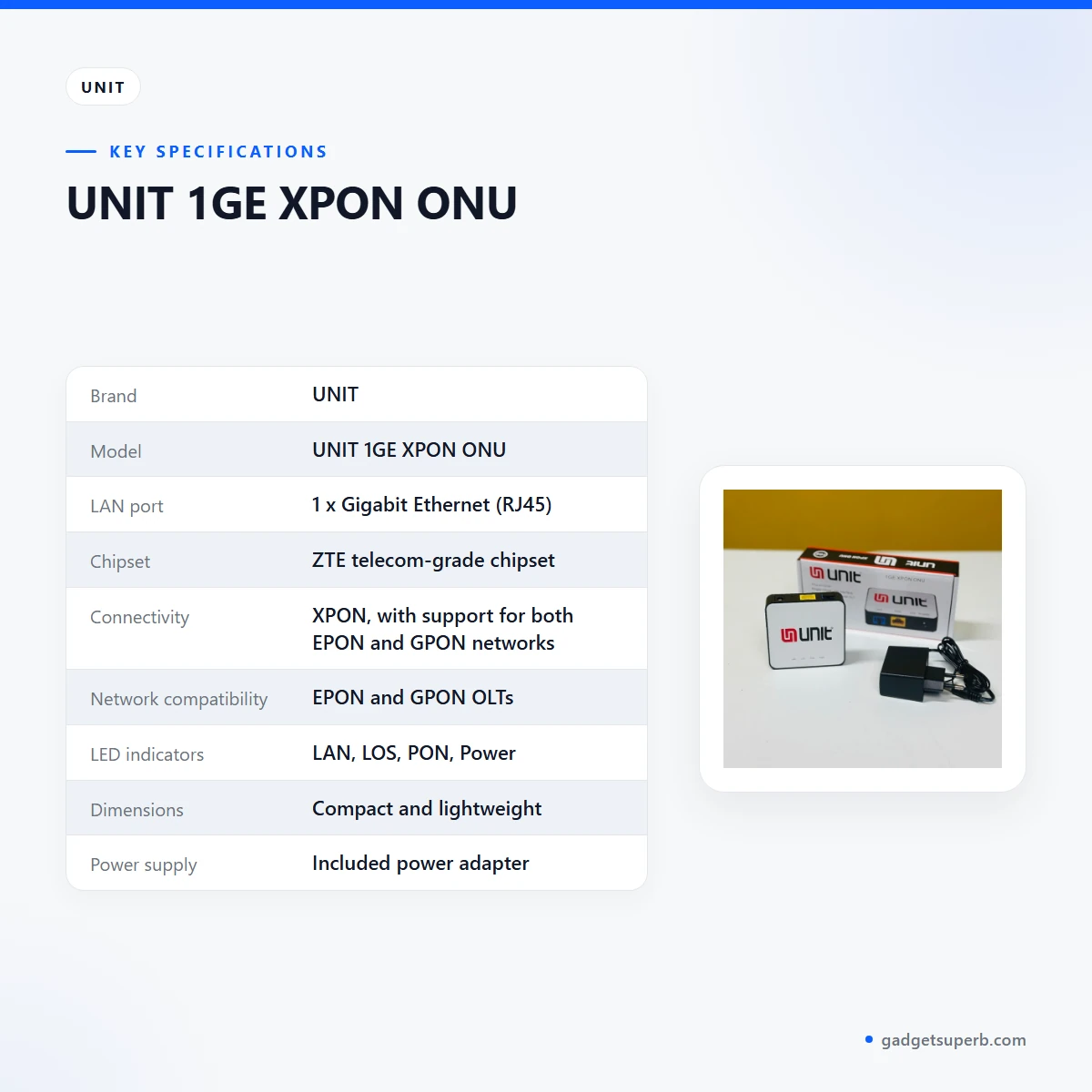
The table below lists the specifications for the UNIT 1GE XPON ONU as the product listing gives them. Use it to check the LAN port, chipset and network compatibility of this device before you order.
| Brand | UNIT |
|---|---|
| Model | UNIT 1GE XPON ONU |
| LAN port | 1 x Gigabit Ethernet (RJ45) |
| Chipset | ZTE telecom-grade chipset |
| Connectivity | XPON, with support for both EPON and GPON networks |
| Network compatibility | EPON and GPON OLTs |
| LED indicators | LAN, LOS, PON, Power |
| Dimensions | Compact and lightweight |
| Power supply | Included power adapter |
These are listed specifications from the product listing for the UNIT 1GE XPON ONU.
How to use or set up the UNIT 1GE XPON ONU
Setup is simple on paper, because the listing describes plug and play installation for the UNIT 1GE XPON ONU. The steps below follow the order given in the listing under How It Works. Follow the maker’s instructions for any step that differs on your unit.
- Connect the UNIT 1GE XPON ONU to your fibre line using the optical port.
- Plug in the power adapter to activate the device.
- Link your router, PC or switch to the Gigabit LAN port.
- Wait while the ONU auto-configures with your ISP’s EPON or GPON system.
- Monitor the LED indicators to confirm stable internet connectivity.
Before you start, check that the fibre line, the UNIT 1GE XPON ONU, its power adapter and a network cable for your router or PC are within reach. Keep the power off until the connections are in place, so you can follow the steps in order. Do not rush the steps, and do not force any plug into a port that does not accept it easily.
Place the UNIT 1GE XPON ONU on a stable, level surface away from direct heat and out of the way of foot traffic. Leave some space around the device so air can move. A shelf in a ventilated cabinet is usually better than a closed box, because trapped heat is best avoided with any electronic equipment.
Power is the first thing to check if the UNIT 1GE XPON ONU does not respond. Keep the socket stable, avoid overloaded extension boards and choose an outlet you can reach easily. Power cuts are part of life in many parts of Bangladesh. The listing does not say how the device behaves during a power interruption, so ask your provider whether any backup power is needed on your line.
Humidity is common in Dhaka during the monsoon, so keep the device in a dry spot and wipe the outside with a dry cloth when it gathers dust. Keep it away from open windows during rain and from damp walls. Avoid spraying liquids near the unit and never place it where water could drip onto it.
Care is simple. Keep the UNIT 1GE XPON ONU dry and free of dust, keep cables tidy and avoid pulling or crushing them where they leave the unit. The listing does not give cleaning instructions, so follow the maker’s instructions where they apply. Once a month, glance at the status lights and check that each cable is seated firmly.
If you move house or change the placement of the UNIT 1GE XPON ONU, switch off the power first and disconnect the cables carefully. Keep the power adapter with the device, label the cables and store the unit in a dry box until it is set up again. Ask your provider before moving the fibre side, because changes to the line may need their help.
Keep a short note of the installation date, your ISP’s support number and the lights you saw when the connection was stable. If the connection fails later, that note helps you describe the problem to your provider quickly, and it makes it easier to compare the lights against what you saw on day one.
Compatibility and what is in the box
The listing names EPON and GPON OLTs as the network compatibility for the UNIT 1GE XPON ONU, and it states that the device supports both EPON and GPON networks. Whether that matches your connection is a question for your provider, because the listing does not name specific ISPs or equipment models.
Ask your provider three things before you order: which network type they run, what equipment they expect at your premises, and what they need from you before activation. Keep your account details and installation date to hand when you ask, so the conversation is short.
This page does not repeat the box contents. Check the parcel against your order when it arrives. If anything differs from what you ordered, contact us using the details in the delivery section below, and keep the packaging until the matter is settled.
Not confirmed by the listing: any named ISP compatibility, any wireless (WiFi) function and any bundled network cable. If you need any of these, ask us before you order so that you know what to expect from the UNIT 1GE XPON ONU.
If your home already has a router, check how it will connect to the LAN port of the UNIT 1GE XPON ONU before you buy. Confirm the setup with your provider before you order, so the new device fits your current arrangement. Ask us if you are unsure what your setup needs.
Who should buy it in Bangladesh
The UNIT 1GE XPON ONU suits a household or small office that already has, or is getting, a fibre internet line and wants a wired Gigabit connection to a router, PC or switch. The listing describes it as a device for LAN connections, not as a pocket WiFi device.
Consider the UNIT 1GE XPON ONU if your flat has one desktop, a few wired devices and a home office on the same line. A flat with a router already in place may only need the device on the fibre side. Your provider can explain how a new unit fits the existing setup, and you can keep your current router behind it.
Students sharing a flat often want a dependable base for online classes, research and video calls. If several housemates use the connection at once, the single LAN port means you should plan a switch or router behind the UNIT 1GE XPON ONU, and agree how the shared link is used.
Remote workers and freelancers who want a wired link to a desk computer may value this device. The listing describes low latency as ideal for office productivity, but it gives no latency figures, so treat that as the maker’s description rather than a measured result.
Gamers and streamers who want a stable wired link may also look at the UNIT 1GE XPON ONU. The listing calls low latency ideal for gaming and streaming, and it describes telecom-grade stability through the ZTE chipset. Those are the maker’s words, so judge them against your own experience.
A small office running several PCs will need a switch behind the device, because the listing names one LAN port. The UNIT 1GE XPON ONU then acts as the entry point to the fibre line, and the switch shares the connection across each desk. Ask your provider whether they recommend a particular layout for your office.
Families with phones, tablets, a smart TV and a laptop will usually add a router or switch behind the UNIT 1GE XPON ONU. Decide early where wireless coverage will come from, because the listing does not describe wireless coverage for this device.
If you mainly need internet on the move, a pocket WiFi device will suit you better than a fixed fibre unit such as the UNIT 1GE XPON ONU. Think about where you spend your hours online and which room the equipment will sit in before you decide.
Alternatives in our store
If you need wireless coverage alongside the UNIT 1GE XPON ONU, look at Cudy WR1200 AC1200 Dual Band Smart Wi-Fi Router, another wireless router in our range.
Beyond the fibre side, Ruijie RG-EW1300G 1300M Dual-Band Gigabit WiFi Router is another WiFi router in our range, and Vemo E5783 Plus 4G/5G Portable Pocket WiFi Router – 300Mbps High-Speed Mobile Hotspot with 3000mAh Battery is a pocket WiFi router in our range for mobile use.
Metal Router Stand – Black is an accessory in our range for networking equipment, which may help you tidy a router setup next to the UNIT 1GE XPON ONU.
When you compare, start with what sits on each side of the device. The UNIT 1GE XPON ONU connects to the fibre line, while a router or pocket WiFi unit handles the wireless side. Read the specifications on each product page rather than relying on this page for other products.
Browse the full Routers and Pocket WiFi category to compare all options in one place.
Warranty and support
Warranty: 7 Days seller warranty.
Delivery, returns and ordering
Ordering the UNIT 1GE XPON ONU is straightforward. We deliver all over Bangladesh and you pay cash on delivery. Delivery usually takes 1–3 days inside Dhaka city and 2–5 days outside Dhaka.
You can return it within 7 days of delivery (see our Delivery & Returns policy). Read the policy page before you order so you know the steps for the UNIT 1GE XPON ONU.
If you are ordering from outside Dhaka, allow for the longer delivery window of 2–5 days. Questions before ordering: call 09638054751, message us on Facebook Messenger or email care@gadgetsuperb.com.
Keep your phone reachable on delivery day so the delivery team can contact you. When the parcel arrives, check it against your order, and contact us the same day if anything looks different from what you ordered.
For the full wording of our terms, read the Delivery & Returns policy page on gadgetsuperb.com before you place your order for the UNIT 1GE XPON ONU.
Frequently asked questions
What is the UNIT 1GE XPON ONU?
The UNIT 1GE XPON ONU is a fibre internet device with one 1Gbps Gigabit Ethernet LAN port, according to the listing. It also has a ZTE chipset and XPON support for EPON and GPON networks.
Does the UNIT 1GE XPON ONU support EPON and GPON?
Yes, the listing says the UNIT 1GE XPON ONU supports both EPON and GPON networks. Ask your provider which network type they run before you order.
Does the UNIT 1GE XPON ONU need manual setup?
No, the listing describes plug and play installation with automatic ISP configuration. The device configures itself once it is connected and powered, but your provider still has to activate your line.
How many LAN ports does the UNIT 1GE XPON ONU have?
The listing shows one Gigabit Ethernet (RJ45) LAN port. Connect your router, PC or switch to that port.
Is the UNIT 1GE XPON ONU a WiFi router?
No, the listing does not describe the UNIT 1GE XPON ONU as a WiFi router, so plan for a separate router if you need wireless coverage.
What do the LED indicators on the UNIT 1GE XPON ONU show?
The listing names LED indicators for LAN, LOS, PON and Power status. It does not explain what each light pattern means, so follow the maker’s instructions.
Does the UNIT 1GE XPON ONU suit a small office?
The listing describes a compact and lightweight design suitable for any setup. A small office will also need a switch behind the UNIT 1GE XPON ONU, because the listing names one LAN port.
Can I return the UNIT 1GE XPON ONU if it does not suit me?
Yes, you can return it within 7 days of delivery, as set out in our Delivery and Returns policy.
How long does delivery of the UNIT 1GE XPON ONU take?
Delivery usually takes 1–3 days inside Dhaka city and 2–5 days outside Dhaka. We deliver all over Bangladesh and you pay cash on delivery.
What warranty comes with the UNIT 1GE XPON ONU?
Warranty: 7 Days seller warranty.
Can I pay cash on delivery for the UNIT 1GE XPON ONU?
Yes, we deliver all over Bangladesh and you pay cash on delivery. Keep your phone reachable on delivery day.
How do I ask a question about the UNIT 1GE XPON ONU before I order?
Call 09638054751, message us on Facebook Messenger or email care@gadgetsuperb.com. Ask about the network type your provider runs before you order.
Does the UNIT 1GE XPON ONU need a special network cable?
The listing does not confirm any bundled network cable, so ask us before you order if you need one for the UNIT 1GE XPON ONU.
Related products
-27%
50 in stock

Olax MT80 4G LTE WiFi 6 Pocket Router
Original price was: ৳ 4,200.৳ 3,060Current price is: ৳ 3,060.-28%
61 in stock
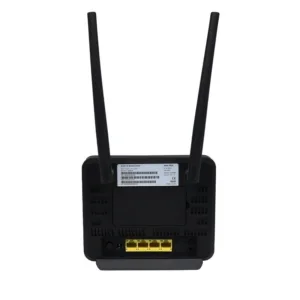

Olax MC60 300Mbps WIFI Speed 4G Router
Original price was: ৳ 7,210.৳ 5,180Current price is: ৳ 5,180.-23%
60 in stock
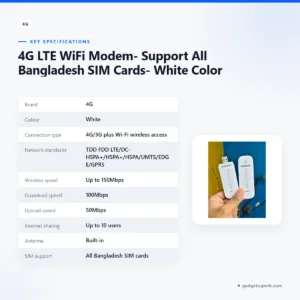

4G LTE WiFi Modem- Support All Bangladesh SIM Cards- White Color
Original price was: ৳ 1,370.৳ 1,050Current price is: ৳ 1,050.-26%
30 in stock
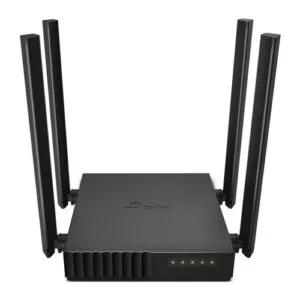
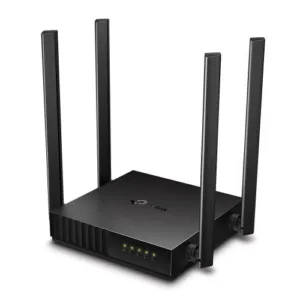
TP-Link Archer C54 AC1200 Dual Band Wi-Fi Router
Original price was: ৳ 3,500.৳ 2,590Current price is: ৳ 2,590.-27%
50 in stock

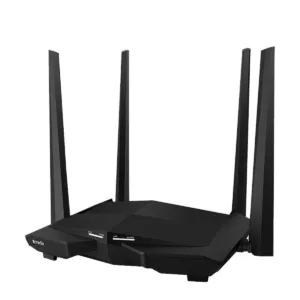
Tenda AC10 AC1200 1200Mbps Dual Band 4 Antenna Gigabit WiFi Router
Original price was: ৳ 4,500.৳ 3,280Current price is: ৳ 3,280.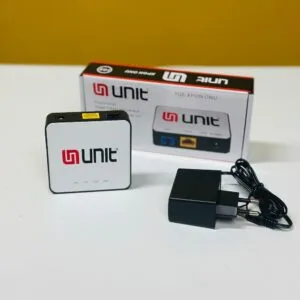 UNIT 1GE XPON ONU
Original price was: ৳ 1,690.৳ 1,300Current price is: ৳ 1,300.
66 in stock
Reviews
There are no reviews yet.