No products in the cart.

-26%
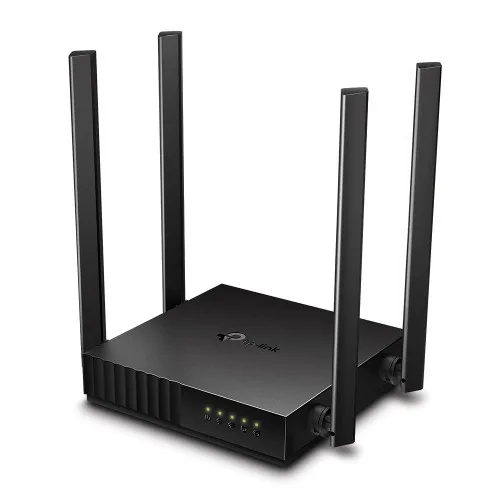
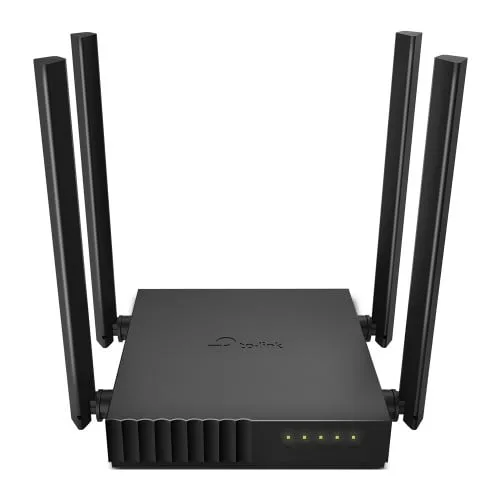


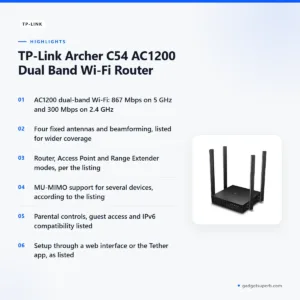
The tp-link c54 router is an AC1200 dual-band Wi-Fi router that the maker lists for 4K video streaming, high-speed downloading and homes with many connected devices. It suits Bangladeshi families, home workers and small offices that want steady coverage from one compact unit with router, access point and range extender modes.
- Overview
- Key features
- Specifications
- How to set up
- Compatibility and what is in the box
- Who should buy it in Bangladesh
- Alternatives in our store
- Warranty and support
- Delivery, returns and ordering
- Frequently asked questions
An overview of the tp-link c54 router
The listing describes the tp-link c54 router as an AC1200 MU-MIMO Beamforming Wi-Fi router, and the maker says that combination is ideal for 4K video streaming and high-speed downloading. For a household where several people stream, download and browse at the same time, those are the points that matter most. Read the rest of this page with your own daily use in mind, because a router only performs as well as the internet plan behind it.
In a typical Bangladeshi home, the modem sits in one room while phones, laptops, televisions and smart devices are spread across several rooms. The listing says four fixed antennas and beamforming deliver extensive Wi-Fi coverage and reliable connections, which is why the tp-link c54 router is aimed at that kind of layout. Check the signal in the rooms you use most before you settle on a final position.
The router also supports three operating roles. The listing names Router, Access Point and Range Extender modes, so the same unit can act as your main router, an extra access point or a range extender. Choose the role that matches your modem and your existing network before you start. This model is a practical option for fixed home use, and the listing also describes parental controls and guest access.
Key features
Dual-band Wi-Fi on the tp-link c54 router
On the tp-link c54 router, the listing describes a 5 GHz band for demanding devices and a 2.4 GHz band for the rest of the home. It gives 867 Mbps on 5 GHz (802.11ac) and 300 Mbps on 2.4 GHz (802.11n).
A practical split is to put a laptop, smart television or streaming box on 5 GHz where it is in range, and keep older phones, cameras and smart plugs on 2.4 GHz, which the maker describes as a far-reaching, stable connection. Your internet plan still sets the speed you actually receive, so treat the listed rates as Wi-Fi link figures rather than guarantees.
MU-MIMO for several devices at once
The listing says the router uses MU-MIMO technology to connect more devices and maintain low latency. It adds that concurrent streaming on two different MU-MIMO devices will be as smooth as streaming on one, as long as your internet service provider gives you enough bandwidth.
That last condition matters, because no Wi-Fi router can deliver more internet than your plan supplies. In a Dhaka flat where two or three people stream in the evening, check how the shared load feels against your own usage. The tp-link c54 router is listed for exactly this kind of shared household use.
Four antennas and beamforming for wider coverage
According to the listing, the router has four fixed antennas, and the maker says more antennas cover more area. Beamforming is listed alongside them to deliver extensive Wi-Fi coverage and reliable connections. The listing gives a maximum of 1200 sq ft to 1500 sq ft of open-space coverage.
Walls, doors, concrete and furniture reduce real coverage, so an open-space figure is a best case rather than a promise for your flat. Place the tp-link c54 router centrally, away from metal cabinets, and avoid corners where the signal may be weaker.
Router, access point and range extender modes
On the tp-link c54 router, the listing describes Multi-Mode 3-in-1 features for Router, Access Point and Range Extender modes. Use router mode when the unit connects directly to your broadband modem.
Access point mode suits a home where another router already makes the connection and you want Wi-Fi in a different part of the building. Range extender mode is for stretching a signal that already exists.
Which mode fits depends on your modem, your provider and whether you already have a router, so decide before you start. Setup steps follow the maker’s instructions.
Parental controls, guest access and IPTV options
The listing says parental controls help you manage when and how connected devices can access the internet, which suits families with children’s tablets and phones. It also provides separate guest access to help secure the host network.
For streaming, the listing names IGMP Proxy/Snooping, Bridge and Tag VLAN support to optimise IPTV streaming, and says the router is compatible with IPv6. Check with your provider whether your IPTV service needs any of these settings. The tp-link c54 router lists these features, but whether you need them depends on your home.
Specifications
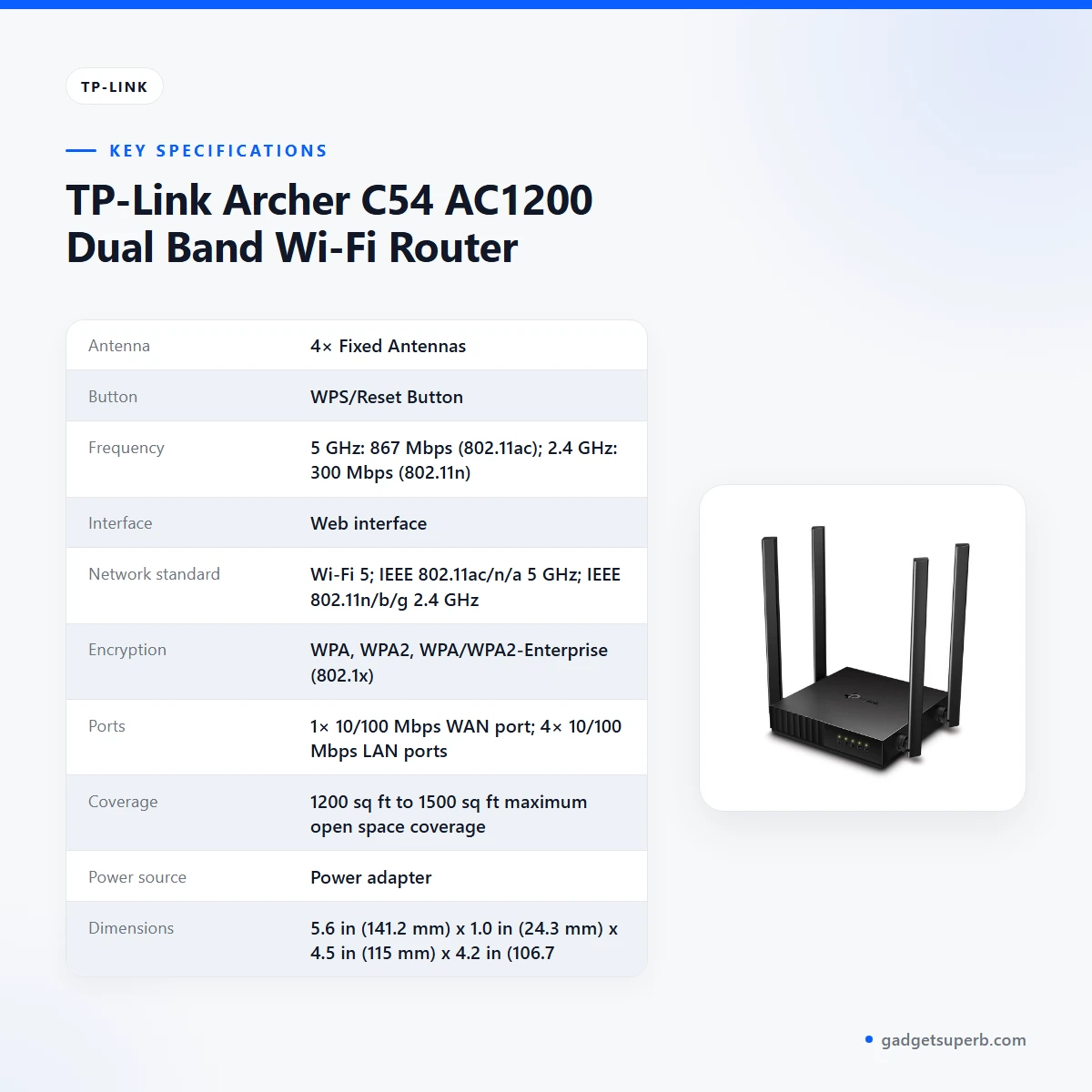
Specifications for the tp-link c54 router are set out below, exactly as the listing gives them.
| Specification | Listed value |
|---|---|
| Antenna | 4× Fixed Antennas |
| Button | WPS/Reset Button |
| Frequency | 5 GHz: 867 Mbps (802.11ac); 2.4 GHz: 300 Mbps (802.11n) |
| Interface | Web interface |
| Network standard | Wi-Fi 5; IEEE 802.11ac/n/a 5 GHz; IEEE 802.11n/b/g 2.4 GHz |
| Encryption | WPA, WPA2, WPA/WPA2-Enterprise (802.1x) |
| Ports | 1× 10/100 Mbps WAN port; 4× 10/100 Mbps LAN ports |
| Coverage | 1200 sq ft to 1500 sq ft maximum open space coverage |
| Power source | Power adapter |
| Dimensions | 5.6 in (141.2 mm) x 1.0 in (24.3 mm) x 4.5 in (115 mm) x 4.2 in (106.7 mm) |
| Colour | Black |
These are listed specifications from the product listing for the tp-link c54 router.
How to set up the tp-link c54 router
The listing says you can set up the tp-link c54 router in minutes, either through its intuitive web interface or with the Tether app. Before you begin, place the router near your modem, keep the power adapter within reach and have your internet connection details from your provider ready. Then follow the maker’s instructions step by step, and do not skip any step that asks for your provider’s settings.
The Tether app is listed as a way to manage network settings from any Android or iOS device. Once the router is running, you can check the network from a phone in another room. Write down the settings you choose, so you can return to them later without guessing. For the maker’s own documentation, visit the maker’s website.
Good placement comes first. The listing describes the unit as compact and mountable, designed to conserve space and complement any decor. Choose a central, open position, and avoid cabinets, the back of a television and the floor, where furniture and walls can weaken the signal. Keep the tp-link c54 router away from direct sunlight and from heat sources, and do not stack other equipment on top of it.
Humidity is common in many Bangladeshi homes during the monsoon, so keep the router in a dry, ventilated spot rather than a humid corner or a closed box. Dust builds up quickly in Dhaka, so wipe the outside gently with a dry cloth now and then, and switch off the power before you clean it. If you ever store the tp-link c54 router unused, keep it in a dry room until you need it.
Power matters in Bangladesh. Load-shedding can interrupt electricity and restart your network, so a steady supply helps the tp-link c54 router stay connected. The listing does not mention battery backup for this router. If outages are frequent, ask a qualified electrician about a separate power backup for the modem and router together.
After setup, restart the modem and router in the order your provider recommends, and confirm that your devices reconnect before you move on.
Compatibility and what is in the box
The listing states Wi-Fi 5, with IEEE 802.11ac/n/a on 5 GHz and IEEE 802.11n/b/g on 2.4 GHz. It also lists one 10/100 Mbps WAN port and four 10/100 Mbps LAN ports for the tp-link c54 router. Check that your modem and devices support at least one of these standards before you order, and send us your device list if you are unsure.
Encryption options listed are WPA, WPA2 and WPA/WPA2-Enterprise (802.1x). Choose the option your devices support for this tp-link c54 router, and keep the setting consistent across the network. A device that cannot use the chosen option will need a different setting.
The listing mentions a power adapter as the power source. It does not give a complete list of items in the box, so the contents of your package are not confirmed by the listing. Check the package on delivery, and contact us before you start setup if anything seems missing from the tp-link c54 router order.
The listing says the tp-link c54 router is compatible with IPv6. Whether your internet provider delivers IPv6 on your line is a question for the provider, and the listing does not answer it. Ask your provider before you rely on it for a specific service.
If your provider supplied the modem, ask them how it connects to a router before you connect the unit, so you know what to expect at setup.
Who should buy it in Bangladesh
A family flat in Dhaka with a broadband connection, several phones, a smart television and a laptop used for study is a typical fit for the tp-link c54 router. The dual-band design and MU-MIMO support are the parts of the listing that matter most for that home. You do not need every feature to make it worthwhile.
A home worker on a video call during the day and a child watching online lessons in the evening can both benefit from separate 5 GHz and 2.4 GHz bands. Give the device that needs the most stable link the band that suits it best. This model is aimed at mixed households where work and study happen under one roof.
A household in a larger house, or one spread over more than one floor, may value the coverage features. The listing gives 1200 to 1500 sq ft of open-space coverage, so measure your home and compare it with that figure. The tp-link c54 router is compact, so it is simple to move when you rearrange a room.
A small shop or office in Dhaka that uses a few staff phones and a shared printer on one connection may find the guest access and parental controls useful. The listing does not describe business use, so check your needs with your provider before you rely on it for commercial work.
A student in a hostel or shared flat who needs internet on the move may find a pocket router a better fit, and you can see that option in our alternatives section. Before you choose the tp-link c54 router, check whether your current signal already reaches every room you use.
If you want an extender for a network you already have, range extender mode is listed for that purpose on the tp-link c54 router. Check that the mode fits your setup before you buy for that task alone, since the other modes may suit you better.
Not every buyer needs this model. If your current modem already gives good Wi-Fi in every room you use, you may not need a separate router at all. Think about where the router will sit before you decide.
Alternatives in our store
If you want to compare the tp-link c54 router with other options, our range has several Wi-Fi routers. The Cudy WR1200 AC1200 Dual Band Smart Wi-Fi Router is another router in our range, and the Ruijie RG-EW1300G 1300M Dual-Band Gigabit WiFi Router is a further Wi-Fi router option. Read each product page and decide which one fits your home.
For mobile internet on the move, see the Vemo E5783 Plus 4G/5G Portable Pocket WiFi Router – 300Mbps High-Speed Mobile Hotspot with 3000mAh Battery, which sits in our pocket Wi-Fi range. The Metal Router Stand – Black is a router accessory in our range, and you can check whether it suits your equipment before you order.
You can browse the full selection in our Routers and Pocket WiFi category, and compare the tp-link c54 router against the rest of that range before you order. The listing for each product is the best place to check the details that matter to you.
Warranty and support
Warranty: 7 Days seller warranty.
Support before you order: call 09638054751, message us on Facebook Messenger or email care@gadgetsuperb.com.
Delivery, returns and ordering
Ordering the tp-link c54 router from Gadget Superb is simple. We deliver all over Bangladesh and you pay cash on delivery. Delivery usually takes 1–3 days inside Dhaka city and 2–5 days outside Dhaka.
You can return it within 7 days of delivery (see our Delivery & Returns policy). Read the policy page before you order so you know the steps for a return.
Questions before ordering: call 09638054751, message us on Facebook Messenger or email care@gadgetsuperb.com. If you are buying for a relative outside Dhaka, tell us the delivery address when you call so we can confirm the expected timing.
Before you place the order, check your modem type, your provider and the room where the router will sit. A short check now can save a return later within the seven-day window.
Frequently asked questions
What is the tp-link c54 router?
The tp-link c54 router is an AC1200 dual-band Wi-Fi router with four fixed antennas, MU-MIMO and beamforming, according to the listing.
Is it dual band?
Yes. The listing gives 867 Mbps on 5 GHz (802.11ac) and 300 Mbps on 2.4 GHz (802.11n).
Which modes does the router support?
The listing names Router, Access Point and Range Extender modes. Choose the one that matches your modem and existing network.
Can the router handle 4K streaming?
The listing says the tp-link c54 router is ideal for 4K video streaming and high-speed downloading. Your internet plan still sets the speed you receive.
How large an area does the tp-link c54 router cover?
The listing gives 1200 sq ft to 1500 sq ft of maximum open-space coverage for the tp-link c54 router. Walls and furniture reduce coverage in real homes.
How do I set up the router?
The listing says you can set it up in minutes through the web interface or the Tether app. Follow the maker’s instructions step by step.
Can I manage the router from my phone?
According to the listing, the Tether app lets you manage its network settings from any Android or iOS device.
Is the tp-link c54 router compatible with IPv6?
According to the listing, the tp-link c54 router is compatible with IPv6. Whether your provider supports IPv6 on your line is a separate question.
Is the tp-link c54 router better than the tp-link c64?
The listing does not compare this model with the tp-link c64, so this page cannot confirm differences. Compare the listed specifications on each product page before you choose.
Does it come with a warranty?
Yes. Warranty: 7 Days seller warranty.
How long does delivery take?
Delivery usually takes 1–3 days inside Dhaka city and 2–5 days outside Dhaka. We deliver all over Bangladesh and you pay cash on delivery.
Can I return it?
Yes, within 7 days of delivery, according to our Delivery and Returns policy.
Related products

-28%
61 in stock
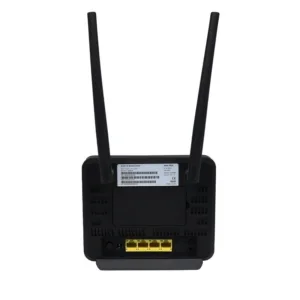

Olax MC60 300Mbps WIFI Speed 4G Router
Original price was: ৳ 7,210.৳ 5,180Current price is: ৳ 5,180.-23%
60 in stock
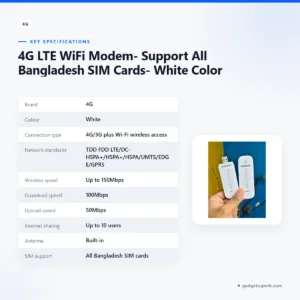

4G LTE WiFi Modem- Support All Bangladesh SIM Cards- White Color
Original price was: ৳ 1,370.৳ 1,050Current price is: ৳ 1,050.-27%
22 in stock
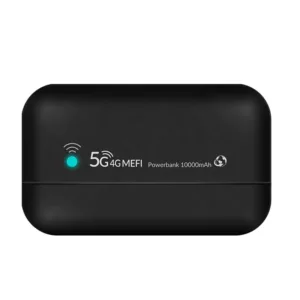
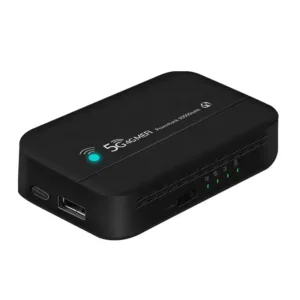
PW100 4G LTE Pocket Wi-Fi Router with 10000mAh Bettery – 300Mbps
Original price was: ৳ 5,440.৳ 3,970Current price is: ৳ 3,970.-27%
50 in stock

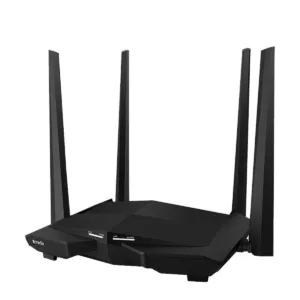
Tenda AC10 AC1200 1200Mbps Dual Band 4 Antenna Gigabit WiFi Router
Original price was: ৳ 4,500.৳ 3,280Current price is: ৳ 3,280.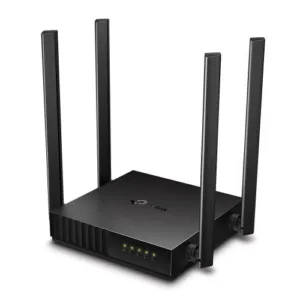 TP-Link Archer C54 AC1200 Dual...
Original price was: ৳ 3,500.৳ 2,590Current price is: ৳ 2,590.
30 in stock
Reviews
There are no reviews yet.