No products in the cart.

-26%
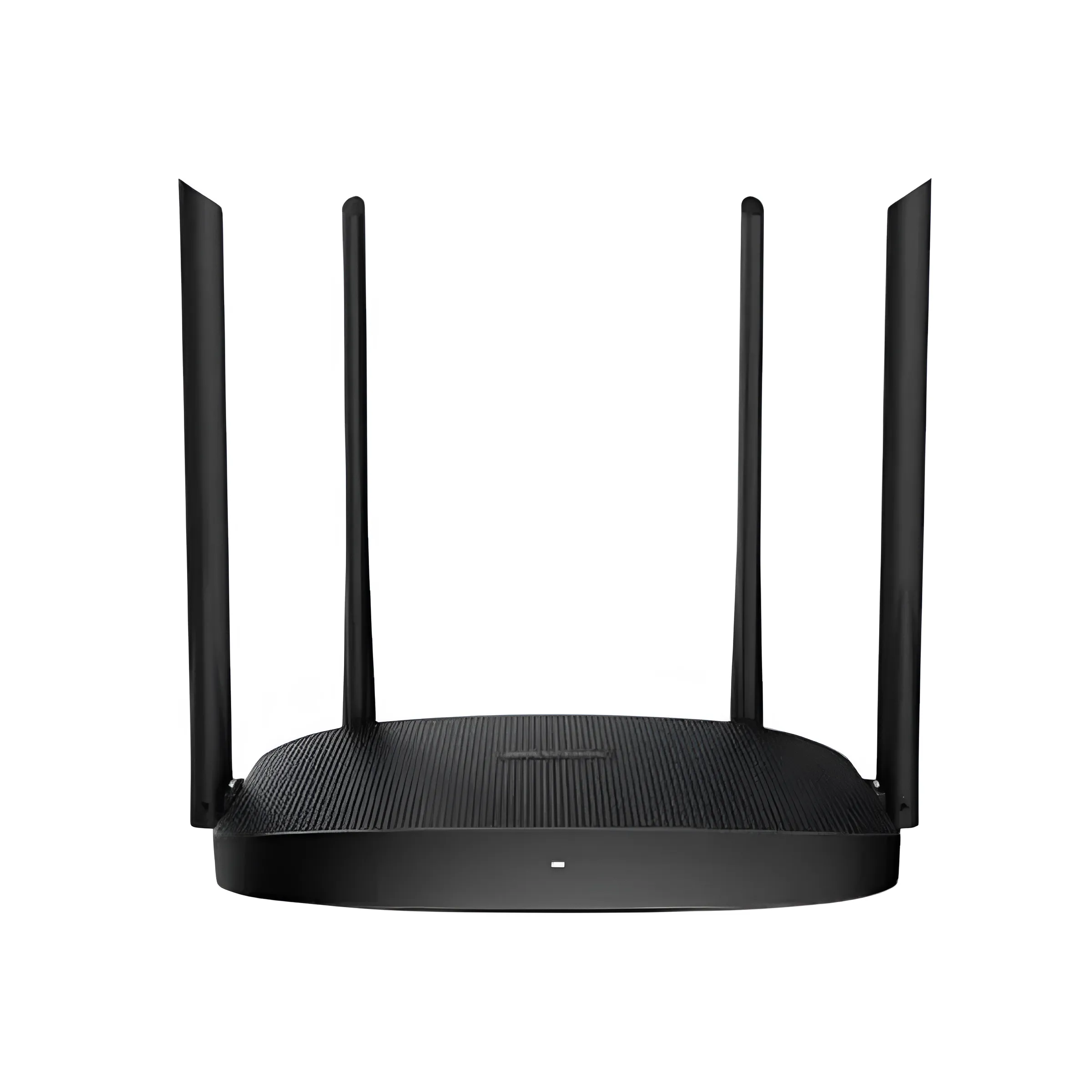

The Hikvision AC1200 is a dual band WiFi router from Hikvision, and the listing describes it as suited to medium to large homes and small offices. It is a good shortlist item for Bangladeshi households and small teams that want one fixed router with dual band speeds, several working modes and a guest network option.
- Overview
- Key features
- Specifications
- How to use and set up
- Compatibility and what is in the box
- Who should buy it in Bangladesh
- Alternatives in our store
- Warranty and support
- Delivery, returns and ordering
- Frequently asked questions
Hikvision AC1200 overview for Bangladeshi homes and offices
The Hikvision AC1200 is listed under Routers & Pocket WiFi in our store, which places it beside the pocket routers many buyers use for mobile data. A fixed router like this one does a different job. It sits at one spot in the flat or office and shares your internet line across the rooms. Many buyers in Dhaka move between a home connection and mobile data, so it helps to be clear about which job you need done. Before you buy, check that the connection you already have can feed a router, because the listing does not describe the connection type or the internet plans it suits.
According to the listing, the Hikvision AC1200 delivers dual-band WiFi with 2.4GHz up to 300Mbps and 5GHz up to 867Mbps. The maker lists four high-gain external antennas, beamforming and 4×4 MU-MIMO for connecting several devices at once. For a family with phones, laptops, a smart TV and smart home devices, those are the points to read first. In practice, the wireless performance is the main point to check, while the wired ports cover desktops and TVs. The listing also describes the router as offering trusted Hikvision quality, which is the maker’s own wording rather than an independent finding.
The Hikvision AC1200 listing does not describe a SIM slot or mobile data, so treat this as a router for a fixed line rather than a pocket device. It is powered by the 9V DC, 1A power supply listed for the product. If your area has frequent load-shedding, plan for a stable supply and read the power notes in the set-up section before you install it.
Key features
The points below describe the Hikvision AC1200 as the listing presents it. Figures are quoted as written, and each note explains how the point may matter in daily use for a Bangladeshi household or office.
Dual band WiFi with 2.4GHz and 5GHz
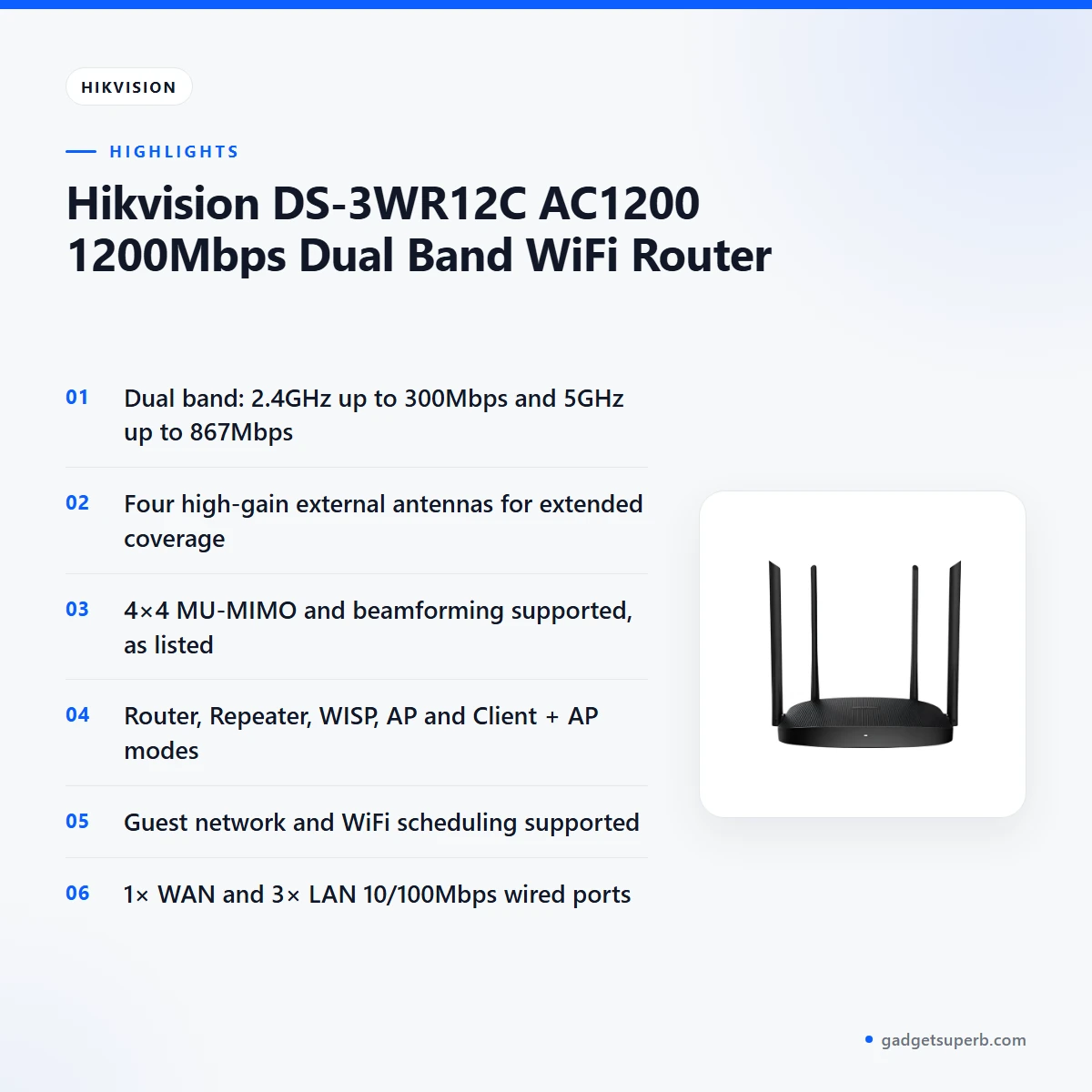
According to the listing, the Hikvision AC1200 offers dual band WiFi, with 2.4GHz up to 300Mbps and 5GHz up to 867Mbps. The listing pairs 2.4GHz with 802.11b/g/n and 5GHz with 802.11a/n/ac wave 2, so older and newer devices both have a listed band to use. Two bands give devices a choice of network, so a laptop on a video call and a phone streaming a film can use different paths at the same time. In a Dhaka flat, that can help when several people share one connection in the evening. The listed figures are maximum rates. Your real speed depends on your internet plan, the distance from the router, the walls between you and the device, and the device itself.
Four high-gain antennas for coverage
The listing says the Hikvision AC1200 has four high-gain external antennas for extended coverage and stronger signal. It also says high-gain antennas ensure better signal penetration. Penetration matters in many Bangladeshi homes, where thick walls, concrete floors and tall furniture can weaken a signal. Placement counts as much as hardware, so put the router in a central spot, raised off the floor and away from metal cabinets. When you read a coverage claim, remember that it describes the maker’s intent and not the layout of your building. These are general placement habits rather than figures from the listing, and they apply to any router.
Beamforming for targeted signal strength
The listing states that the Hikvision AC1200 supports beamforming, which it describes as targeted signal strength. The listing links this feature to stable HD streaming and gaming experiences. Those are the maker’s claims, so treat them as the expected benefit rather than a guarantee. Stable streaming also depends on your internet plan as well as the router. For a bedroom where the television sits at a distance from the router, beamforming is the feature to check against your own room layout. Think about the rooms you use most, since the listing does not describe how the feature behaves in a particular building.
4×4 MU-MIMO for several devices at once
The listing gives 4×4 MU-MIMO technology for simultaneous multi-device connection, and it says multiple smart devices can connect without lag. A household with phones, tablets, laptops and a smart TV may find this the most useful point on the page. The Hikvision AC1200 is listed for medium to large homes, so a busy household is the audience it describes. Your network load, your internet plan and the number of devices all shape what you notice day to day. If several devices run at the same time in a typical evening, keep that pattern in mind when you read the claim.
Working modes and a guest network
The listing names five operating modes: Router, Repeater, WISP, AP and Client + AP. Router mode suits most homes that want one main network. Repeater or AP mode may suit a flat where an existing router needs a second access point, and WISP or Client + AP modes fit more specific set-ups. The listing does not give step-by-step guidance for any mode, so follow the maker’s instructions for the mode you choose. Because the Hikvision AC1200 lists several modes, you can match it to the set-up you already have. The listing also says guest network configuration is supported, which provides a secure network for guests without exposing your main network. Guest network and WiFi scheduling are both listed as supported, so you can set them up according to your household’s routine.
Wired ports, DHCP and easy setup
The listing gives one 10/100Mbps WAN port and three 10/100Mbps LAN ports for wired connections. It also says a DHCP server handles IP addresses, which the listing calls seamless IP management. Setup is described as easy, and the design is listed as lightweight and compact. Wired ports suit a desktop computer, a smart TV or a printer near the router, especially a device that does not move around the home. The Hikvision AC1200 lists 10/100Mbps ports only, so check the speed you need for any wired device before you order.
Specifications
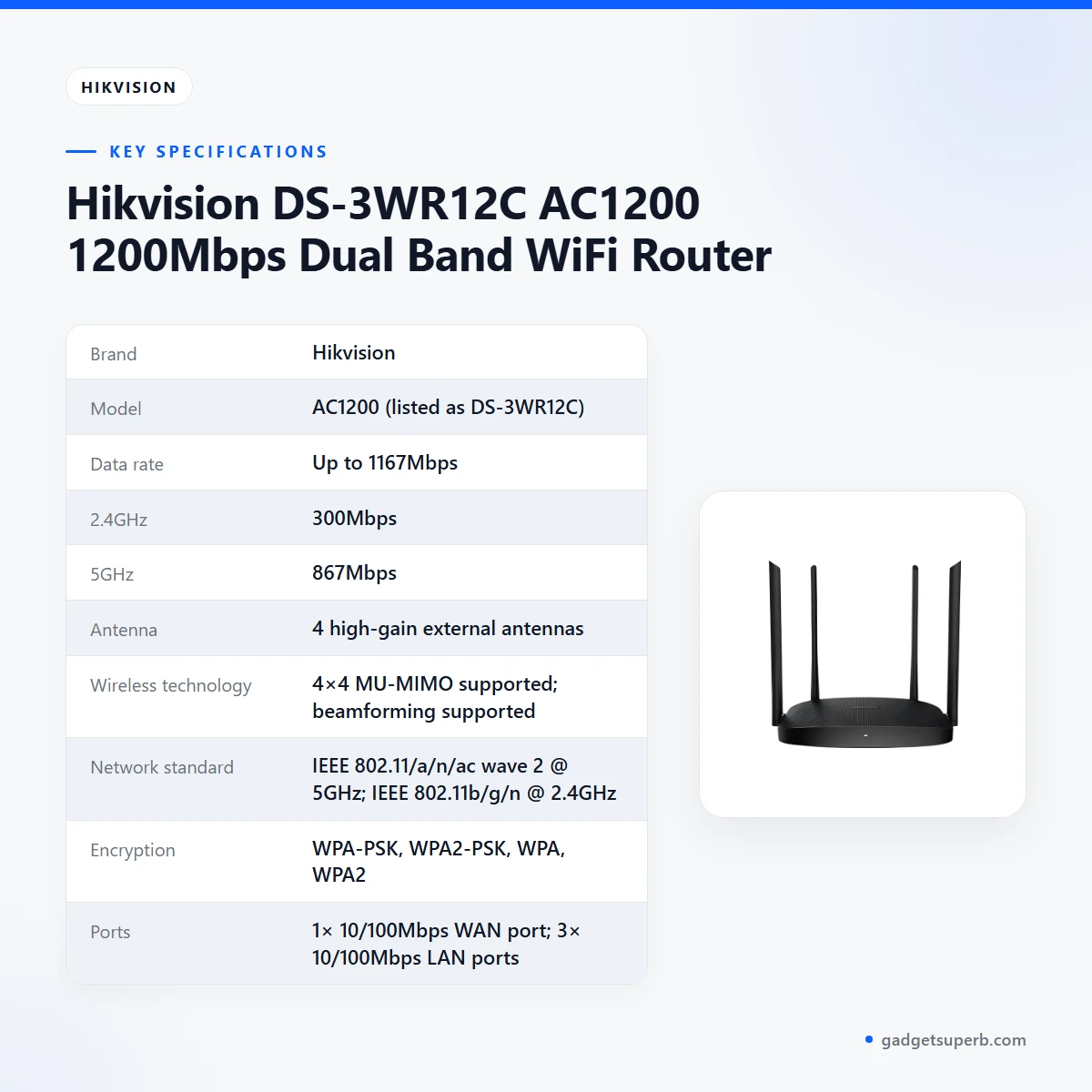
The Hikvision AC1200 specifications below are copied from the listing, with the figures as the maker wrote them.
| Specification | Listed value |
|---|---|
| Brand | Hikvision |
| Model | AC1200 (listed as DS-3WR12C) |
| Data rate | Up to 1167Mbps |
| 2.4GHz | 300Mbps |
| 5GHz | 867Mbps |
| Antenna | 4 high-gain external antennas |
| Wireless technology | 4×4 MU-MIMO supported; beamforming supported |
| Network standard | IEEE 802.11/a/n/ac wave 2 @ 5GHz; IEEE 802.11b/g/n @ 2.4GHz |
| Encryption | WPA-PSK, WPA2-PSK, WPA, WPA2 |
| Ports | 1× 10/100Mbps WAN port; 3× 10/100Mbps LAN ports |
| Operating modes | Router, Repeater, WISP, AP, Client + AP |
| Dimensions (W×H×D) | 248.40mm × 154.80mm × 213.34mm |
| Weight | 0.222kg |
| Color | Black |
| Power supply | 9V DC, 1A |
These are listed specifications from the product listing.
How to use and set up the Hikvision AC1200
Start by reading the maker’s instructions for the Hikvision AC1200. The listing does not give a step-by-step guide, so the points below are general. Keep the router in a dry, ventilated spot away from direct heat, which matters in Dhaka’s humid months. Connect it to the 9V DC, 1A power supply listed for the product.
Before you start, choose a spot near the internet line and a power socket. Check that the cables can reach without crossing walkways where they can be pulled. Keep the packaging until you have confirmed the router works, so the return option stays simple.
1. Connect the power supply to your Hikvision AC1200 first, then connect the internet cable from your line to the single WAN port. The listing names one 10/100Mbps WAN port.
2. Connect a computer to one of the three LAN ports if you prefer a wired first set-up. Follow the maker’s instructions for the settings page.
3. Choose the working mode that fits your Hikvision AC1200 set-up. Router mode suits most homes, while Repeater, WISP, AP and Client + AP suit specific set-ups.
4. Choose a network name and a password, and select one of the listed encryption options, such as WPA2-PSK.
5. Set up a guest network on the Hikvision AC1200 if visitors need access, and add WiFi scheduling if your household wants a fixed on-off routine. Use the steps the maker provides for each.
Choosing the mode is the step that most affects how the router fits your home. For one connection and one main network, Router mode is the usual starting point. If you already have a router that does not reach a far room, the listing’s Repeater or AP modes may be worth reading about in the maker’s instructions. WISP and Client + AP are listed options for particular set-ups, so only pick them if you know why you need them.
The listing names a reset button. Follow the maker’s instructions before you use it.
If your area has frequent load-shedding, the listing does not say how the router behaves when power returns. Plan a stable supply or a backup option, and ask us for more detail before you order. This point is not confirmed by the listing.
Care is simple. Dust the vents every few weeks, keep cables tidy so they are not pulled, and keep the router off the floor in a ventilated spot. In humid months, avoid placing it in a closed cabinet where heat and moisture can build up.
Compatibility and what is in the box
The listing confirms the Hikvision AC1200’s wireless standards, encryption options, operating modes and port layout, as set out above. It lists the network standard as IEEE 802.11/a/n/ac wave 2 at 5GHz and IEEE 802.11b/g/n at 2.4GHz. It does not confirm compatibility with any specific internet provider, modem or device, so confirm your model and connection before you order.
Before you order, check your own setup: what connection comes into your home or office, whether your internet plan is supplied through a modem, and which devices you plan to connect. The listing does not describe those details, so the answers come from your own setup and from your provider’s information.
For the physical contents of the Hikvision AC1200, check the package against the product listing when it arrives. For the maker’s own product information, visit the maker’s website.
Who should buy it in Bangladesh
The Hikvision AC1200 suits a medium to large family flat where phones, laptops and a smart TV share one WiFi network in the evening. This is the household the listing describes, and it is the most direct match for the router’s dual band design and multi-device features.
A small office, studio or home office with a few staff is the second group. The listing names small offices, and the wired ports suit a desktop or shared printer. The Hikvision AC1200 can be a shortlist item for that setting, especially if guests or visitors also need a separate network.
Gamers, streamers and smart home users are the third group. The listing says the router is an excellent choice for gaming, 4K streaming and managing smart homes. Those are the maker’s words, so match them against your own internet plan before you buy. Check your device list too, because a router only helps as far as the devices and plan allow.
Households that host guests often can use the guest network feature. The listing describes a secure network for guests that keeps visitors off your main network, which may suit families with frequent visitors.
Who should look elsewhere: anyone who needs internet that moves with them. The Hikvision AC1200 is a fixed router, and the listing does not describe a SIM slot or mobile data, so look at the pocket WiFi routers in our range for mobile use.
Who should check first: a very small flat with one or two users who need only basic internet. The listing does not discuss that case, so ask us before ordering.
How to decide: count the devices that connect on a normal day, note the rooms that need the strongest signal, and list whether you need a guest network or wired ports. If most of your answers point to a busy home or a small office, the Hikvision AC1200 fits the description the listing gives. If your answers point to one or two users, a simpler option may serve you better, and we are happy to talk it through before you order.
Alternatives in our store
If you are still comparing with the Hikvision AC1200, these items in our store are worth a look. Choose by need rather than by name: a fixed router for a home or office, or a portable device for mobile internet. Each one is named by its product and category only, so you can open the page and read its own details.
Cudy WR1200 AC1200 Dual Band Smart Wi-Fi Router is another WiFi router in our range, for buyers who want a second router option on the same shelf.
Ruijie RG-EW1300G 1300M Dual-Band Gigabit WiFi Router is another WiFi router in our range, suited to buyers who want a router from a different brand.
Vemo E5783 Plus 4G/5G Portable Pocket WiFi Router – 300Mbps High-Speed Mobile Hotspot with 3000mAh Battery is a pocket WiFi router in our range, for buyers who need mobile internet rather than a fixed router.
Metal Router Stand – Black is a router stand in our range, for buyers who want to place a router off the floor.
Browse the full Routers & Pocket WiFi category to see every option.
Warranty and support
Warranty: 7 Days seller warranty.
Delivery, returns and ordering
We deliver all over Bangladesh and you pay cash on delivery. Ordering the Hikvision AC1200 from anywhere in the country works the same way.
Delivery usually takes 1–3 days inside Dhaka city and 2–5 days outside Dhaka. Plan the installation of your Hikvision AC1200 around that window, especially if the router is for a new office.
You can return it within 7 days of delivery (see our Delivery & Returns policy).
Questions before ordering: call 09638054751, message us on Facebook Messenger or email care@gadgetsuperb.com.
When you order, keep your delivery address and a contact number ready so the courier can reach you on the day. Because you pay cash on delivery, have the payment arrangements clear before the parcel arrives.
Frequently asked questions
What is the Hikvision AC1200 for?
The Hikvision AC1200 is a dual band WiFi router that the listing describes as suited to medium to large homes and small offices. It is not described in the listing as a pocket device.
Is the Hikvision AC1200 dual band?
Yes. The listing gives 2.4GHz up to 300Mbps and 5GHz up to 867Mbps, with a data rate of up to 1167Mbps.
Does the Hikvision AC1200 support several working modes?
Yes. The listing names Router, Repeater, WISP, AP and Client + AP modes. Pick the one that matches your current network set-up.
Can the Hikvision AC1200 run a guest network?
Yes. The listing says guest network configuration is supported, which provides a secure network for guests without exposing your main network. Set it up according to the maker’s instructions.
Does the Hikvision AC1200 have WiFi scheduling?
The listing says WiFi scheduling is supported. Use it to set times for your household’s network use, following the maker’s instructions.
How many ports does the Hikvision AC1200 have?
The listing shows one 10/100Mbps WAN port and three 10/100Mbps LAN ports. According to the listing, these are for wired connections.
Which encryption does the Hikvision AC1200 use?
The listing gives WPA-PSK, WPA2-PSK, WPA and WPA2 wireless encryption standards. Choose one that your devices support.
What warranty comes with the Hikvision AC1200?
Warranty: 7 Days seller warranty.
Can I pay cash on delivery for the Hikvision AC1200?
Yes. We deliver all over Bangladesh and you pay cash on delivery. Delivery usually takes 1–3 days inside Dhaka city and 2–5 days outside Dhaka.
How do I ask a question before I order the Hikvision AC1200?
Call 09638054751, message us on Facebook Messenger or email care@gadgetsuperb.com. We are glad to answer questions about the listing before you order.
Related products
-27%
50 in stock
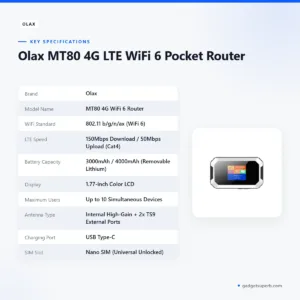

Olax MT80 4G LTE WiFi 6 Pocket Router
Original price was: ৳ 4,200.৳ 3,060Current price is: ৳ 3,060.-26%
59 in stock
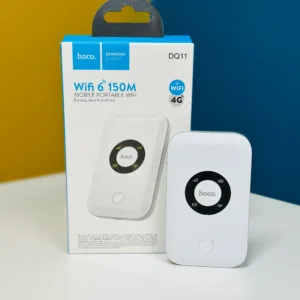

Hoco DQ11 4G Pocket Router WiFi 6
Original price was: ৳ 3,110.৳ 2,300Current price is: ৳ 2,300.-23%
60 in stock
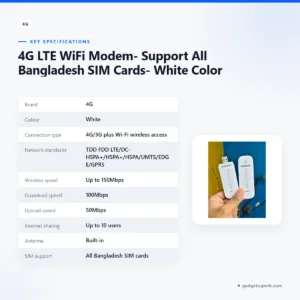

4G LTE WiFi Modem- Support All Bangladesh SIM Cards- White Color
Original price was: ৳ 1,370.৳ 1,050Current price is: ৳ 1,050.-26%
30 in stock
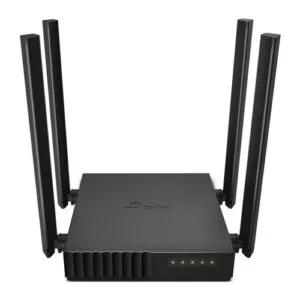
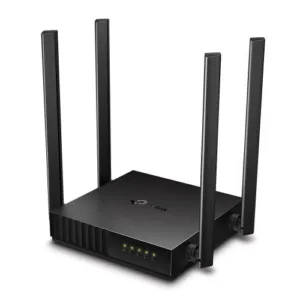
TP-Link Archer C54 AC1200 Dual Band Wi-Fi Router
Original price was: ৳ 3,500.৳ 2,590Current price is: ৳ 2,590.-28%
126 in stock

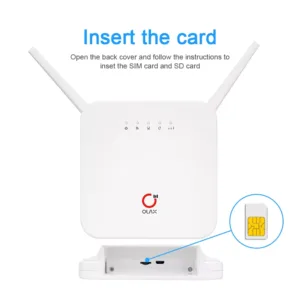
OLAX AX6 Pro 4G LTE Rechargeable WiFi Router
Original price was: ৳ 6,080.৳ 4,370Current price is: ৳ 4,370.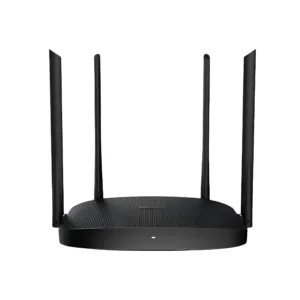 Hikvision DS-3WR12C AC1200 120...
Original price was: ৳ 2,960.৳ 2,190Current price is: ৳ 2,190.
44 in stock
Reviews
There are no reviews yet.