No products in the cart.

-20%
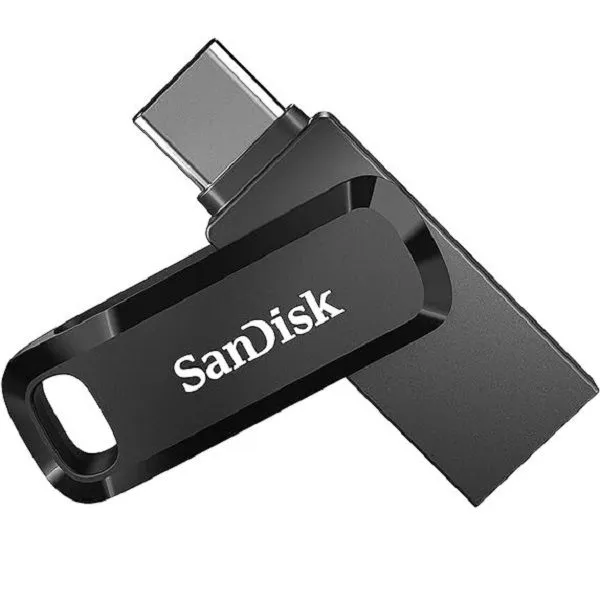

The SanDisk Drive-64GB is a 64GB flash drive with a reversible USB Type-C connector and a traditional Type-A connector, according to the listing. It suits people who move files between a USB Type-C smartphone, tablet or Mac and a USB Type-A computer. If you want one drive for both kinds of port, this guide explains what the maker lists.
- Overview
- Key features
- Specifications
- How to use and set up
- Compatibility and what is in the box
- Who should buy it in Bangladesh
- Alternatives in our store
- Warranty and support
- Delivery, returns and ordering
- Frequently asked questions
What is the SanDisk Drive-64GB?
The listing describes the SanDisk Drive-64GB as a flash drive with a reversible USB Type-C connector and a traditional Type-A connector. That pairing is the main reason people look at it. One drive can serve a USB Type-C smartphone, tablet or Mac and a USB Type-A computer, so you do not need a separate stick for each device. For a household with a phone and a shared computer, that can mean one drive instead of two.
The full product name in our listing is SanDisk Ultra Dual Drive Go USB Type-C Flash Drive-64GB. The brand is SanDisk, the model is Drive-64GB and the category is Storage. Throughout this guide we use the SanDisk Drive-64GB as the short name, so you can match it quickly to the product you see in our category pages.
Many buyers use the SanDisk Drive-64GB as a bridge between devices rather than as a permanent store. At 64GB it is suited to moving documents, photos, music and video files that you need on another machine. Treat it as a transport tool first, and keep the master copy on the device where the file was created.
The listing focuses on three things about the SanDisk Drive-64GB: connecting to different devices, freeing up phone space with photo backup through an app, and reading data at up to 150MB/s on a suitable port. The sections below take each point in turn and stay close to the listing’s wording, so you can check every statement yourself.
Daily life in Bangladesh often involves moving files between a phone on the go and a computer at home or in the office. Power cuts, a busy Dhaka commute and humid weather all shape how people store and carry their data. A physical drive is a simple option for those moments, because a transfer does not need a live internet connection once the files are on the drive.
When you choose a flash drive, start with the ports on your devices, then think about how much you need to carry, and last of all about any companion app. A quick check of the ports on your phone and computer is the simplest way to avoid buying the wrong connector. The returns section below explains how our return process works.
Key features
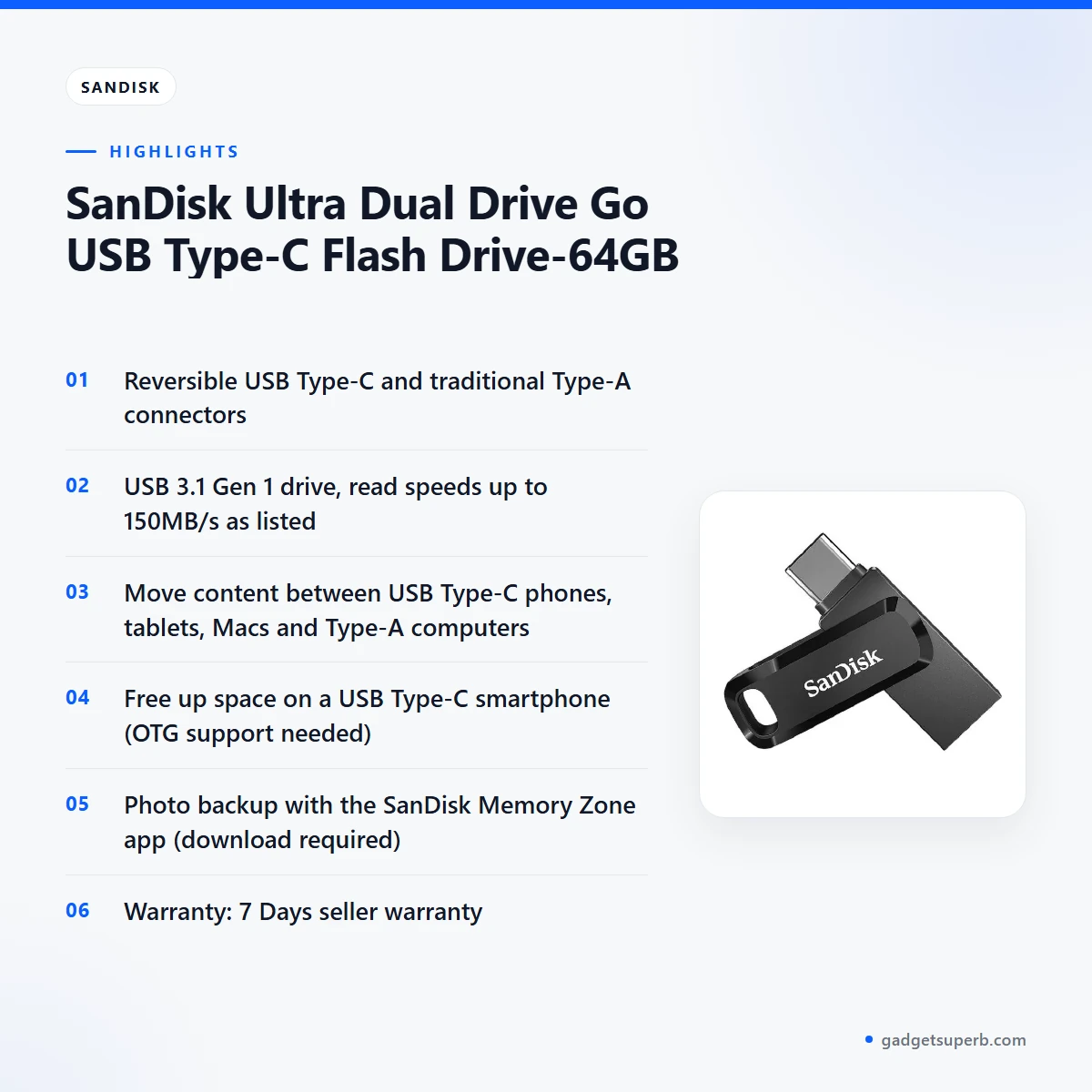
The listing groups the SanDisk Drive-64GB into the features below. Each heading follows the listing’s wording, and the notes explain the conditions the listing attaches to each claim.
Reversible USB Type-C and Type-A connector
The SanDisk Drive-64GB has a reversible USB Type-C connector and a traditional Type-A connector, according to the listing. That means one drive can connect to a USB Type-C port on a smartphone, tablet or Mac, and to a USB Type-A port on a computer. The reversible Type-C end can go in either way round, so you do not need to check the orientation each time you plug it in. This suits a Dhaka commute, where you might move files from a phone in the morning to an office computer in the afternoon. Keep the connector clean and dry, and store the drive in a pocket or bag that does not press on the connector.
Moving content between phone, tablet and computer
According to the listing, you can seamlessly move content between a USB Type-C smartphone, tablets and Macs, and USB Type-A computers. Mobile use needs a USB Type-C port and On The Go (OTG) support, as the listing notes. Check that your phone or tablet has both before you rely on the SanDisk Drive-64GB for transfers. The listing points to the SanDisk website for a list of compatible devices, which is the best place to confirm your model before you buy. Keep a note of your phone model so you can compare it with that list quickly.
Free up space on a USB Type-C smartphone
The listing says the drive can help you free up space on a USB Type-C smartphone. In practice, that means copying photos, videos or documents you do not need on the phone right now onto the SanDisk Drive-64GB. Only delete the source files after you have checked that the copies open properly on the drive and on the device you plan to use them with. Because phone use depends on USB Type-C and OTG support, the same compatibility check applies here. Start with a small batch of files, so you can see how the process works on your own phone before moving larger folders.
Automatic photo backup with the SanDisk Memory Zone app
According to the listing, you can automatically back up photos with the SanDisk Memory Zone app. The app needs to be downloaded and installed first, which is a separate step from using the drive. The listing does not describe the app’s screens or settings, so follow the maker’s instructions when you set it up. If photo backup is your main reason to buy the SanDisk Drive-64GB, read the maker’s instructions for the app before you start. Photo libraries grow quickly, so it helps to check your phone’s storage before you begin.
Read speeds up to 150MB/s on a suitable port
The listing describes the SanDisk Drive-64GB as a high-performance USB 3.1 Gen 1 drive with read speeds up to 150MB/s. The maker notes that write speed is lower and varies by capacity. Full read speed needs a USB Type-C port with USB 3.1 Gen 1 or USB 3.0 support, as the listing states. The listing also says results are based on internal testing and may be lower depending on the host device, interface, usage conditions and other factors. Treat 150MB/s as the maximum the listing gives rather than a promise for every transfer, and expect results to vary with the port you use.
Specifications
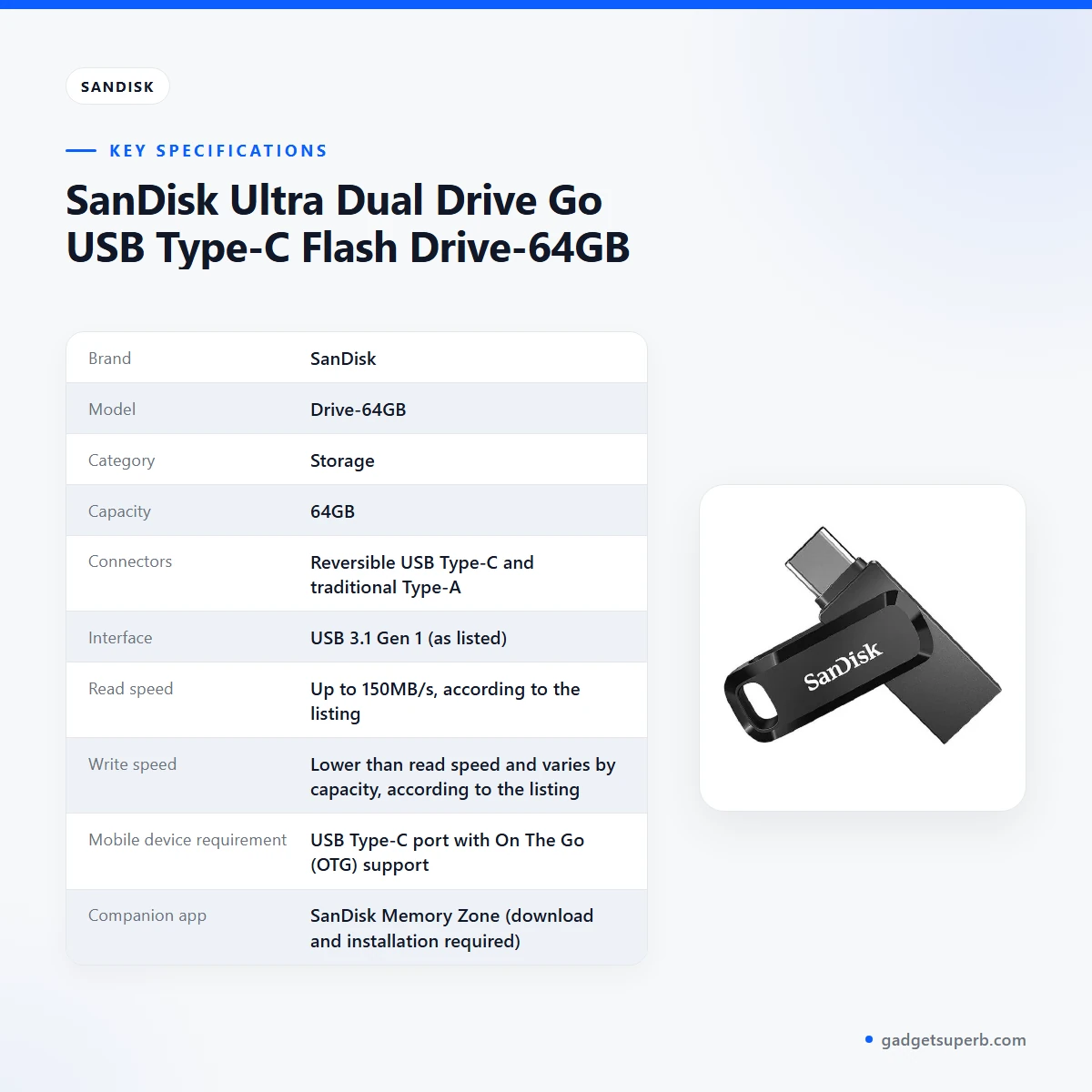
The table below sets out the specifications for the SanDisk Drive-64GB exactly as they appear in the product listing. Use it to check the capacity, connectors and read speed against the devices you already own.
| Brand | SanDisk |
|---|---|
| Model | Drive-64GB |
| Category | Storage |
| Capacity | 64GB |
| Connectors | Reversible USB Type-C and traditional Type-A |
| Interface | USB 3.1 Gen 1 (as listed) |
| Read speed | Up to 150MB/s, according to the listing |
| Write speed | Lower than read speed and varies by capacity, according to the listing |
| Mobile device requirement | USB Type-C port with On The Go (OTG) support |
| Companion app | SanDisk Memory Zone (download and installation required) |
| Warranty | 7 Days |
These are listed specifications from the product listing.
How to use and set up
Setting up the SanDisk Drive-64GB is straightforward. Start by checking the port on the device you plan to use. For a smartphone or tablet, look for a USB Type-C port with On The Go (OTG) support, as the listing requires. For a computer, the traditional Type-A end is the one to use. If you are not sure which port your device has, check its manual or the maker’s specification page before you connect anything.
Plug the reversible USB Type-C end or the Type-A end into the matching port. Because the Type-C connector is reversible, you do not need to turn it over to find the right side. Keep the SanDisk Drive-64GB seated firmly while you copy files, and wait until your device has finished with the drive before you remove it.
If you plan to use the companion app, download and install the SanDisk Memory Zone app first, as the listing requires. Then follow the maker’s instructions for the app. We do not describe its screens or menus here, because the listing does not show them.
For everyday transfers, copy files in small batches, open a few of them on the other device to confirm they work, and only then delete anything from the source. A simple routine with the SanDisk Drive-64GB suits most people. Keep a second copy of anything important on another device or in cloud storage, because a flash drive is a transport tool and should not be your only copy of a document you cannot replace.
Heat and humidity are common in Bangladesh, so keep the SanDisk Drive-64GB in a dry place when it is not in use. Avoid leaving it in a hot car or on a sunny windowsill. Keep the connector free of dust and lint when you carry it in a bag.
Before you use the drive for work files, decide how you will track versions. A simple naming pattern, such as adding the date to each file name, helps you know which copy is current when you move files between a phone and a computer.
Compatibility and what is in the box
The listing gives clear compatibility points for the SanDisk Drive-64GB. Mobile devices need a USB Type-C port and On The Go (OTG) support. Full read speed of up to 150MB/s needs a USB Type-C port with USB 3.1 Gen 1 or USB 3.0 support. Macs and USB Type-A computers are named as destinations for file moves.
The listing does not state which operating system versions are supported, so check your device settings and the maker’s compatible device list for the SanDisk Drive-64GB before you order. Do not assume that every phone with a USB Type-C port will work, because OTG support is a separate requirement that the listing names.
The listing does not confirm the package contents, so ask us if you need a specific accessory with your order. We would rather you ask than assume.
A Mac user should note that the listing names Macs among the devices you can move content between. A computer with a USB Type-A port is also named in the listing. If your computer has only USB Type-C ports, the reversible connector is the end to use, but check the port type on the computer before you connect.
For background on the connector standard, see background reading on the USB-C connector. That article is general information and does not describe this product.
Who should buy it in Bangladesh
The SanDisk Drive-64GB suits people who regularly move files between a phone and a computer. Here are some realistic scenarios where it fits well.
A university student in Dhaka who keeps lecture slides on a laptop at home and needs them on a phone during the commute may find the SanDisk Drive-64GB handy. The reversible connector means one drive covers both ends of that routine.
A family member who takes photos on a USB Type-C phone and wants to share them with a shared desktop that has USB Type-A ports can use the SanDisk Drive-64GB as a simple bridge. The SanDisk Memory Zone app is worth reading about if automatic photo backup matters to you.
An office worker who moves presentations between a Mac and a shared computer with a USB Type-A port can use the SanDisk Drive-64GB for same-day handovers between colleagues.
Households facing load-shedding may want to keep an extra copy of important documents on the SanDisk Drive-64GB. Keep the working copy on your main device, and remember that a flash drive should be one of several copies, not the only one.
Some buyers should look elsewhere. If your devices have no USB Type-C or Type-A port, or you plan to keep large video libraries on one drive, the SanDisk Drive-64GB may not be the right fit. Look at the alternatives below before you decide.
A simple test of fit is to list the devices you use each week, note their ports, and then decide whether one drive can serve them all. That short exercise is more useful than any general advice.
Alternatives in our store
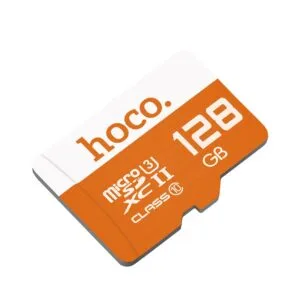
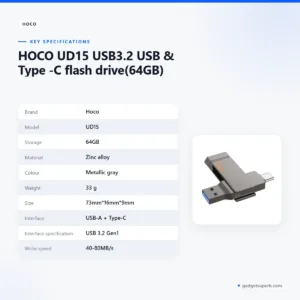
If the SanDisk Drive-64GB is not the right fit, you can browse other storage items in our range. Compare the SanDisk Drive-64GB with the HOCO UD15 USB3.2 USB & Type -C flash drive(32GB), another storage item in our range, or with the HOCO UD15 USB3.2 USB & Type -C flash drive(64GB), which is in the same category. For a different flash drive, see the Hoco UD15 Type-C USB 3.2 Dual-Port Flash Drive 256GB. If you need a memory card instead, look at the Hoco MicroSD Memory Card 256GB, a memory card in our range. You can see every related item in the Storage category.
Choosing between these items comes down to the ports on your devices and how you plan to use the drive. Read the product pages for the details each item lists, and contact us if you are unsure which one fits your devices.
Warranty and support
Warranty: 7 Days seller warranty.
Delivery, returns and ordering
When you order the SanDisk Drive-64GB, we deliver all over Bangladesh, and you pay cash on delivery. Delivery usually takes 1–3 days inside Dhaka city and 2–5 days outside Dhaka.
You can return it within 7 days of delivery (see our Delivery and Returns policy). Read that page before ordering the SanDisk Drive-64GB, so you know the steps before you pay.
Questions before ordering: call 09638054751, message us on Facebook Messenger or email care@gadgetsuperb.com.
If you are not sure whether your phone has OTG support or which port your computer uses, send us a message with the model names before you place your order. We can point you to the right item in our range.
Frequently asked questions
What is the SanDisk Drive-64GB?
The SanDisk Drive-64GB is a 64GB flash drive with a reversible USB Type-C connector and a traditional Type-A connector, according to the listing.
Can the SanDisk Drive-64GB connect to a USB Type-C phone?
Yes, according to the listing, a USB Type-C smartphone can use it, but the phone needs a USB Type-C port and On The Go (OTG) support.
Does the SanDisk Drive-64GB work with a Mac?
The listing names Macs as devices you can move content between with the SanDisk Drive-64GB, alongside USB Type-C smartphones, tablets and USB Type-A computers.
What read speed does the SanDisk Drive-64GB list?
The listing gives read speeds up to 150MB/s and says write speed is lower and varies by capacity.
Do I need the SanDisk Memory Zone app?
Only if you want automatic photo backup, which the listing says needs the app to be downloaded and installed first.
Is there a warranty on the SanDisk Drive-64GB?
Yes. Warranty: 7 Days seller warranty, as shown in the listing.
Can I return the SanDisk Drive-64GB?
Yes, you can return it within 7 days of delivery, following our Delivery and Returns policy.
Do you deliver the SanDisk Drive-64GB outside Dhaka?
Yes, we deliver all over Bangladesh, and delivery usually takes 2–5 days outside Dhaka. You pay cash on delivery.
How can I ask about the SanDisk Drive-64GB before ordering?
Call 09638054751, message us on Facebook Messenger or email care@gadgetsuperb.com.
Can I back up phone photos to this drive?
The listing says photos can be backed up automatically with the SanDisk Memory Zone app, which needs to be downloaded and installed first.
Related products
-25%
50 in stock

-20%
100 in stock


-23%
48 in stock

HOCO UD15 USB3.2 USB & Type -C flash drive(64GB)
Original price was: ৳ 2,100.৳ 1,610Current price is: ৳ 1,610.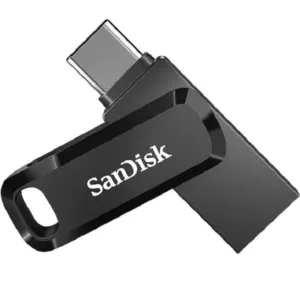 SanDisk Ultra Dual Drive Go US...
Original price was: ৳ 1,040.৳ 830Current price is: ৳ 830.
100 in stock
Reviews
There are no reviews yet.