No products in the cart.

-23%
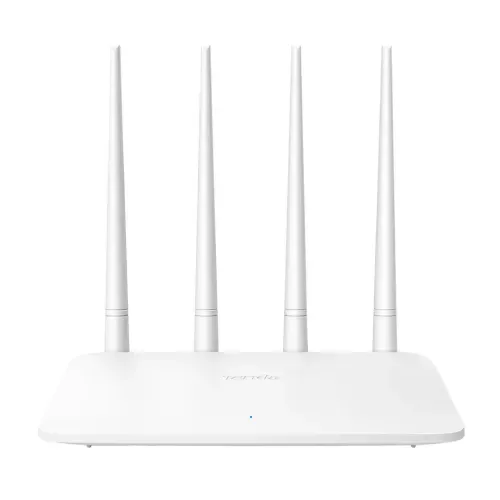
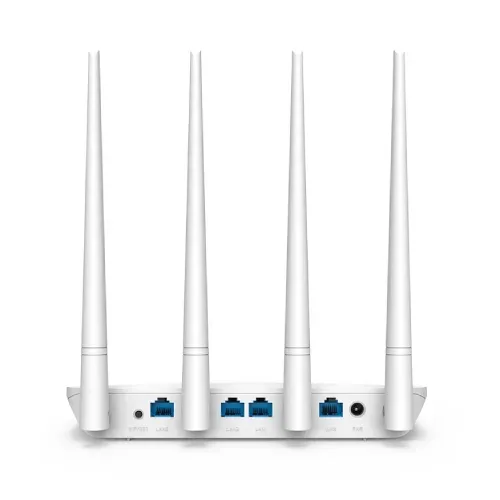
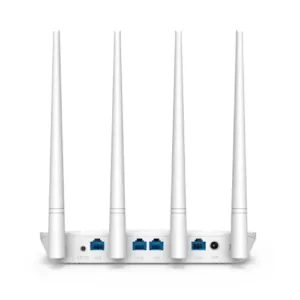


The Tenda F6 router is a 300Mbps WiFi router listed with a 2.4 GHz frequency and four external antennas. It suits Bangladeshi households and small offices that want a plain home network with browser-based firmware upgrades, and flats where phones, laptops and a smart TV share one connection.
- Tenda F6 router overview
- Key features
- Specifications
- How to use / set up
- Compatibility and what is in the box
- Who should buy it in Bangladesh
- Alternatives in our store
- Warranty and support
- Delivery, returns and ordering
- Frequently asked questions
Tenda F6 router overview
The Tenda F6 router is listed as a 300Mbps WiFi router in our Routers & Pocket WiFi range. According to the listing, the Tenda F6 router has a data rate of 300 Mbps, a 2.4 GHz frequency and four external antennas. The maker lists wireless support as available, so phones, laptops and tablets can connect over WiFi in the same home.
The router also has one WAN port and three LAN ports, each listed at 10/100 Mbps. In practice that gives you one wired link from your internet line and three wired points for a desktop computer, a smart TV or a printer. The Tenda F6 router suits households where most devices are phones and laptops and the owner wants a plain network with a clear set of listed features. The short feature list is easy to read, which helps when you are weighing options at home or comparing several models in one sitting.
Bangladeshi homes often deal with humidity, dust and power cuts during load-shedding. The listing does not say how this router handles humidity or interruptions in power, so keep it on a dry, ventilated shelf and plan your own backup if the connection matters during outages. Real-world speed depends on your internet plan, the number of devices in use and the distance between the Tenda F6 router and each device.
The listing gives no throughput figures, so treat the 300 Mbps rate as the maker’s stated figure rather than a promise about what you will see at home. A household that streams video in the evening, runs video calls in the afternoon and keeps a few smartphones online all day should judge the router by how those habits feel in practice, not by the headline number alone.
Key features
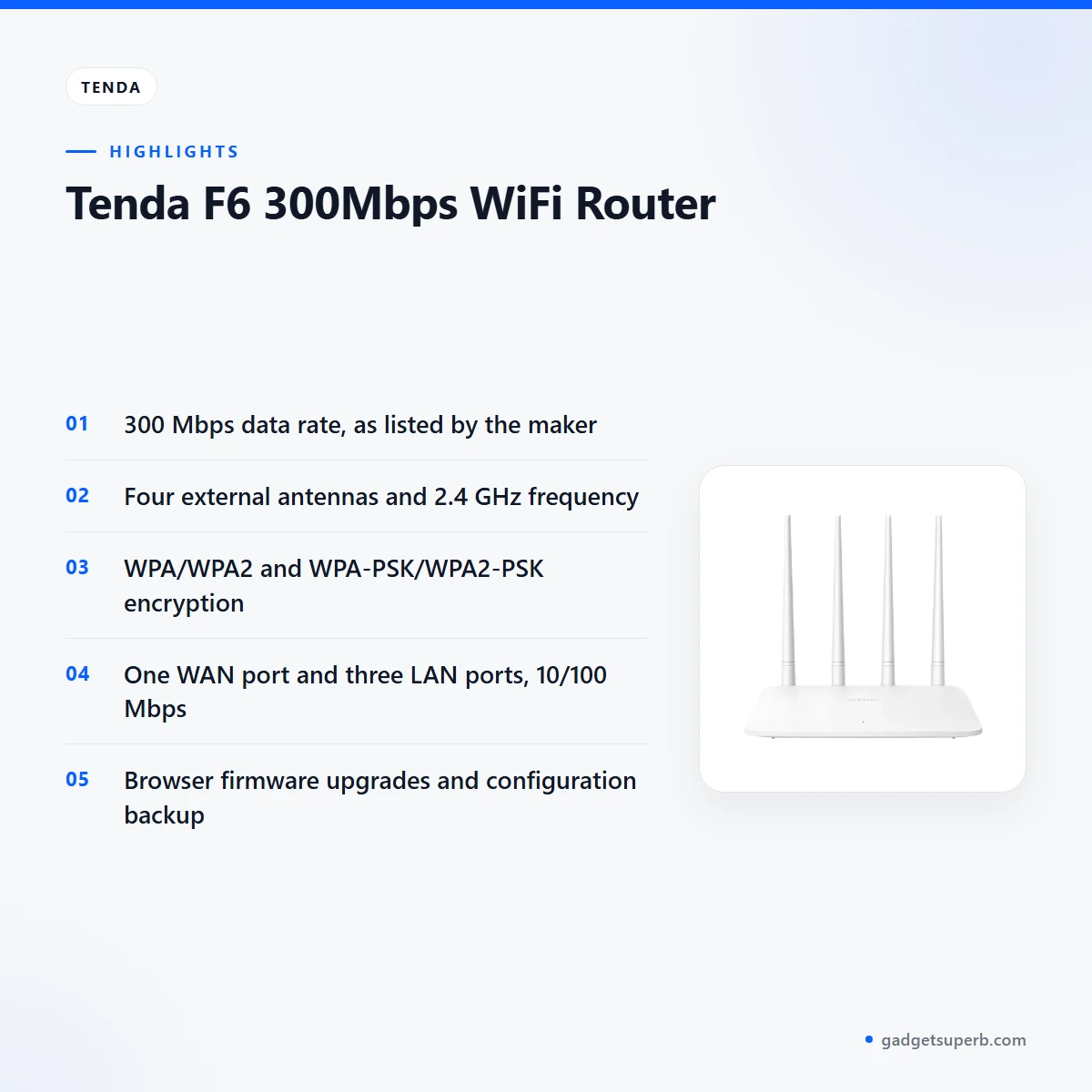
The listing names several features for this model. Each heading below follows the listing wording, and the notes under it explain how the feature fits everyday use in Bangladesh. Read the listing alongside this page before you decide, and check the specifications table for the exact figures.
300 Mbps data rate
The listing gives the Tenda F6 router a data rate of 300 Mbps, which is the headline figure in the specifications. The listing does not give throughput figures, so the stated rate is the only speed figure available on the listing. Your internet plan sets the upper limit for downloads from outside your network, and the number of connected devices affects what each one receives. A household that uses WiFi mainly for messaging, video calls, social media and streaming should check its plan first, then decide whether this listed rate fits its habits. If several people use the connection at the same time, the number of devices matters as much as the headline figure. Think about the busiest hour of your day, because that is when a shared connection is most likely to feel slow.
Four external antennas
The maker lists four external antennas on the Tenda F6 router. Antennas are part of the physical layout, so the spot you choose matters as much as the hardware. Dhaka flats often have concrete walls, metal grilles and wooden doors, and each of these can change how far a wireless signal travels inside the home. The listing does not say how far the signal reaches or how the antennas perform inside a multi-storey house, so judge coverage in your own home. Keep the router out of closed cabinets, away from heat sources and clear of large metal objects where you can. Walk around the rooms where devices are used before you settle on a permanent position.
2.4 GHz frequency
The listing gives the frequency as 2.4 GHz and does not list another band for this model. Many homes and flats share the 2.4 GHz band with neighbouring networks, so the wireless environment around you can affect your connection. If you have several networks nearby, look at the wireless settings the maker describes and make a sensible choice for your own space. The Tenda F6 router is a good fit when the listed 2.4 GHz band covers the devices you use every day, and a weaker fit if you already know you need a different band. Note which devices in your home are the most important, so you can test those first after setup.
Wireless security and encryption
The listing gives the encryption as WPA/WPA2 and WPA-PSK/WPA2-PSK. Set a strong WiFi password when you first configure the network, and do not leave the network open. Keep the password private so that visitors and neighbours cannot join your connection without permission. Change the password if a device you no longer own has joined the network. The listing does not describe other security tools, so do not assume any extras beyond the encryption types the listing names. A short written note of the password, stored somewhere safe, saves a lot of trouble later, especially in a household where more than one person manages the connection.
Network options and IPv6
The listing includes bandwidth control, MAC clone and a system log. Bandwidth control and MAC clone are named as features, but the listing does not explain how to set them, so follow the maker’s instructions for those steps. The system log is listed as a feature, and the listing does not say what it records. The listing also says the Tenda F6 router supports IPv6 features and marks them as specific to Bangladesh. That detail matters if your internet provider offers IPv6, so ask the provider which setting applies before you change anything on the router.
Firmware upgrades and backup
The listing says firmware can be upgraded via browser, and it lists backup and restore of configurations. Save a copy of your settings before any firmware change, so that you can restore them if something goes wrong. For the Tenda F6 router, the listing confirms the browser upgrade route but gives no update schedule and no list of changes in each release. Check the maker’s website for firmware details, and follow the maker’s instructions for each step. Keep a note of the version you installed so that you can recognise a newer release when it appears, and write the date beside it.
Specifications
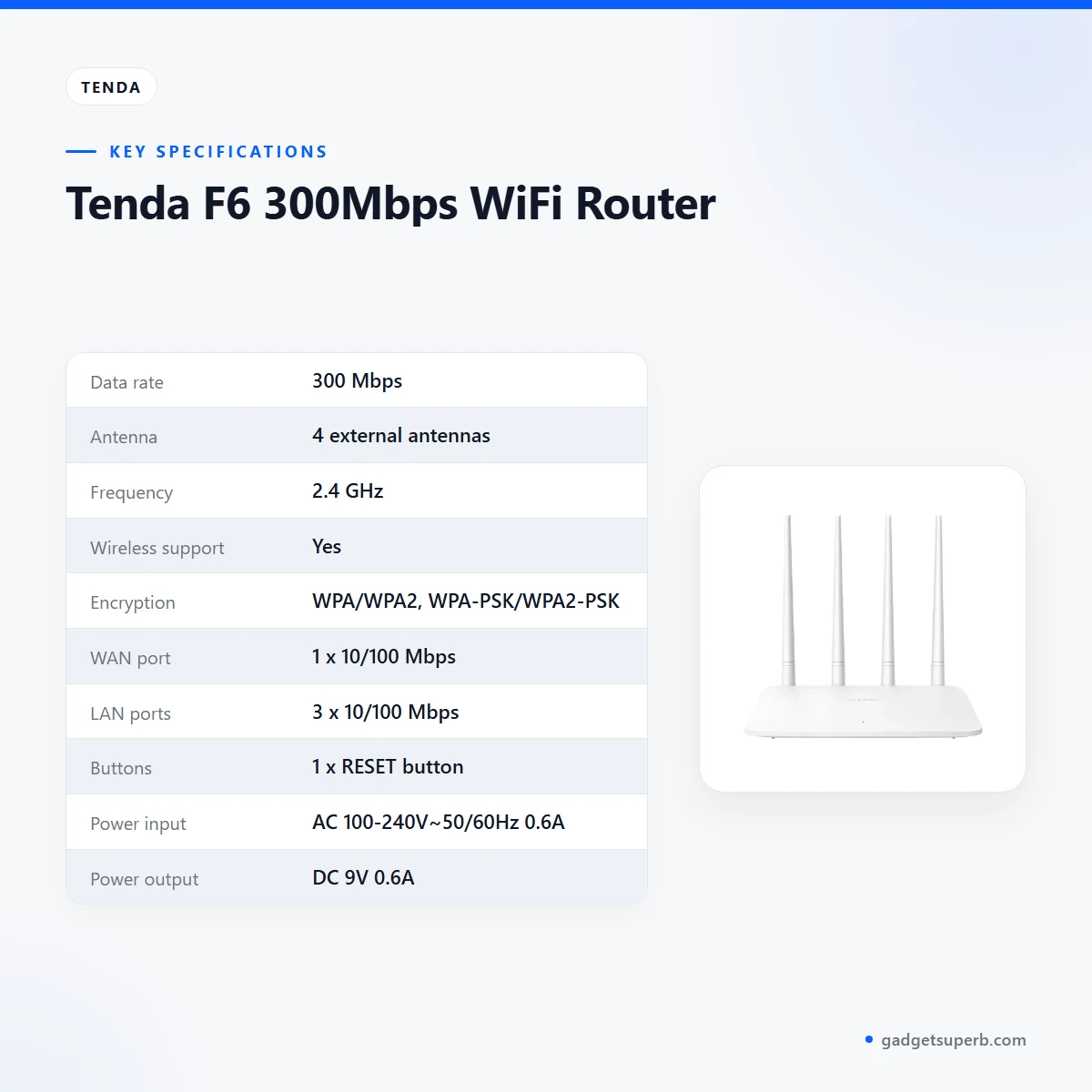
The table below sets out the Tenda F6 router specifications as they appear in the product listing. Check each row against your own needs, your internet line and the power supply in your home before you order. The power rows show the input range and output that the listing states. The dimensions row gives the size in millimetres, and the colour row gives the colour the listing states.
| Data rate | 300 Mbps |
| Antenna | 4 external antennas |
| Frequency | 2.4 GHz |
| Wireless support | Yes |
| Encryption | WPA/WPA2, WPA-PSK/WPA2-PSK |
| WAN port | 1 x 10/100 Mbps |
| LAN ports | 3 x 10/100 Mbps |
| Buttons | 1 x RESET button |
| Power input | AC 100-240V~50/60Hz 0.6A |
| Power output | DC 9V 0.6A |
| Dimensions | 204 x 147.5 x 211 mm |
| Colour | White |
These are listed specifications from the product listing.
How to use / set up
Before first use, read the maker’s instructions and check that your power supply matches the input range in the listing, which is AC 100-240V~50/60Hz 0.6A. The listing gives a DC 9V 0.6A output, so use that output figure as your guide when you look at the power supply and the cable. Do not connect the Tenda F6 router to any supply outside the range the listing states.
Place the Tenda F6 router in a dry, open spot near the place where you use the internet most. Keep it off the floor, away from direct sun and clear of damp walls. Connect your internet line to the WAN port and your devices to the LAN ports or over WiFi, following the maker’s instructions for each step. Leave enough space around the case so that air can move freely.
Once the network is running, set a WiFi password and confirm that the encryption type matches the listing. Before you change any Tenda F6 router setting later, back up the configuration, because the listing includes backup and restore. Write down each change you make, so that you can return to a known good state if something stops working.
Power cuts are common in parts of Bangladesh during load-shedding, and they can interrupt your connection at any hour. The listing does not say whether the router has any battery backup, so plan a separate power solution if the router must stay on during outages. Some households keep a separate power backup for their modem and router, but check that any such option suits the listed input before you buy it.
Care is simple. Wipe the case with a dry cloth, keep dust off the case and do not place heavy objects on top of it. In humid months, keep the router in a ventilated place and avoid enclosing it in a damp cupboard. The listing does not give cleaning instructions, so follow the maker’s guidance where it is available.
When you first sign in to the settings, take your time and change one thing at a time. Record the date, the setting and the new value in a notebook. If a change causes trouble, you can then reverse it quickly rather than guessing which step caused the problem.
Compatibility and what is in the box
The listing confirms wireless support, WPA/WPA2 encryption, a 2.4 GHz frequency and IPv6 features specific to Bangladesh. It also confirms browser firmware upgrades and backup and restore of configurations. These are the compatibility points the listing states for the Tenda F6 router, and they are the basis for the guidance on this page.
The listing does not state which phones, laptops, tablets or operating systems the router works with, and it does not list package contents. Confirm the model before you order, and message us if you need a specific item for your setup. A quick check of your existing devices against the listed wireless support will show whether the router fits your household.
The listing does not confirm compatibility with any specific internet provider in Bangladesh. If your provider requires particular settings, check with the provider first and follow the maker’s instructions. Keep your provider’s contact details handy, so you can ask them directly about IPv6 or line settings before you make changes.
Who should buy it in Bangladesh
The Tenda F6 router is a practical choice in several common situations. The scenarios below are guidance based only on the listed features.
- A family flat with phones, a laptop and a smart TV sharing one WiFi network, where a plain router with browser firmware upgrades covers the basics.
- A small home office with one desktop on a wired LAN port and a few laptops on WiFi, where bandwidth control is listed for managing shared use.
- A household replacing an older router in one room, provided the 2.4 GHz band suits the devices it already uses.
- A buyer who needs a portable WiFi device for travel should look at our pocket WiFi range instead, because this router is listed with AC power input.
Before you buy, compare your devices, your internet plan and your room layout with the listing. If any of these point to a feature the listing does not show, read the specifications again and consider the alternatives further down this page. Choosing the right model the first time is the simplest way to avoid needing a return within the seven-day window.
Families in shared flats should also agree on who manages the password and the settings. Whoever sets up the Tenda F6 router should note the password, the firmware version and any changes made, so that the next person can help without guessing. Students, remote workers and small shops with simple connection needs will find the wired and wireless layout straightforward to plan around. Shops that need many devices or a more complex setup should confirm the full requirements with us before ordering.
Think also about where the connection is needed most. A bedroom study, a shop counter or a living room with the family television may each suit a different position in the home. Measure the distance from the planned spot to the most important device, and bring that note with you when you ask us a question before ordering.
Alternatives in our store
If you are still deciding on the Tenda F6 router, these related products in our range may help. Another wireless router in our range is the Cudy WR1200 AC1200 Dual Band Smart Wi-Fi Router, which sits in the same category. For an accessory rather than a router, see the Metal Router Stand – Black. If you need a pocket WiFi router instead, see the Vemo E5783 Plus 4G/5G Portable Pocket WiFi Router – 300Mbps High-Speed Mobile Hotspot with 3000mAh Battery, which is in our pocket WiFi range. Another wireless router in our range is the Ruijie RG-EW1300G 1300M Dual-Band Gigabit WiFi Router. To browse the full category, visit Routers & Pocket WiFi.
Compare each option against your own list of devices and rooms. Read the specifications on each product page, and ask us if the listing does not answer a question you have before ordering. Writing your needs down first makes the comparison quicker and keeps the choice tied to your home rather than to a headline number.
Warranty and support
Warranty: 7 Days seller warranty.
For help before you order, contact the store using the details in the delivery section below. Keep your order details and the model F6 to hand whenever you get in touch, so the team can find your order quickly.
Delivery, returns and ordering
We deliver all over Bangladesh and you pay cash on delivery.
Delivery usually takes 1–3 days inside Dhaka city and 2–5 days outside Dhaka.
You can return it within 7 days of delivery (see our Delivery & Returns policy).
Questions before ordering: call 09638054751, message us on Facebook Messenger or email care@gadgetsuperb.com.
To order the Tenda F6 router, contact us using the details above before you place your order. Plan your order around the delivery times for your area, and keep a phone number nearby so the courier can reach you. The full terms are on our Delivery & Returns policy page.
Frequently asked questions
Is the Tenda F6 router a 300Mbps WiFi router?
Yes, the listing gives the Tenda F6 router a data rate of 300 Mbps. The listing does not give throughput figures, so real speed depends on your internet plan, your devices and the distance from the router.
Does the Tenda F6 router support another WiFi band?
The listing gives the Tenda F6 router a 2.4 GHz frequency and does not list another band. Ask us before ordering if a different band matters to your home network.
How do I update the Tenda F6 router firmware?
The listing says the Tenda F6 router firmware can be upgraded via browser. Back up your configuration first, then follow the maker’s instructions and check the maker’s website for firmware files.
Where do I find the Tenda F6 router login?
The listing does not give login details for the router, so follow the maker’s instructions for accessing its settings. If you still cannot find the details, message us on Facebook Messenger or email care@gadgetsuperb.com.
Does the Tenda F6 router support IPv6?
Yes, the listing says the Tenda F6 router supports IPv6 features and marks them as specific to Bangladesh. Check with your internet provider which IPv6 setting applies to your line before you change anything.
Is the Tenda F6 router a pocket WiFi device?
No, the listing gives an AC power input and a DC output, so the device is not described as a portable pocket model. For a portable option, see our pocket WiFi range.
What is the warranty on the Tenda F6 router?
Warranty: 7 Days seller warranty. Ask us about the Tenda F6 router before ordering if you need more detail.
Can I return the Tenda F6 router?
Yes, you can return the Tenda F6 router within 7 days of delivery. The details are set out in our Delivery & Returns policy.
Do you deliver the Tenda F6 router outside Dhaka?
Yes, we deliver all over Bangladesh, and delivery usually takes 2–5 days outside Dhaka. Delivery inside Dhaka city usually takes 1–3 days.
Can I pay cash on delivery for the Tenda F6 router?
Yes, you pay cash on delivery when the router arrives. We deliver all over Bangladesh, so the option applies wherever you live in the country.
Related products
-27%
48 in stock

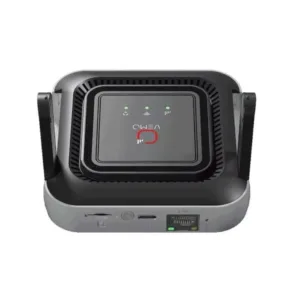
Vemo M6 Pro 300Mbps 4G LTE Pocket Router
Original price was: ৳ 5,420.৳ 3,950Current price is: ৳ 3,950.-25%
50 in stock
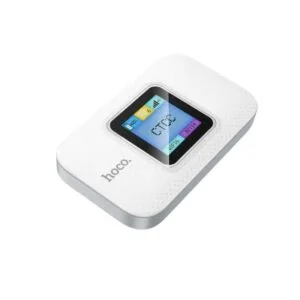
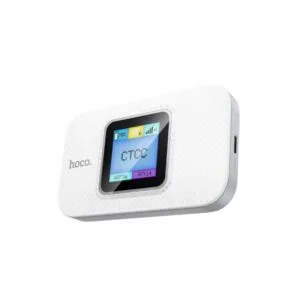
Hoco DQ12 Portable WiFi Router
Original price was: ৳ 3,740.৳ 2,770Current price is: ৳ 2,770.-28%
61 in stock
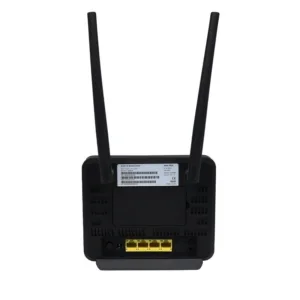

Olax MC60 300Mbps WIFI Speed 4G Router
Original price was: ৳ 7,210.৳ 5,180Current price is: ৳ 5,180.-26%
44 in stock

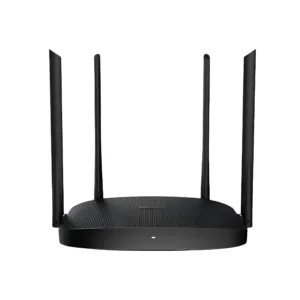
Hikvision DS-3WR12C AC1200 1200Mbps Dual Band WiFi Router
Original price was: ৳ 2,960.৳ 2,190Current price is: ৳ 2,190.-28%
46 in stock
OLAX MT30 150Mbps Portable Pocket Router 4000mah Battery
Original price was: ৳ 5,690.৳ 4,090Current price is: ৳ 4,090.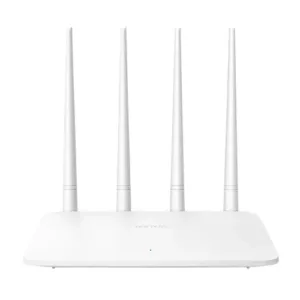 Tenda F6 300Mbps WiFi Router
Original price was: ৳ 2,100.৳ 1,610Current price is: ৳ 1,610.
40 in stock
Reviews
There are no reviews yet.