No products in the cart.

-23%
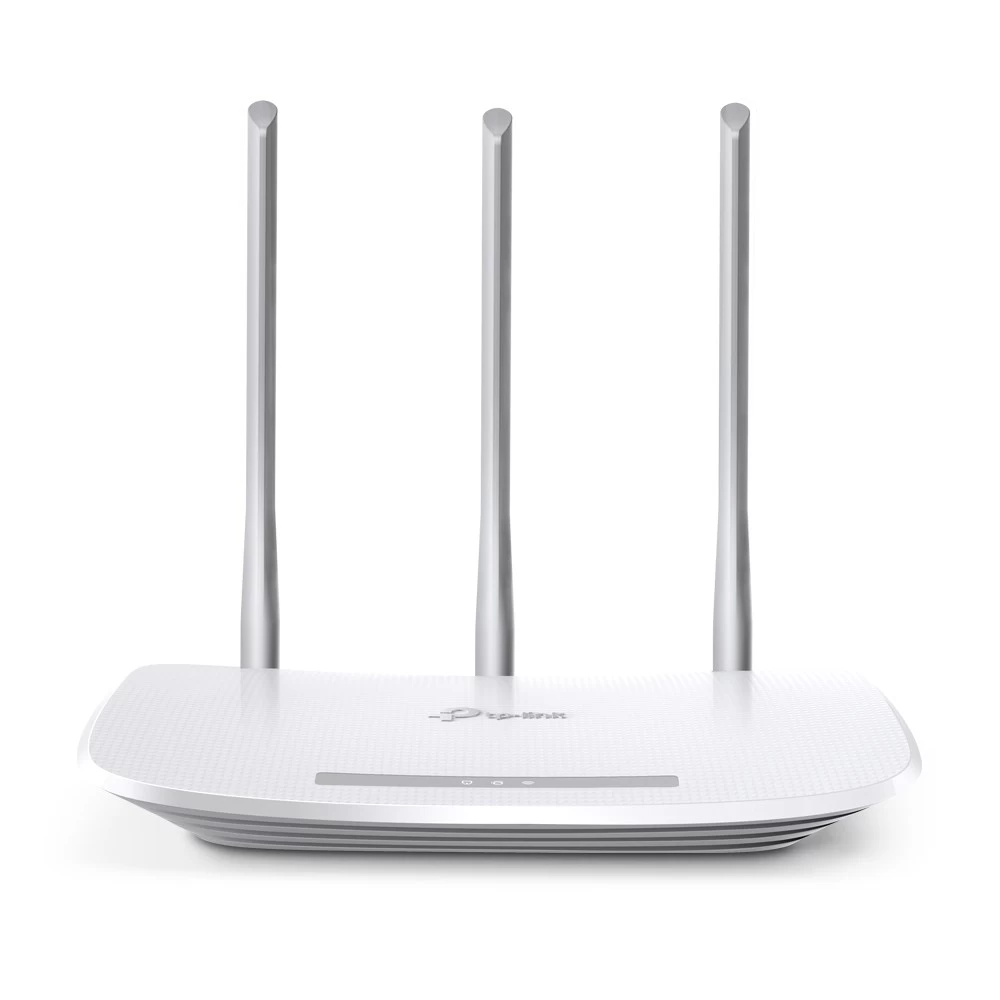


The tp-link wr845n router is a wireless router from TP-Link, listed under model WR845N in our Routers & Pocket WiFi range. It suits Bangladeshi households and small offices that want a simple router for one broadband line and want to check the listed details before they order.
- Overview
- Key features
- Specifications
- How to use / set up
- Compatibility and what is in the box
- Who should buy it in Bangladesh
- Alternatives in our store
- Warranty and support
- Delivery, returns and ordering
- Frequently asked questions
Overview of the tp-link wr845n router
According to the listing, the tp-link wr845n router is a TP-Link wireless router with a frequency listed as 2.4-2.4835GHz and an interface of one LAN and four WAN ports. The listed model is WR845N, and the product name gives a speed of 300Mbps. The maker lists these details, so treat them as the starting point for your own checks rather than a complete technical sheet.
Many buyers look at the tp-link wr845n router for a single flat, a small shop counter or a room that needs a steadier connection. The router sits between your broadband line and your devices, but how well it works depends on your internet plan, the number of devices connected at once and where the signal must reach. Before you buy, write down those three things and compare them with the details on this page. A router is only one part of the chain, so the condition of your line and modem matters as much as the unit itself.
Bangladesh has particular conditions to plan for. Load-shedding and power cuts are a fact of life in parts of the country, so if your tp-link wr845n router shuts down during a power cut, it must restart before your devices can reconnect. Humidity in Dhaka and other cities can be hard on electronics, so place the unit in a dry, ventilated spot away from direct sunlight. You can read about the maker’s range on the maker’s website.
Key features
2.4GHz frequency band as listed
The listing gives the frequency as 2.4-2.4835GHz. That is the band the tp-link wr845n router is listed to use, and it is the band you should match against the devices you plan to connect. The listing does not say that the router supports any other band, so check the listing or ask us before you order if a device needs something different.
Keep this point in mind when you compare the tp-link wr845n router with other routers in our range, because the band is one of the few confirmed details on the page. Write it on your checklist beside the devices you expect to use every day. Phones, laptops, smart TVs and any older equipment each deserve a line of their own.
300Mbps speed as named in the product
The product name gives the speed of the tp-link wr845n router as 300Mbps. We are quoting that figure as it appears in the listing. Real speed on any Wi-Fi router depends on your internet plan, the distance between your devices and the router, the walls and furniture in between, and how many devices share the connection at the same time.
A household with a busy evening, several streaming screens and video calls will notice these factors more than a single figure on a page. Expect your own results to differ from the listed number, and judge the tp-link wr845n router by how it performs in your home rather than by one number. Test it in the room where you spend most time, using the devices you already own.
One LAN and four WAN ports
The listing gives the interface as one LAN port and four WAN ports on the tp-link wr845n router. When you plan the layout, count the wired devices you need in the room with the router, such as a desktop, a set-top box or a shop computer, and the connections you need from your broadband line. This layout suits a buyer who has a few wired devices and wants to plan cabling in advance.
The listing does not say which modem types or connection types the ports are designed for, so check your own connection with your provider before you order. A simple sketch of your cable route can save time on installation day, and it shows whether the router will sit comfortably near the point where your line enters the flat.
Listed dimensions for placement
The listing gives the dimensions as 9.1W x 5.7D x 1.4H in. Measure the shelf, desk or cabinet where you plan to keep the tp-link wr845n router before you buy, and leave space for cables at the back and for air to move around the unit.
The listing does not give a weight, so check the space by measuring rather than guessing. If you want a stable base for the unit, we sell a metal router stand in black, linked in the alternatives section below. Choosing a position where a television or cupboard door does not block the unit can also help the tp-link wr845n router suit the rooms you use most.
Specifications
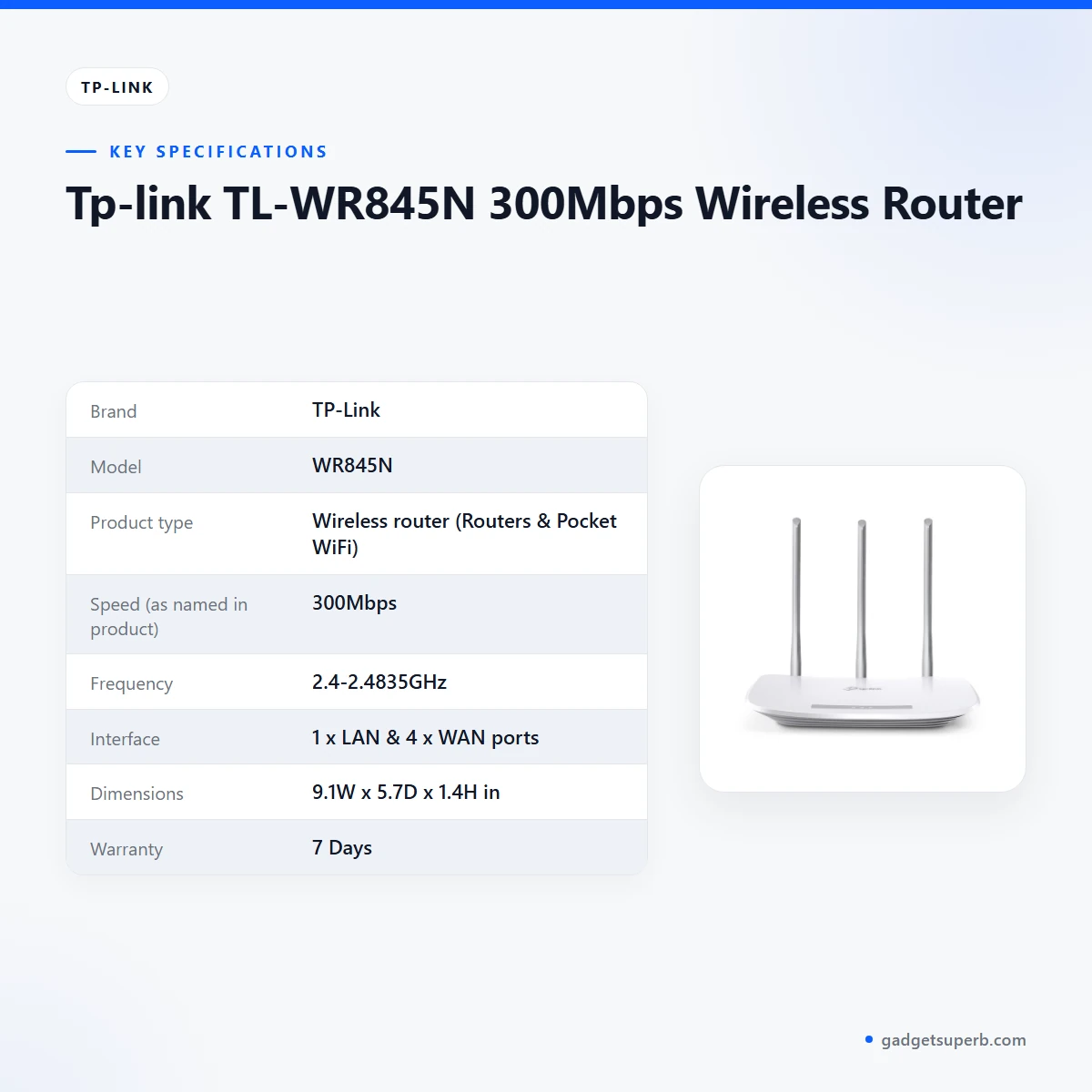
The table below sets out the specifications for the tp-link wr845n router, as shown in the product listing.
| Brand | TP-Link |
| Model | WR845N |
| Product type | Wireless router (Routers & Pocket WiFi) |
| Speed (as named in product) | 300Mbps |
| Frequency | 2.4-2.4835GHz |
| Interface | 1 x LAN & 4 x WAN ports |
| Dimensions | 9.1W x 5.7D x 1.4H in |
| Warranty | 7 Days |
These are listed specifications from the product listing.
Read the table as a checklist rather than a verdict. Compare the frequency and the port split with the devices and the modem you already have, then check the dimensions against the space you have. If a row you need is missing from the table, ask us before you order the tp-link wr845n router rather than assuming the answer.
Keep a copy of the table beside your order notes. Many buyers find it useful to compare two listings side by side, so the same rows appear for each product, which makes the choice of the tp-link wr845n router easier to explain to the rest of the household.
How to use / set up
Setting up a tp-link wr845n router is simple if you take it in order. Read the maker’s instructions first and follow them step by step rather than working from memory. Keep the guide to hand while you connect the unit, because the listing does not describe the setup screens or the order of the steps.
- Choose a spot: a dry, ventilated place near the point where your broadband line arrives, away from direct sunlight and heat sources.
- Connect your internet line and your devices following the maker’s instructions.
- Set your network name and password using the maker’s setup guide, and write them down somewhere safe.
- Connect a phone, laptop or television to the new network and check that it reaches the internet.
- Check the signal in the rooms you use most, and move the router if the signal is weak there.
Once the tp-link wr845n router is working, keep a note of your network name, the date of setup and where the unit sits. That note saves time if a family member needs to reconnect a device later, or if you need to ask us a question about your setup.
Power cuts are common in parts of Bangladesh, so after a load-shedding event, wait for the router to start up, then check that your devices have reconnected. If it does not return to normal, check the cables and the power point before you contact us. Keep the unit away from water and do not stack it on other heat-producing equipment.
Care for your tp-link wr845n router is simple. Dust the vents occasionally, keep cables tidy and avoid stacking heavy items on the unit. The listing does not give cleaning instructions, so use common sense and follow the maker’s guidance.
Cable management also helps. Route the cables along a wall or behind a cupboard so that nobody trips over them, and label each lead if the room has more than one connected device. A tidy set-up makes it easier to spot a loose lead after a power cut.
If you keep a spare unit, store it in a dry cupboard away from dust, with the cables wound loosely rather than kinked. Keep your order receipt with it so the seller warranty is easy to check later.
If devices show a connection but no internet, check your broadband line and modem first, then check the router. This is general troubleshooting advice rather than a listed feature. The listing does not include firmware or login details, so follow the maker’s instructions or contact us for help with the tp-link wr845n router.
Compatibility and what is in the box
The listing confirms the frequency band, the port layout, the dimensions and the model number. It does not confirm compatibility with specific modems, internet providers, operating systems or client devices, so do not assume the tp-link wr845n router works with every connection in Bangladesh.
The listing does not describe the contents of the package, so we cannot confirm what arrives with the router beyond the product itself. If you need a specific accessory, check with us first. Confirm your model before you order by matching WR845N against any reference you already have.
Compatibility questions about a specific set-up are a good reason to ask before ordering. Write down your internet provider, your modem type and the number of devices you expect to connect. Our contact details are in the delivery section, and we are happy to explain what the listing does and does not confirm for the tp-link wr845n router.
A useful habit is to keep a single page with your broadband details, the model name and your order number. When you ask us a question, that page lets us answer quickly and avoids guesswork about the tp-link wr845n router.
Who should buy it in Bangladesh
The tp-link wr845n router suits several kinds of buyer. The scenarios below are realistic examples of use, not promises about performance in any particular building.
- A family flat in Dhaka with one broadband connection, a few phones and laptops, and a need for a simple wireless network in the main living room.
- A small home office or shop counter where one or two computers need a wired connection and a Wi-Fi network for staff phones, which a router of this kind can cover.
- A household in a city with regular power cuts that wants a router it can restart and reconnect easily after load-shedding.
- A buyer who wants a named model with clear listed details and who is prepared to measure the space and check the connection type first.
- A student flat where a few devices share one line and the tenants want a simple router placed on a desk they already own.
- A relative who sets up a family network for someone in another district and wants to ask questions before ordering.
Some buyers should look elsewhere. If you need mobile internet for travel or for a site with no fixed line, our pocket WiFi range is the better place to start, because this listing is for a wireless router. If you need a band other than the one listed, the listing does not confirm the tp-link wr845n router for that use, so compare the details carefully.
Think about your room layout and daily use. A tp-link wr845n router placed near the main room and close to the devices you use every day is more useful than one chosen only by its name. Consider who uses the network in the evening, who works from home during the day and where the broadband line enters the building.
Before you order, use this short checklist. Confirm the frequency band against your devices, count the wired connections you need, measure the shelf or desk, and note your internet provider. If each item fits, the tp-link wr845n router is a sensible starting point; if one does not fit, look at the alternatives in our store.
A shop owner in a busy market area may want to plan the wired connections first, because a counter computer and a printer need a fixed place on the network. Writing the cable plan on paper before the router arrives makes the first day far less stressful for everyone.
Alternatives in our store
If the tp-link wr845n router does not match your plan, you can compare other routers and accessories in our store. Each item is linked below by its name and category, so you can open the listing and check its details yourself.
Another wireless router in our range is the Cudy WR1200 AC1200 Dual Band Smart Wi-Fi Router, and the Ruijie RG-EW1300G 1300M Dual-Band Gigabit WiFi Router is another wireless router in the same category. For placement, the Metal Router Stand – Black is a router stand in our range.
If you want mobile internet instead of a fixed wireless router, look at the Vemo E5783 Plus 4G/5G Portable Pocket WiFi Router – 300Mbps High-Speed Mobile Hotspot with 3000mAh Battery, which is another pocket WiFi router in our range. You can browse the full range in Routers & Pocket WiFi, and compare the tp-link wr845n router against each listing on the same terms.
Warranty and support
Warranty: 7 Days seller warranty.
Delivery, returns and ordering
Ordering the tp-link wr845n router from Gadget Superb is straightforward, and the points below set out how delivery, payment and returns work.
We deliver all over Bangladesh and you pay cash on delivery. Delivery usually takes 1–3 days inside Dhaka city and 2–5 days outside Dhaka, so plan your setup date around that window.
You can return it within 7 days of delivery (see our Delivery & Returns policy). If the tp-link wr845n router is not what you expected, read the policy terms before you order.
Questions before ordering: call 09638054751, message us on Facebook Messenger or email care@gadgetsuperb.com. Tell us your connection type and the room where the router will sit, and we can point you to the right listing details for the tp-link wr845n router.
To place an order, tell us the product name, your delivery area and a phone number that will be answered on delivery day. Cash on delivery means you pay when the parcel reaches you, so have the amount ready and check the item before you pay.
When the parcel arrives, check the item and keep your order details to hand. If you plan a setup on the day of delivery, have your internet line, modem and devices ready, so the first session goes smoothly.
Frequently asked questions
What is the tp-link wr845n router?
The tp-link wr845n router is a TP-Link wireless router listed under model WR845N, with a speed of 300Mbps in its product name. The listing gives no further detail, so the specifications table above is the reference.
What frequency does the tp-link wr845n router use?
The listing gives the frequency as 2.4-2.4835GHz. It does not confirm any other band, so check the listing before you assume support for another band.
How many ports does it have?
The listing gives one LAN port and four WAN ports, so count your wired devices and your broadband connections before you order.
Is this router suitable for a flat in Dhaka?
It may suit a flat with one broadband line and a modest number of devices, but results depend on your plan and the layout of the rooms. Measure the space and check your connection first.
What are the listed dimensions?
The listing gives the dimensions as 9.1W x 5.7D x 1.4H in. Measure your shelf before you order.
What warranty is listed?
Warranty: 7 Days seller warranty.
Can I return the tp-link wr845n router?
Yes, you can return it within 7 days of delivery under our Delivery and Returns policy.
How long does delivery take?
Delivery usually takes 1–3 days inside Dhaka city and 2–5 days outside Dhaka. We deliver all over Bangladesh.
Can I pay cash on delivery?
Yes, you pay cash on delivery.
Does the listing include firmware or login details?
No, the listing does not give firmware or login details. Follow the maker’s instructions or contact us before you order.
Who can I contact before ordering the tp-link wr845n router?
Call 09638054751, message us on Facebook Messenger or email care@gadgetsuperb.com.
How do I place an order?
Message us, email or call with the product name, your delivery area and a contact number. Cash on delivery applies, as set out in our policy.
Related products
-28%
61 in stock

Olax MC60 300Mbps WIFI Speed 4G Router
Original price was: ৳ 7,210.৳ 5,180Current price is: ৳ 5,180.-28%
100 in stock

OLAX AX9 Pro 300Mbps 4G SIM Supported WiFi Router with 4000mAh in Built Battery
Original price was: ৳ 7,940.৳ 5,710Current price is: ৳ 5,710.-27%
30 in stock
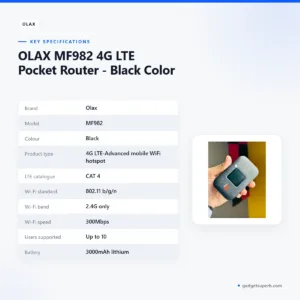

OLAX MF982 4G LTE Pocket Router – Black Color
Original price was: ৳ 4,200.৳ 3,060Current price is: ৳ 3,060.-27%
50 in stock

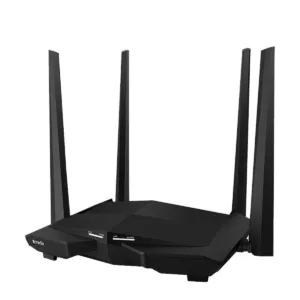
Tenda AC10 AC1200 1200Mbps Dual Band 4 Antenna Gigabit WiFi Router
Original price was: ৳ 4,500.৳ 3,280Current price is: ৳ 3,280.-23%
40 in stock
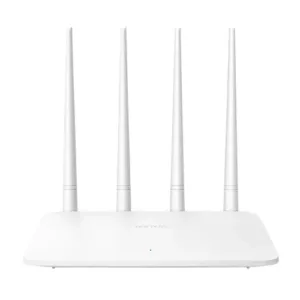
Tenda F6 300Mbps WiFi Router
Original price was: ৳ 2,100.৳ 1,610Current price is: ৳ 1,610.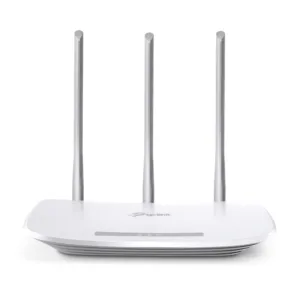 Tp-link TL-WR845N 300Mbps Wire...
Original price was: ৳ 2,460.৳ 1,890Current price is: ৳ 1,890.
5 in stock
Reviews
There are no reviews yet.