No products in the cart.

-23%
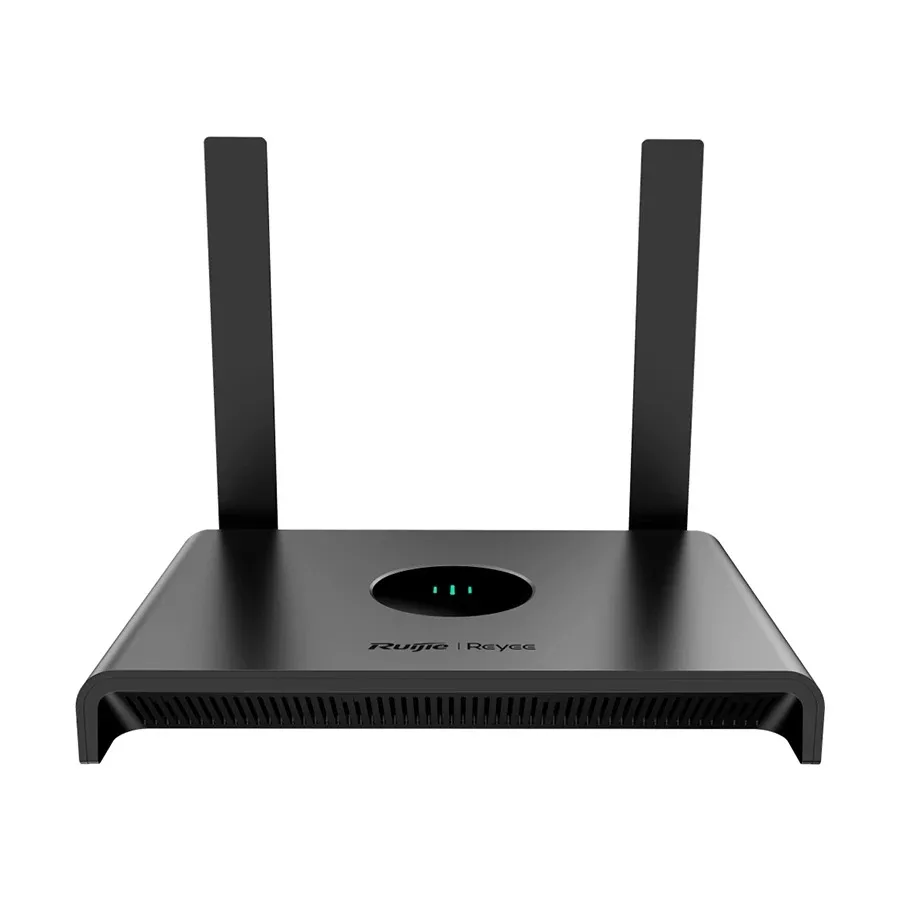
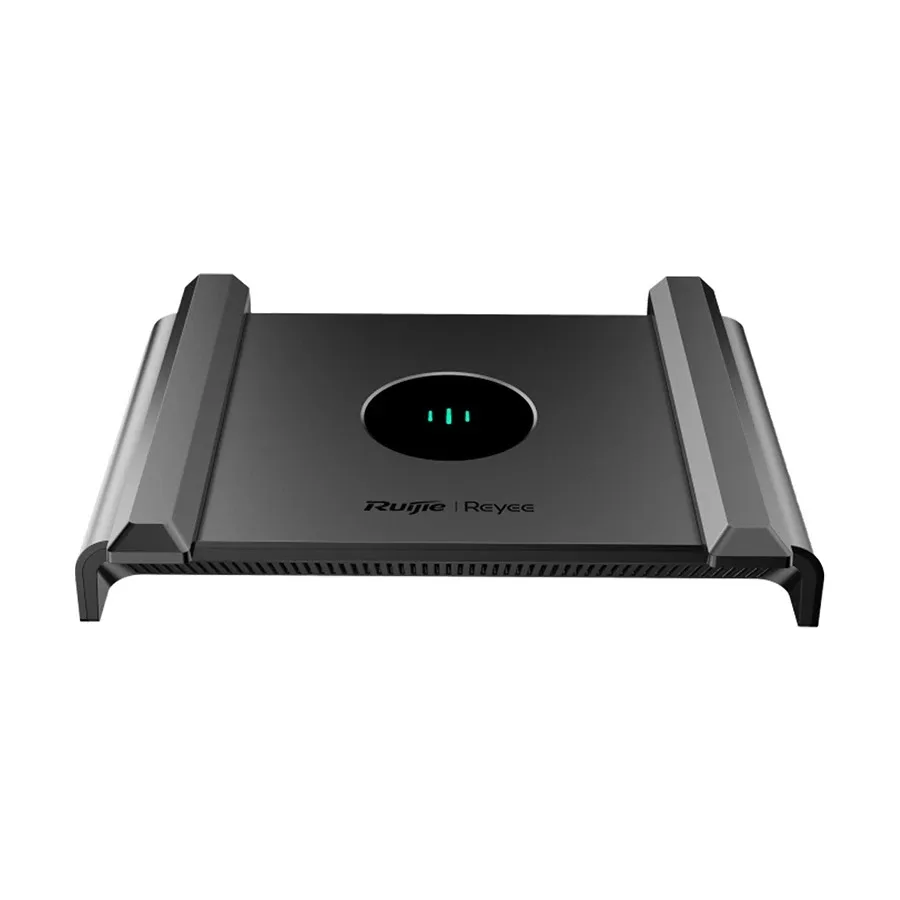
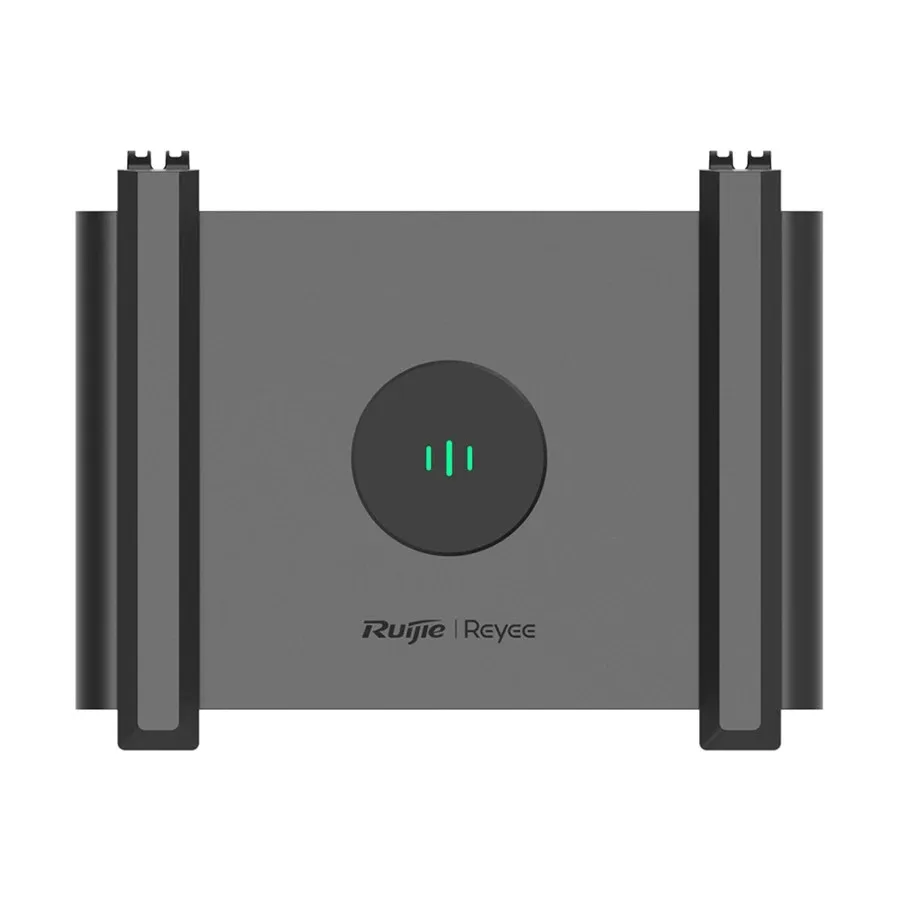


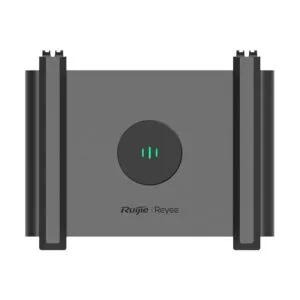


The Ruijie RG-EW300N router is a single-band wireless and Ethernet router that the listing describes as Wi-Fi 4 at 300 Mbps. It is aimed at homes and small offices that want one fixed Wi-Fi network for a modest number of devices. This page explains what the listing says, how to set the router up in general terms, and who should consider it in Bangladesh.
- Overview
- Key features
- Specifications
- How to use / set up
- Compatibility and what is in the box
- Who should buy it in Bangladesh
- Alternatives in our store
- Warranty and support
- Delivery, returns and ordering
- Frequently asked questions
Ruijie RG-EW300N router overview
The Ruijie RG-EW300N router sits in our Routers & Pocket WiFi range as a wireless and Ethernet router. The listing gives its Wi-Fi generation as Wi-Fi 4, its band as single, and its wireless speed as 300 Mbps in the product name. For a home where a few phones, laptops and a smart TV share one connection, the Ruijie RG-EW300N router is a straightforward starting point. If you need internet away from a fixed line, a pocket device is the better fit, and we list one in the alternatives section.
The listing also states approximate coverage of up to 1500 sq. ft. Coverage depends on the building, the walls and where the router is placed, so treat that figure as the maker’s estimate rather than a promise for your flat. Start by placing the Ruijie RG-EW300N router near the centre of the home, away from metal cabinets and thick walls.
Bangladesh homes face humid months, and a router left inside a closed cupboard can run warm, so keep the Ruijie RG-EW300N router on an open shelf or table where air can move around it. In Dhaka, where many flats sit close together, neighbouring networks can compete for space, so placement matters as much as the device itself. For background on the device type, see the general overview of wireless routers. The listing does not describe interference or how the device performs in any particular building. Before you order, call 09638054751, message us on Facebook Messenger or email care@gadgetsuperb.com, and we will talk through your floor plan and the number of devices you use.
Key features
Each point below repeats what the listing states about the Ruijie RG-EW300N router. Where the listing is silent, we say so.
Wi-Fi 4 with a single band
The listing describes the Ruijie RG-EW300N router as Wi-Fi 4 with a single band, and lists the wireless speed as 300 Mbps. That pairing suits many households that use the internet for browsing, messaging, video calls and streaming on a few devices at a time. The listing does not compare the Ruijie RG-EW300N router with newer Wi-Fi generations, so if you need the latest standard, check the alternatives further down this page. Match the setup to your daily use before you buy.
Two 5 dBi external antennas
According to the listing, the Ruijie RG-EW300N router has 2 x 5 dBi external antennas. The listing does not say more about how they are positioned or how they perform, so we will not add detail it does not give. Placing the Ruijie RG-EW300N router in an open spot is the practical step most buyers can take. Keep it clear of cupboards and metal objects where you can, and avoid stacking other electronics on top of it.
MIMO technology, as listed
The listing states MIMO technology as Yes for the Ruijie RG-EW300N router. The listing does not explain how this feature works in this model, and we will not add claims about its effect. The same listing states mesh technology as No, so the listing does not present this router as a mesh system. If you plan to spread a network across several floors, read the coverage note above and compare the options carefully.
Up to 16 user connections
The listing says the Ruijie RG-EW300N router supports up to 16 user connections. That figure is the maximum the maker lists, and the experience you get depends on what each device is doing at the same time. For a family home or a small office with a handful of laptops, phones and tablets, the number is a sensible scale to consider. For a larger group, compare the alternatives on this page or ask us before you order.
Wired ports listed at 10/100
The listing gives the LAN and WAN network standards as 10/100. Wired ports let you connect devices by cable, and the listing gives no further detail about the cabling. Your broadband plan, your modem and your cable all shape what you finally see on the network. The listing does not say which internet service provider or modem suits this router best, so that choice remains yours to make with your provider’s advice.
Reading the listing before you buy
The listing for the Ruijie RG-EW300N router is short on some details, so read it closely. It gives Wi-Fi 4, a single band, 300 Mbps, approximate coverage of up to 1500 sq. ft., two 5 dBi external antennas, 10/100 LAN and WAN standards, up to 16 user connections, MIMO technology Yes, mesh technology No, and the colour black. Anything beyond that list is not confirmed by the listing, so treat it as unknown until the maker or our team confirms it.
Specifications
The table below sets out the specifications for the Ruijie RG-EW300N router exactly as the product listing gives them.
| Model | Ruijie RG-EW300N |
|---|---|
| Router Type | Wireless & Ethernet |
| Wi-Fi Generation | Wi-Fi 4 |
| Band | Single |
| Wireless speed (per product name) | 300 Mbps |
| Wi-Fi Coverage (Approximate) | Up to 1500 sq. ft. |
| LAN Network Standard | 10/100 |
| WAN Network Standard | 10/100 |
| Antenna (Type & Qty) | 2 x 5 dBi External Antenna |
| Number of Concurrent Users | Up to 16 user connections |
| Mesh Technology | No |
| MIMO Technology | Yes |
| Color | Black |
| SIM Card Slot Included | No |
These are listed specifications from the product listing for the Ruijie RG-EW300N router.
How to use / set up
Follow the maker’s instructions for the first setup of the Ruijie RG-EW300N router. The listing does not describe the step-by-step process, so the points below are general guidance rather than a replacement for the maker’s guide.
Begin by choosing a position for the Ruijie RG-EW300N router. Place it on an open shelf or table, close to where you need the strongest signal, and keep it away from heavy objects and closed cupboards. Once the spot is chosen, leave the router in place rather than moving it each day.
Next, connect the Ruijie RG-EW300N router to your modem or internet line. Use cables that suit your modem, follow the maker’s instructions, and make sure each connection is firm at both ends. Charge or power the device as the maker’s instructions describe, and allow it to settle before you connect any phones or laptops. Do not force any plug into a port.
During setup, choose a network name and a strong password, and write them down somewhere safe. After the Ruijie RG-EW300N router is running, connect a phone or laptop to its wireless network and check that the internet opens. If it does not, check each cable, restart the modem and try again. If the problem continues, message us with the details of your connection, and we can help you narrow it down.
Care matters too. Wipe the outside with a dry cloth now and then, and keep the Ruijie RG-EW300N router away from direct sun and damp areas. Good airflow helps any electronic device in a Bangladeshi summer, when heat and humidity can stay high for long periods. Keep cables tidy so nobody pulls a plug by accident.
If you store the Ruijie RG-EW300N router for a long period, choose a dry place away from direct sun and keep its cables together so they are easy to find. Note the settings you use now before you change anything. That way, if something goes wrong, you can return to a known working setup.
Once the Ruijie RG-EW300N router is running, test the connection at the times that matter to you, such as the evening when the household is streaming and video calling at once. If the connection drops at those times, write down the time and the devices involved, and share the details with us or your provider.
Compatibility and what is in the box
The listing confirms several facts about the Ruijie RG-EW300N router: brand Ruijie, Wi-Fi 4, single band, Wireless & Ethernet router type, LAN and WAN at 10/100, two 5 dBi external antennas, MIMO technology Yes, and a black colour. It also states that the SIM card slot is not included. Those are the points you can rely on from this listing.
The listing does not state the contents of the box, and it does not confirm compatibility with specific internet providers, modems or operating systems. Treat those points as unconfirmed until you check them with us or your provider. Ask us about the Ruijie RG-EW300N router and your modem before you order.
If you are switching from a mobile hotspot or a pocket router, check that your setup expects a fixed router connected by cable. The listing states that the SIM card slot is not included, so the Ruijie RG-EW300N router is not a SIM-based device. Pocket WiFi devices in our range are the better match for that need, as the alternatives section explains.
Compatibility also depends on your home setup: the cable run from the modem, the distance to your main rooms and the number of devices in use at the same time. Measure those details before you decide, and keep a note of them for the conversation with us.
Who should buy it in Bangladesh
A Dhaka family flat with a few phones, a laptop and a smart TV is the most natural match for the Ruijie RG-EW300N router. It gives a single wireless network for everyday browsing, messaging and video calls. The listing states up to 16 user connections, a figure that fits a typical family.
A small home office or a shop counter with a couple of computers and a printer may find the Ruijie RG-EW300N router suitable. Think about how many devices are connected at once, not how many you own. If the office runs heavy uploads or a team needs constant video calls, compare the options carefully before you buy.
Students in a shared flat can use the Ruijie RG-EW300N router as a simple first network. Shared flats benefit from a short note of the network name and the router position, so everyone knows where to connect and nobody moves the device by accident.
Renters who move between flats should check the cabling in each new home before they set up the router again. Plan a few minutes for the first setup in each place. A labelled cable bag can also save time when you move.
A remote worker in a single room with one laptop may find the Ruijie RG-EW300N router more than enough for documents, email and video meetings, as long as the room is close enough to the router. Test your usual video call before an important meeting, and move the router if the signal is weak in that room.
Buyers who want a mobile connection rather than a fixed router should look elsewhere. The listing says the SIM card slot is not included, and the router is built around wired and wireless ports. A buyer who wants internet on the move, for travel or fieldwork, will get more from a pocket WiFi device than from the Ruijie RG-EW300N router.
A large home spread over several floors may need more than one router position, or a different product altogether. The listing gives approximate coverage and states mesh technology as No, so plan the placement carefully before you rely on the router for every room.
Alternatives in our store
If the Ruijie RG-EW300N router is not the right fit, browse these related products in our store. For another Wi-Fi router in our range, see Cudy WR1200 AC1200 Dual Band Smart Wi-Fi Router. For a router accessory, see Metal Router Stand – Black. If you need a mobile connection instead, see Vemo E5783 Plus 4G/5G Portable Pocket WiFi Router – 300Mbps High-Speed Mobile Hotspot with 3000mAh Battery, a pocket WiFi router in our range. For another Ruijie model, see Ruijie RG-EW1300G 1300M Dual-Band Gigabit WiFi Router, another Ruijie router in our range. You can browse the full Routers & Pocket WiFi category too.
Each product has its own product page in our store, so open the links and compare what each listing says before you decide. Then return here to compare the Ruijie RG-EW300N router with them side by side.
Warranty and support
Warranty: 7 Days seller warranty.
Delivery, returns and ordering
We deliver all over Bangladesh and you pay cash on delivery. Delivery usually takes 1–3 days inside Dhaka city and 2–5 days outside Dhaka. You can return it within 7 days of delivery (see our Delivery & Returns policy). Questions before ordering: call 09638054751, message us on Facebook Messenger or email care@gadgetsuperb.com.
Read the full terms on our Delivery & Returns page before you order the Ruijie RG-EW300N router. When you order, keep a phone number handy for delivery day so the courier can reach you, and keep cash ready for payment on the day.
Before you confirm an order for the Ruijie RG-EW300N router, check the quantity, the delivery address and your contact number. If the order is for an office, give an address where someone can receive the parcel during working hours.
The return window runs from the day of delivery, so note the date you receive the Ruijie RG-EW300N router. Keep your order details and contact number to hand in case you need to reach us about the order.
Orders outside Dhaka follow the same cash-on-delivery arrangement, with delivery usually taking 2–5 days. Orders inside Dhaka city usually take 1–3 days. Plan for the delivery window when you choose the day you need the router set up.
Frequently asked questions
What is the Ruijie RG-EW300N router?
The Ruijie RG-EW300N router is a single-band wireless and Ethernet router that the listing describes as Wi-Fi 4 with a 300 Mbps wireless speed.
Who is the Ruijie RG-EW300N router for?
It suits homes and small offices with a modest number of devices that need a fixed Wi-Fi network. Check the setup against your daily use before you order.
Is the Ruijie RG-EW300N router a Wi-Fi 6 router?
No. The listing gives its Wi-Fi generation as Wi-Fi 4.
How far does the Ruijie RG-EW300N router reach?
The listing gives approximate coverage of up to 1500 sq. ft. Actual reach depends on walls, building layout and placement.
How many devices can connect to it?
The listing says up to 16 user connections. Real performance depends on what each device is doing at the same time.
Does it support mesh?
The listing states mesh technology as No.
Does it have a SIM card slot?
The listing states the SIM card slot is not included.
What is the warranty?
Warranty: 7 Days seller warranty.
Can I return it?
Yes, you can return it within 7 days of delivery. See our Delivery & Returns policy for details.
Do you deliver outside Dhaka?
Yes. We deliver all over Bangladesh with cash on delivery, and delivery outside Dhaka usually takes 2–5 days.
What is in the box?
The listing does not state the contents of the box, so please confirm with us before you order.
Is it suitable for a large house?
The listing gives approximate coverage of up to 1500 sq. ft. and states mesh technology as No, so check the layout of your home before you order.
Does the router have a Wi-Fi 4 standard label in the listing?
Yes. The listing states Wi-Fi Generation as Wi-Fi 4, and that is the only generation it gives.
For a general explanation of the device type, read the general overview of wireless routers.
Related products
-27%
48 in stock

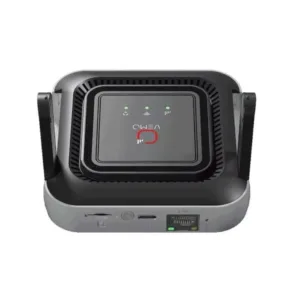
Vemo M6 Pro 300Mbps 4G LTE Pocket Router
Original price was: ৳ 5,420.৳ 3,950Current price is: ৳ 3,950.-23%
66 in stock

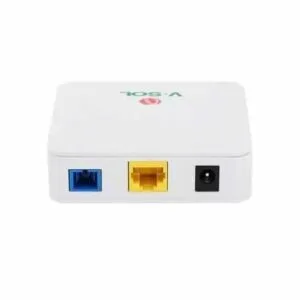
Vsol V2801SG XPON (G/Epon) Single Port ONU
Original price was: ৳ 1,930.৳ 1,480Current price is: ৳ 1,480.-26%
30 in stock
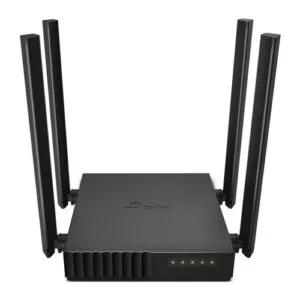
TP-Link Archer C54 AC1200 Dual Band Wi-Fi Router
Original price was: ৳ 3,500.৳ 2,590Current price is: ৳ 2,590.-27%
30 in stock

TP-Link Archer C64 AC1200 1200mbps Dual-Band Wireless MU-MIMO Gigabit WiFi Router
Original price was: ৳ 4,530.৳ 3,300Current price is: ৳ 3,300.-26%
44 in stock

Hikvision DS-3WR12C AC1200 1200Mbps Dual Band WiFi Router
Original price was: ৳ 2,960.৳ 2,190Current price is: ৳ 2,190.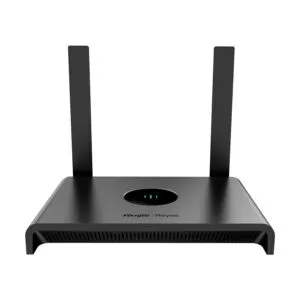 Ruijie RG-EW300N 300 Mbps Wi-F...
Original price was: ৳ 2,470.৳ 1,900Current price is: ৳ 1,900.
50 in stock
Reviews
There are no reviews yet.